Guida all'uso di OpenVPN su Windows
In breve
Guida passo passo per installare e configurare OpenVPN Connect su Windows. Scarica il client, importa la configurazione e connettiti al server VPN in 5 minuti.
Non vuoi configurare il server da solo?
Ottieni un server pronto

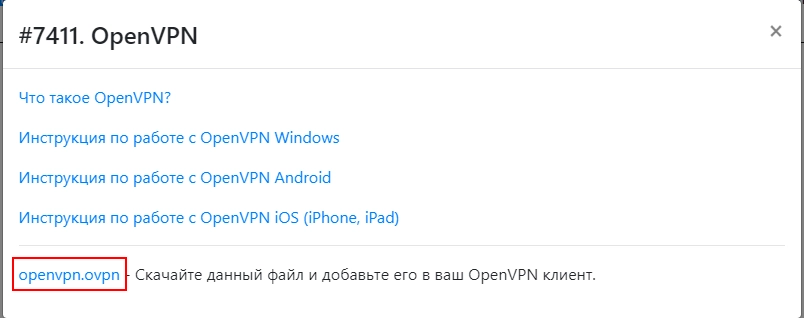
- Scarica il file di configurazione

- Scarica l'ultima versione per Windows: https://openvpn.net/vpn-client/ e installala
- Avvia c:\Program Files\OpenVPN Connect\OpenVPNConnect.exe
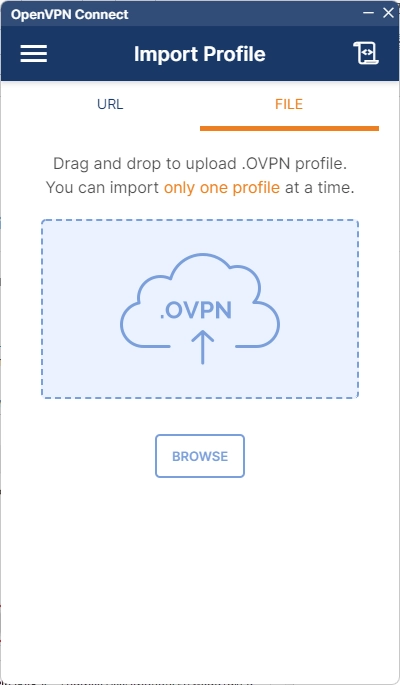
- Importa il file scaricato
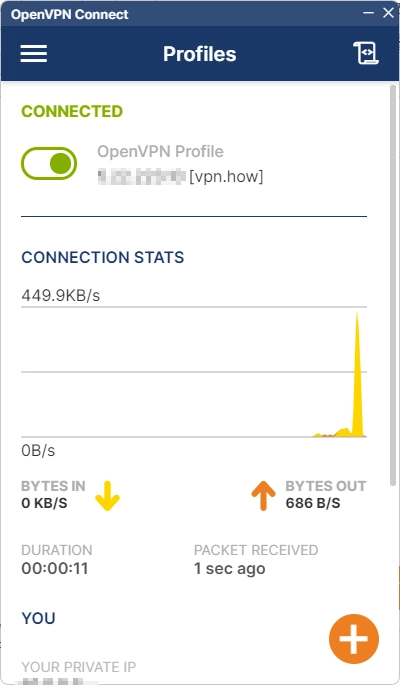
- Attendi il caricamento del file di configurazione e clicca su "Connect"
- Fatto, sei connesso tramite il protocollo VPN sicuro e criptato OpenVPN