TUN vs TAP in VPN: Simple Explanation, Real Cases, and Easy Choices for 2026
TUN vs TAP in VPN: Interface Comparison, Layer 2 vs Layer 3, Bridging vs Routing, Real Performance, MTU, Security, and Zero Trust. Detailed Scenarios, Checklists, Case Studies, and Answers for 2026.
Content of the article
- What are tun and tap in simple terms
- Layer 2 vs layer 3: theory without the snooze
- Practical scenarios: when to use tun, when tap
- Performance, security, and scaling
- Modern stack and tools for 2026
- Setup: step-by-step checklists without pain
- Real-world cases
- Common mistakes and how to avoid them
- Step-by-step decision guide
- Tun vs tap: side-by-side comparison
- Recommendations for 2026
- Faq: brief and to the point
What Are TUN and TAP in Simple Terms
IP Networks and Ethernet Frames Without the Jargon
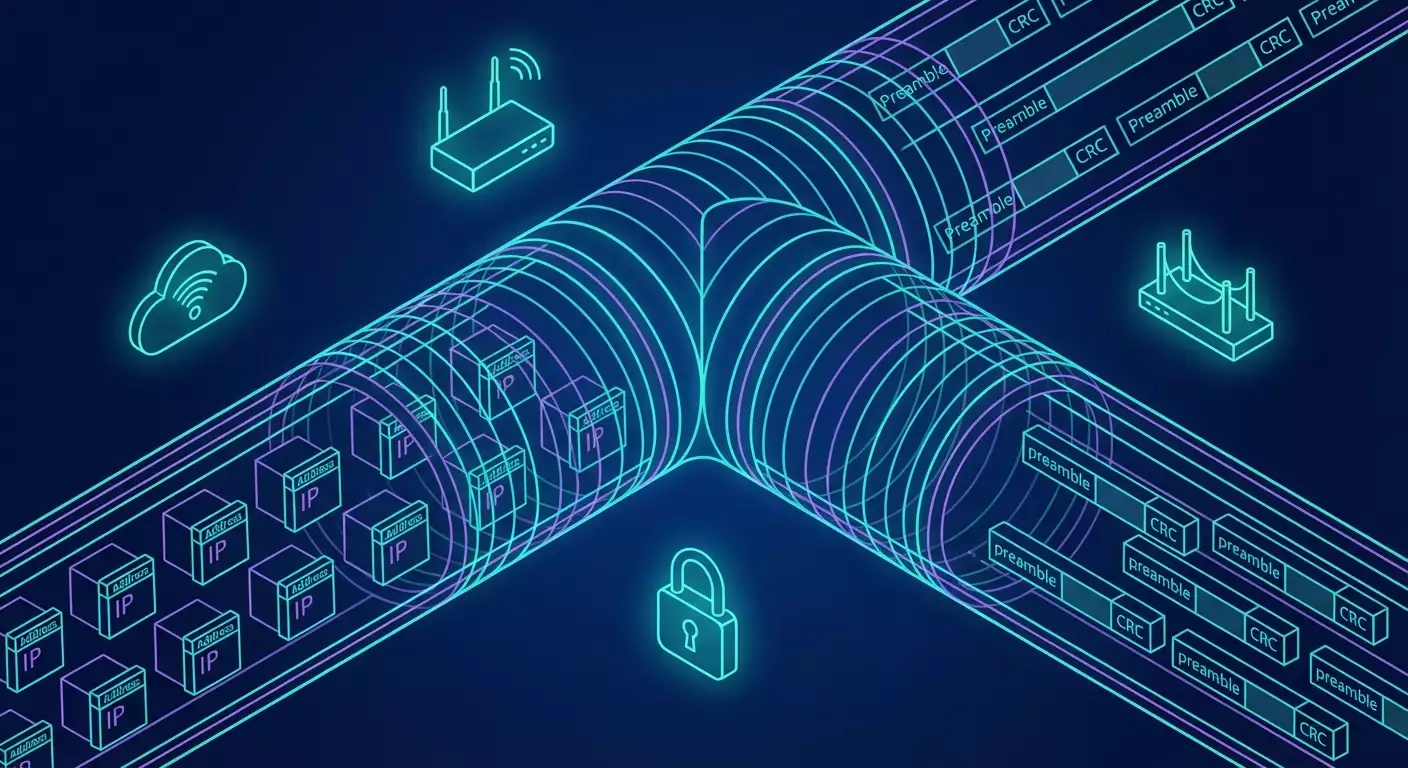
To cut through the technical talk, TUN and TAP differ like a highway route versus a neighborhood stroll. The TUN interface operates at Layer 3, handling IP packets. It’s straightforward, predictable, with hardly any surprises. Think of it as building a tunnel where IP packets are the trains and the VPN daemon is the driver. TAP, on the other hand, works at Layer 2 and moves Ethernet frames. This feels like carrying a whole neighborhood with traffic lights, entry gates, and intercoms. With TAP, you see MAC addresses, ARP, broadcasts, VLAN tags, and the entire Layer 2 with its own rules and quirks. More complex? Yes. More useful in certain cases? Absolutely.
Why does this matter in real life? Because choosing TUN or TAP affects everything: speed, stability, compatibility with legacy protocols, broadcast range, routing, and even your cloud bills. We all want our VPNs to just work—without choking our apps or breaking familiar setups. Understanding the difference helps you pick the right approach early, avoiding a tangle of hacks, NAT shenanigans, strange bridges, and MTU headaches down the road.
How Virtual Interfaces Are Created and Why VPNs Need Them
Operating systems’ kernels can create special virtual interfaces through which user apps (like OpenVPN or another daemon) read and write packets. For TUN, these are IP packets; for TAP, Ethernet frames. It’s seamless: the process reads frames, encrypts and packages them into UDP or another transport, then sends them across the network to peers. On the way back, it decrypts, unpacks, and writes them back into the virtual interface. To the system, it looks like a standard network adapter—only with invisible wires and traffic flowing through a tunnel.
In 2026, this isn’t news, but priorities have shifted. TAP once seemed like a universal fix—grab all of Layer 2 and be happy. Nowadays, with apps friendly to IPv6, cloud services, and Zero Trust policies, we usually choose TUN. It’s simpler, faster, and scales better. TAP is necessary when you can’t live without Layer 2: DHCP across boundaries, legacy discovery protocols, streaming services that rely on MAC or L2 multicast. Also complex VLAN setups and specific industrial communication scenarios.
Why This Is Crucial Right Now, in 2026
Networks have sped up. We move data over 5G, fiber, cloud zones, and corporate SD-WANs. WireGuard-like solutions are rising, QUIC transport is gaining ground, hardware encryption acceleration is common, and post-quantum algorithms are emerging in pilots. Against this backdrop, excessive Layer 2 worldwide is costly. It amplifies broadcast noise, inflates MTU problems, and complicates security policies. Meanwhile, TUN fits neatly with Zero Trust and micro-segmentation: we precisely allow IP subnets and ports, manage access through SSO, and grant just enough permissions. But let’s be honest—TAP remains irreplaceable where apps require a “native” Layer 2 environment. That’s a fact, and it’s better to plan for it than to retrain habits later.
Layer 2 vs Layer 3: Theory Without the Snooze
Where TUN and TAP Live in the OSI Model
Looking left to right: physical, data link, network, transport, and so on. TUN sits at Layer 3 because it sends and receives IP packets. Inside, there's routing, CIDR; it doesn’t need ARP, no MAC addresses. TAP operates at Layer 2 with Ethernet frames: frame after frame, complete with 802.1Q VLAN tags, ARP, BPDU (if you’re bridging with switches), multicast, and more. Key point: TAP effectively extends a single Layer 2 segment over the network. “Extending” sounds nice, but it brings risks—latency, broadcast storms, unintended duplication of broadcast domains.
For VPNs, this is a fundamental fork in the road. With TUN, you get familiar IP routing: routes, firewall rules, clear ACLs—it’s all straightforward. With TAP, you get Layer 2 flexibility: printer discovery, Wake-on-LAN, industrial software that checks MAC addresses, legacy protocol integration. As always, flexibility comes at the cost of complexity and overhead.
Bridging vs Routing
Bridging glues several interfaces into one Layer 2 segment. Imagine a bridge connecting two shores of the same LAN. Traffic flows at the MAC level; broadcasts travel unfiltered. If you bridge TAP with a physical interface, you get a “transparent” LAN extension over VPN. Great for some use cases, but prepare for wild storms and unpredictable behavior if misbehaving nodes appear. Routing is a different strategy: it joins networks at the IP layer, manages routes and filters, and passes only what’s needed. Broadcasts stay within their domains, and you avoid collisions. Only downside: some Layer 2–dependent services lose visibility of each other.
From a VPN architecture perspective, TUN typically pairs with routing—easier to maintain, faster response, simpler to scale to hundreds or thousands of clients. TAP often demands bridging: TAP interfaces join a bridge with a local NIC. This lets remote nodes appear “local” on the network. But it also brings load and security vulnerabilities. You're probably not eager to have one noisy broadcast service crash your channel, right?
Broadcast, Multicast, and MTU: Where to Run
Broadcast in Layer 2 is like a loudspeaker in a courtyard—handy for one, annoying for many. TAP carries that loudspeaker through VPN; TUN does not. Multicast is also interesting: some apps rely on Layer 2 multicast, which standard TUN can’t handle without tricks. So, TAP? Possibly. But sometimes apps can adapt or enable Layer 3 multicast with IGMP proxying. MTU is another tricky story: Layer 2 atop Layer 3 atop UDP atop encryption—a layered cake. More layers mean higher fragmentation risk. Fragmentation kills performance, especially over mobile and cloud networks.
The takeaway: if you choose TAP, plan and test MTU thoroughly. Use diagnostics, MSS clamping, PMTUD, and monitor drop stats. Choosing TUN is simpler but not free—encryption and encapsulation consume bytes too. In 2026, smart practice means automating MTU and perimeter checks, plus monitoring on client and server sides. Don’t skimp on visibility. Flying blind leads to surprises and downtime.
Practical Scenarios: When to Use TUN, When TAP
When to Pick TUN: 80 Percent of Cases
Most remote access and site-to-site tunnels in 2026 are perfectly handled by TUN interfaces. Why? Because today’s world is built on IP and micro-segmentation. Need to grant developers access to Kubernetes API, private databases, or artifact storage? Easy. Declare routes, block unnecessary ports, run WireGuard or OpenVPN in TUN mode, add MFA, and you're set. Most apps don’t depend on Layer 2 magic; IP addresses and DNS are what matter. Plus, TUN is faster: less overhead, fewer surprises, easier tracing and logging.
Another TUN advantage is resilience through NAT and CGNAT. UDP transport with keepalive ensures your tunnel survives the rocky paths of mobile carriers and cloud load balancers. Many WireGuard-based solutions already handle roaming and multihoming gracefully. Add Zero Trust: group-based policies, validated devices, short-lived keys—all cleanly implemented at IP level. Bonus: simple failover and swift diagnostics.
When You Need TAP: Layer 2 Magic Without Regrets
Sometimes TAP is indispensable. Need remote machines to get IP from central DHCP because old software depends on it? TAP plus bridging. Got industrial equipment that talks a specialized Layer 2 protocol and must appear physically local? TAP. Want Wake-on-LAN to cross boundaries? TAP solves it. Need encrypted segments to look exactly like your local office with all MACs and VLANs intact? TAP again. Even gaming scenarios: some older games and streaming services sniff Layer 2 traffic and won’t work with plain routed IP.
The trade-off for these perks? Potential noise and complexity. Bridging TAP can unleash broadcast storms, and careless configs can drag you into Layer 2 chaos that’s a nightmare to debug from miles away. Limit your broadcast domain, enable filtering, use VLANs, and don’t tunnel the whole office unless necessary. And rigorously test MTU. A real-world tale: a team enabled a TAP bridge for 40 remote clients and overlooked an ARP storm from a faulty device. The tunnel clogged, VoIP choked, and SLA tanked. The fix? Segmentation.
Edge Cases and Compromises
If you need a unified segment for 2-3 critical devices but IP suffices for the rest, don’t drag everyone into TAP. Hybridize: main access via TUN, with a separate TAP segment tightly filtered for rare Layer 2 dependencies. Sometimes replacing Layer 2 features helps—static IPs or app-level mDNS relay instead of broadcast discovery. Boring? Maybe. Cost-effective and stable? Definitely.
Another compromise: if a service relies on Layer 2 multicast, check if it can switch to Layer 3 multicast with IGMP proxying. In 2026, many systems flexibly support alternate discovery and signaling. Lastly, technical debt: if TAP is saving one legacy server that’s due for retirement, don’t keep using TAP just as a band-aid. Plan migration—it saves nerves and money in the long run.
Performance, Security, and Scaling
Speed, MTU, and Fragmentation: Where Megabits Slip Away
Speed isn’t just about encryption algorithms. The interface type matters. TUN typically offers higher throughput and lower latency because it skips the Layer 2 overhead, reduces fragmentation risk, and simplifies PMTUD and MSS tuning. Practically, on typical x86 with AES-NI hardware, WireGuard in TUN crunches hundreds of megabits per second; modern ARM chips perform similarly. OpenVPN in TUN mode with modern settings often manages tens to hundreds of megabits with proper MTU. TAP lowers the ceiling: frames are larger, broadcasts never stop, and bridges add overhead.
MTU is a tough nut. One extra header can trigger fragmentation. It’s especially noticeable on mobile networks where fragmented UDP packets get lost more often. Don’t hesitate to lower MTU on clients, enable MSS clamping at edges, and verify trace routes. Experience shows WireGuard often works best with MTU 1280–1420; OpenVPN benefits from careful fragment/mssfix settings and UDP transport. The key: don’t guess, test. Ping with “Do Not Fragment” and increment packet size stepwise covers about 80% of cases.
Security: Ciphers, Authentication, and Zero Trust
In 2026, “just encrypting” isn’t enough. We live in a Zero Trust world: users and devices must be verified, access minimized and contextual, policies closely integrated with IAM teams. TUN fits perfectly because IP routing and ports are clear and manageable. We set ACLs, use short-lived keys, require MFA and device posture checks. Protocol-level encryption—ChaCha20-Poly1305 and AES-GCM—still rocks, while some vendors pilot hybrid post-quantum schemes for long-lived sessions. TAP encrypts securely too but involves more complex policies and harder visibility.
Watch out: TAP’s Layer 2 segment can expand attack surfaces. ARP spoofing? Yes, if filtering misses bugs. VLAN hopping? Possible with sloppy bridges and tagging. Mitigate with strict Layer 2 filtering, disabling unused protocols, isolating client ports, monitoring MAC addresses. Most importantly, log thoroughly and keep a quick “kill switch” handy. Mistakes happen; a good design with micro-segmentation and rapid shutdown options saves projects.
Scaling: Hubs, Mesh, and SD-WAN
When you have dozens or hundreds of clients, TUN clearly wins. Routes spread easily, policies stay manageable, mesh networks form predictably. WireGuard-based products in 2026 already auto-extract routes, assign node roles, prioritize traffic, and handle flexible QoS. Mesh mode avoids single points of failure and delivers consistent latency between branches. TAP scales too but requires tight domain limits, IGMP snooping, and careful multicast noise control—otherwise your global network becomes a drum circle.
SD-WAN trends reach here too: app control, prioritization, multiple paths, and multipath. TUN aligns naturally; TAP needs “training” to fit L2 into smart routers. Planning 200 sites with VoIP and thin clients? Design so TAP is an exception, not the rule. Otherwise, traffic chaos and SLA breakdowns await.
Modern Stack and Tools for 2026
OpenVPN, WireGuard, SoftEther, and TUN/TAP Drivers
OpenVPN stays alive and popular. It supports both TUN and TAP, is flexible, and well documented. WireGuard has become synonymous with fast TUN: minimal options, maximum speed, built into Linux kernel, solid support on Windows and macOS. SoftEther is an interesting all-rounder handling L2 bridges, multiple protocols, and acting like a “Swiss Army knife.” TUN/TAP drivers are standard by now: built-in on Linux, signed drivers on Windows, solid support on BSD. Important to pick versions with optimizations and active maintenance.
What’s new for 2026? WireGuard-compatible implementations better handle CGNAT, roam painlessly, and pick up new provider IPs in seconds. OpenVPN got good TLS 1.3 practices, updated secure cipher profiles, and better MTU control. SoftEther improved L2 bridging with careful filters. Hardware offloads are maturing: NICs handle crypto ops, drivers integrate with eBPF and XDP optimizations for filtering.
Kubernetes, Cloud, and CNI: Getting Along with TUN/TAP
Cloud networks default to Layer 3. Kubernetes sets up overlay networks, comfortable in the IP world. Attaching TUN to clusters is straightforward: you declare routes to services and pod CIDRs, set an Access Proxy, and allow only necessary streams. TAP in clusters is exotic. Sometimes used for L2-dependent workloads or labs needing exact LAN emulation. But it’s niche work: bridging TAP across nodes, broadcast control, QoS, lots of testing. Short version: CNI thrives in a TUN world; reserve TAP for isolated cases.
Cloud providers offer managed VPN gateways. Under the hood, mostly TUN with IPsec or WireGuard variants. It’s convenient to integrate with IAM, grant dev access via SSO, and audit. You save time and headaches—until you need L2 and “transparent office,” where TAP bridges must be self-built or found in specialized solutions. These cases are rarer in 2026 but still exist, especially in hybrid setups with legacy.
IPv6, QUIC, Multipath, and Post-Quantum Horizons
IPv6 is maturing fast: more addresses, simpler routing, true peer-to-peer without NAT hacks. TUN leverages IPv6 well and accelerates micro-segmentation adoption. QUIC is stepping confidently into enterprise: more resilient to packet loss, bypasses some middleboxes, adds flexibility over UDP. Smart VPNs now build tunnels with UDP and QUIC fallback, balance multiple paths, and adapt parameters in real time. TAP rides these transports too but struggles to match TUN’s stability.
Post-quantum algorithms are early days but progressing. The smart 2026 approach is hybrid handshakes, mixing classic strong ciphers with PQC primitives—a seed for future-proofing once standards finalize. Today, key discipline, MFA, and least-privilege policies matter more than experimental ciphers. Still, keeping an eye on the pulse is wise.
Setup: Step-by-Step Checklists Without Pain
TUN Checklist for Linux and Windows
- Plan your address spaces: for example, 10.50.0.0/16 for VPN, unique subnets per client and branch. - Choose transport: UDP by default; enable 20–30 second keepalives for roaming. - Configure MTU: start at 1420, test ping with Do Not Fragment flag, drop to 1280 if needed. - Route only necessary subnets; don’t tunnel all internet traffic without a good reason. - Use modern ciphers and short-lived keys. - Add MFA and device posture checks. - Verify DNS: split-DNS for internal domains, block unwanted zones.
On Linux: employ system units, ip link to check interfaces, ip route show for routes. On Windows: monitor drivers, enable Always On for corporate laptops if needed. In both, log in JSON to spare SIEM parsing pain. Add connection checks: simple curl requests, DB and API tests. Don’t forget key rotation—every 30–90 days is good practice.
TAP and Bridging Checklist
- Define goals: who and what exactly must be Layer 2 extended. - Create a bridge on the server: add TAP and physical interface, configure STP and filters carefully. - Limit VLANs: don’t tunnel all traffic, only needed tags. - Control broadcast: enable filters and rate limits if necessary. - Aggressively test MTU: ping DF with large sizes, watch for drops. - Monitor ARP and DHCP logs; use static bindings and avoid duplicates. - Segment domains if many clients; don’t try to build a global Layer 2—that’s costly and stressful.
Enable MAC and VLAN-level monitoring with TAP. If a storm occurs, be ready to disable segments fast and roll out backup plans. Experience shows TAP’s success means 80% planning and 20% tech. Decide upfront who intervenes during failures and keep rollback checklists handy.
Testing and Troubleshooting
Start simple: ping over VPN, check DNS, trace routes. For TUN, verify routes and firewall rules; for TAP, check bridges and Layer 2 filters. Monitor MTU and MSS: if HTTP stalls oddly, fragmentation is likely. Use iperf3 for rough throughput measurements while tracking CPU load and latency. If local LAN is fine but internet slows, investigate transport issues: overflowing buffers, provider limits, UDP-to-TCP proxy conversions.
Don’t hesitate to try alternate paths: different port or transport, temporarily disable QoS. In 2026, many carriers and CGNAT devices behave inconsistently. Sometimes moving from port 1194 to 51820 or switching to QUIC fixes things instantly. And always log everything. Flying blind is like fixing a car with a blindfold.
Real-World Cases
SMB, VoIP, and Remote Office
A company moved its file server to a datacenter and wanted branch access. They started with TAP for “office-like visibility.” It worked but broadcast and endless ARP compromised stability; VoIP jittered. They switched to TUN, kept a small TAP segment for a few specialized printers, and shifted SMB to direct IP access with DFS. Result: stability soared, average latency dropped, complaints plummeted. A simple story but telling: don’t pull Layer 2 where it’s not needed.
VoIP craves predictability. TUN with UDP prioritization and correct MTU produces cleaner audio than noisy Layer 2 TAP. Add guaranteed bandwidth, and calls are smooth. If you do need Layer 2 for telephony (rare but real), connect a VLAN over TAP limited to a few nodes. Don’t spread it across the network or you’ll chase echoes and drops forever.
Games, Custom Controllers, and Streaming
Older games and some controllers find servers via Layer 2 broadcast. TAP wins here: set up a bridge, clients “see” the game, pings are reasonable, gameplay flows. But if many clients make the network noisy, fun ends quickly. Compromise: a separate TAP segment for those needing Layer 2, others use TUN with routing to game servers. Streaming is similar: if software recognizes devices by MAC, TAP is a must—but limit the segment strictly.
Real example: a home media network with smart TVs and NAS over the cloud. Owner wanted TVs to “see” servers as on LAN. TAP solved it overnight, but broadcast flooded the tunnel via mobile provider. Adding restrictions, killing unneeded protocols, and moving big app updates off TAP stabilized things. Routine work, happy users.
Corporate Branch and Hybrid Cloud
A branch with 150 users, cloud hosting microservices and database. Initially wanted “transparent” Layer 2 with no changes. Pilot showed TAP caused chaos and weird delays. Switched to TUN, mapped routes to private subnets, enabled WireGuard with auto key rotation. Kept a small TAP island for three industrial controllers. Result: performance up, support costs down, security team got clear boundaries and policies. Lesson: hybrid yes, but no fanaticism.
Common Mistakes and How to Avoid Them
MTU, Broadcast, and DHCP
Top mistake: ignoring MTU. If web and RDP misbehave, look at fragmentation. Tune MTU and MSS, check DF packets, find the sweet spot. Second mistake: uncontrolled broadcast. TAP carries broadcast, and if noisy, the VPN suffers. Solution: filtering, rate limits, domain minimization. Third mistake: DHCP across miles. Sometimes needed, but handle it consciously with duplicate protection and solid lease logs. Otherwise, expect collisions and mysterious address drops.
Special note on ARP: if ARP tables go haywire, you’ve got excess Layer 2 somewhere. Limit it or shift logic to Layer 3. Simple fixes like address reservations and static entries for critical nodes help a lot. Also mind “smart” switches: enabled STP, mismatched port modes, and old firmware cause quirks easily blamed on VPN.
Security: Policies, DNS, and Humans
Common pitfall: letting “everything go everywhere.” We’re nice, but Zero Trust means minimal access. For TUN, use ACLs by groups and roles; for TAP, strict filters and MAC control. DNS is crucial—split-DNS ensures internal requests don’t leak and resolve properly. And of course, MFA is mandatory now. In 2026, phishing remains a threat; VPN access is a juicy target.
One heartfelt tip: documentation. If everything lives in sysadmin Pete’s head, your project is doomed. Checklists, diagrams, client profiles, rollback procedures—all save hours during crises. Also, keep software up to date. Old OpenVPN or TAP driver versions can be the tiny pebble that tips the cart.
Economics and TCO: What You’re Really Paying For
Sometimes the TUN vs TAP debate seems philosophical. But money grounds us quickly. TAP on a large scale hogs bandwidth with broadcasts and complicates support. That’s compute resources, engineer hours, downtime risks. TUN is cheaper and more predictable long term. Exceptions exist where TAP adds critical value—use it sparingly and cautiously. The balance is clear: mostly TUN, minimal TAP, clear rules, and transparent architecture.
For budgeting, allocate extra effort for TAP monitoring and testing. Include costs for Layer 2 diagnostics, logs, analysis tools. Also check your cloud bills—extra TAP traffic can cost real money, especially cross-region. Minor? Until your first incident. Then it’s no joke.
Step-by-Step Decision Guide
Gather Requirements and Constraints
Start with questions: What apps? Is Layer 2 discovery needed? How many clients and branches? Budget and SLA? If 80% of cases fit IP access, start with TUN as a base. If you have 1–2 critical Layer 2 dependencies, isolate them in a dedicated TAP segment. Plan MTU and monitoring upfront. And don’t forget security: SSO, MFA, segmentation, short-lived keys, centralized logging. Better to document this before pilot than scramble after.
Clarify environment: home networks, CGNAT, mobile internet, corporate firewalls. Where UDP gets blocked or fragmented oddly, keep QUIC or TCP fallback in your toolbox. 2026 solutions are flexible; sometimes these options hide just a few lines below in configs.
Choose Architecture and Test
Build a minimal pilot: TUN for most, TAP for tricky areas. Define routes, enable logging, unleash developers and users on tests. Observe VoIP quality, web service access, big file transfers. Test degradation by shutting down nodes, restarting clients, breaking channels. Early weakness detection saves big fixes later. Ideally, do load testing: iperf3, simple copies, mixed simultaneous scenarios.
Lock in a working profile: versions, settings, MTU, QoS priorities, ACLs. Once pilot succeeds, scale up: auto config delivery, centralized updates, user training. And yes, a small plea from support engineers: add a “collect logs” button with one click. It saves lives.
Deploy and Maintain
Roll out gradually: start with a beta group, then waves. Monitor metrics: throughput, latency, failed connections, MTU errors, mean time to incident. Review after a month, tweak policies, and don’t hesitate to ditch TAP where it underdelivers. That’s normal evolution. Infrastructure is alive—we adapt, learn, and pick the best tools.
Honestly, success boils down to discipline. Follow checklists, update regularly, and don’t fear change. Today TUN solves 90% of tasks. Tomorrow a new protocol may improve things further. But the fundamentals remain: understand your network, see your data, and trust common sense.
TUN vs TAP: Side-by-Side Comparison
Functionality and Compatibility
- TUN: IP-level, routing, easy Zero Trust integration, cloud and Kubernetes friendly. - TAP: Layer 2, full Ethernet, supports L2-dependent services, VLANs, L2 multicast. If you need a “local” network feel, TAP is irreplaceable. Apps-wise, TUN covers most modern workflows; TAP serves niche but critical cases.
- NAT and Mobility: TUN over UDP handles CGNAT and chaotic networks well; TAP manages but with more noise and MTU care. - Diagnostics: TUN is simpler with fewer layers; TAP demands Layer 2 knowledge and frame-level tools. Bottom line: no specific L2 needs, TUN wins.
Performance and Resilience
- Speed: TUN usually faster due to less overhead. - Latency: TUN consistently lower, especially on long hops and mobile networks. - Packet Loss: Fragmentation hurts TAP more. - Scale: TUN easier to scale to hundreds or thousands with predictable SLAs. TAP needs segmentation and filters.
- Failover: TUN supports active-active or active-passive mesh simply. TAP feasible but more complex and costly. - QoS: both support it, but TAP noise complicates life. Verdict: TUN is the workhorse; TAP is a targeted tool.
Security and Control
- Policies: TUN integrates with ACL and micro-segmentation, good for RBAC and SSO. - Attack Surface: TAP expands Layer 2 domain, raising ARP spoof and broadcast risk. - Audit: TUN logs and explains audit trails easily with IP and ports. - Zero Trust Compatibility: TUN leads; TAP needs extra measures.
This doesn’t mean TAP is insecure. It demands discipline, strong filters, and careful design. Like a sharp kitchen knife—you can cook brilliantly or cut yourself.
Recommendations for 2026
Quick Decision Algorithm
- If the app doesn’t require Layer 2 and works fine over IP, pick TUN. - For Layer 2 needs—DHCP, legacy discovery, special controllers—use TAP in small, filtered domains. - If unsure, start with TUN and verify via checklist; 8 out of 10 times it’s enough. - For global scale and many branches, design on TUN, add TAP sparingly.
Couple of pragmatic tips: budget traffic, CPU, and engineering effort upfront. Test on real user devices in their networks and with their providers. And please, plan TAP to TUN migration wherever possible. It’s not just trendy; it saves your support team’s sanity.
Trends and Best Practices
- WireGuard-like solutions dominate TUN: speed, resilience, simplicity. - QUIC speeds complex routes, helps traverse tricky providers. - eBPF and hardware acceleration improve filtering and reduce CPU load. - IPv6 is key for P2P and NAT bypass. - Zero Trust is more than buzz—it’s real role, context, and instant access revocation policies, perfect with TUN. TAP stays in the toolkit but without fanaticism.
One final human note: technology isn’t an end in itself. If TAP brings joy and fills a critical need painlessly, use it—but consciously, with seat belts and proven guidelines. Then all will be well.
FAQ: Brief and To the Point
How to Use This FAQ and What to Look For
This section collects the most frequent questions engineers, admins, and product owners ask when choosing between TUN and TAP. We provide clear answers with no fluff, grounded in 2026 practice. In a hurry? Focus on bold points for your pilot checklist.
If your situation is unusual, remember: first define requirements, then run a short pilot, then roll to production. Fewer surprises, less loss. And yes, test MTU early, not late. Saves tons of time.
Quick Tips Before Deployment
- Default choice: TUN for most cases. - TAP selectively: only when Layer 2 is genuinely required. - Monitor MTU closely: DF test and MSS clamping mandatory. - Zero Trust plus TUN yields optimal security. - For scaling, use mesh and config automation.
And the biggest lifehack: keep it simple. Simpler architecture means faster onboarding and easier support when Monday’s ticket storm hits.
Questions and Answers
- What’s the key difference between TUN and TAP? TUN works at the IP layer, moving IP packets; TAP moves Layer 2 Ethernet frames. Simply, TUN equals routing with minimal overhead; TAP means full Layer 2 with all broadcasts, MACs, and VLANs. If your app doesn’t depend on Layer 2, pick TUN. If you need a “local LAN” feel, consider TAP with domain limits.
- Which is faster in real life—TUN or TAP? Most times, TUN is faster thanks to lower overhead and fragmentation risk. It offers predictable latency and scales better. TAP is useful but can introduce broadcast noise and reduce throughput, especially on long links and through mobile providers.
- When is TAP mandatory? When needing to tunnel Layer 2 functions: central DHCP, legacy Layer 2 discovery, specialized industrial protocols, Wake-on-LAN, some old gaming and streaming reliant on Layer 2. Keep domains small and controlled, or trouble follows.
- Which protocol to choose in 2026: OpenVPN or WireGuard? WireGuard is preferred for TUN due to speed and simplicity. OpenVPN remains flexible and powerful for detailed TLS settings and compatibility. For TAP, OpenVPN and SoftEther offer more tools. Best approach: pilot to find what’s faster and more stable in your real network.
- How to fix MTU and fragmentation issues? Start with ping DF tests adjusting size. Lower VPN MTU to 1420 or 1280, enable MSS clamping at edges. Check if providers block large UDP packets. Sometimes switching transport or port helps. Main rule: measure and log, don’t guess.
- Is it secure to carry Layer 2 over the Internet? Secure if done carefully: encryption, authentication, strict Layer 2 filtering, and micro-segmentation. But Layer 2 expands attack surface more than TUN. Use TAP only when really needed and keep domains small. For most tasks, IP-focused TUN with Zero Trust is safer and easier to audit.
