UDP против TCP в VPN: наконец-то понятный разбор, где прячется провал TCP-over-TCP
Почему UDP быстрее и стабильнее TCP в VPN-туннелях в 2026 году. Разбираем TCP-over-TCP meltdown простыми словами, показываем реальные выгоды UDP, когда TCP всё же нужен, и даём пошаговые настройки для максимальной производительности и надёжности.
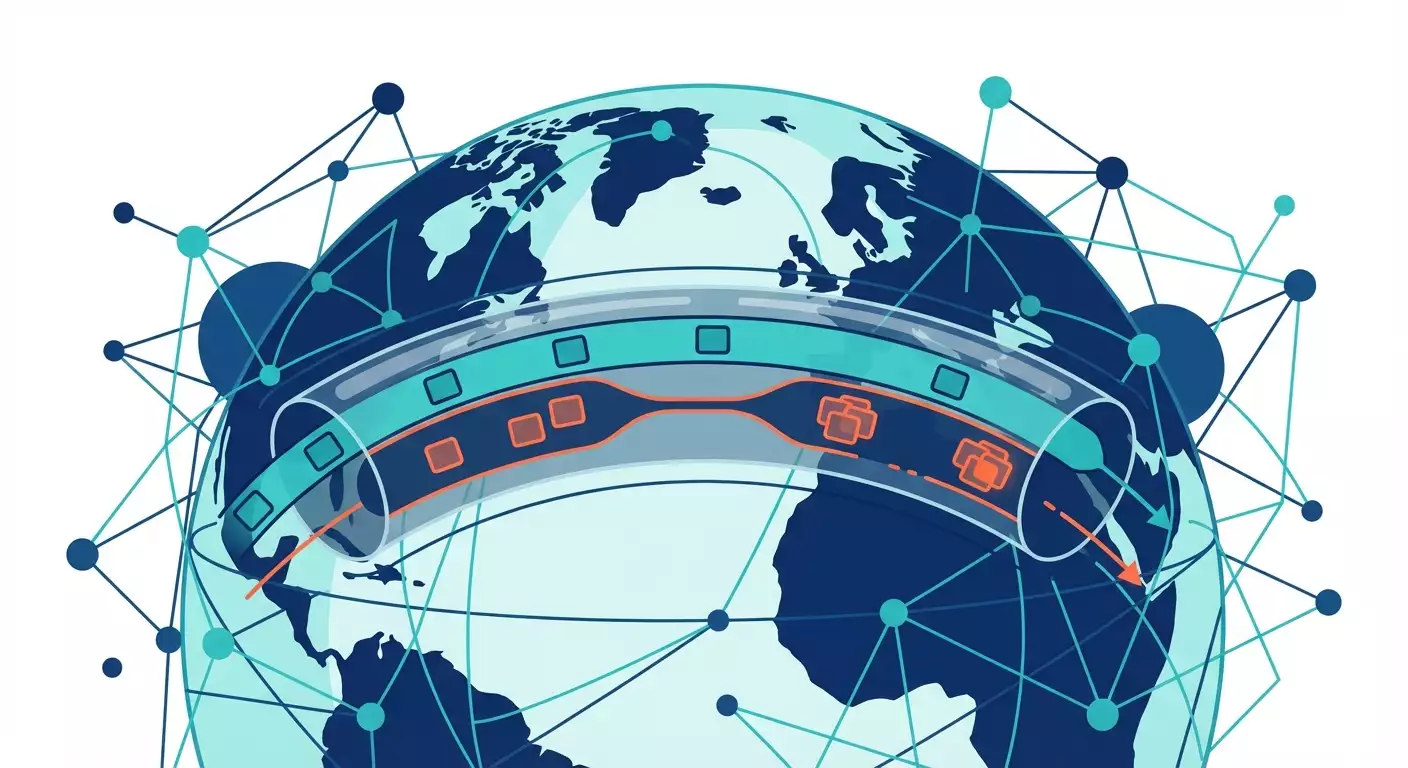
Содержание статьи
- Введение: почему спор udp vs tcp всё ещё важен в 2026
- Как работают udp и tcp на пальцах
- Tcp-over-tcp meltdown: что ломается в vpn
- Почему udp предпочтительнее для туннелирования
- Когда tcp всё-таки нужен в vpn
- Влияние на производительность: замеры и кейсы
- Практика: как настроить vpn на udp и не облажаться
- Тренды 2026: что нового
- Чек-листы и гайды по миграции с tcp на udp
- Частые ошибки и как их избежать
- Faq
Введение: почему спор UDP vs TCP всё ещё важен в 2026
Коротко: что такое туннелирование
Туннелирование — это когда мы упаковываем ваши пакеты в другие пакеты и отправляем их через интернет так, словно это обычная посылка, но в плотной обёртке. Внутри может жить любой протокол, сессия, трафик. Мы прячем служебные детали, шифруем содержимое, контролируем маршрут и политику. Это удобно и безопасно, но требует аккуратной инженерии, иначе производительность падает, а задержки растут. И вот тут начинается спор: на чём везти туннель — на UDP или TCP.
Где UDP, а где TCP
TCP — надёжный, упорядоченный, с контролем перегрузки и ретрансмитами. UDP — простой, без гарантий доставки, зато гибкий и быстрый. Для веба с файлами и платежами TCP прекрасен. Для туннеля, который уже несёт внутри чужой TCP, лучше UDP, потому что он не влезает в работу внутренних сессий. По сути, UDP — чистая дорога, по которой мы катаем собственную логику транспорта сверху: QUIC, WireGuard, OpenVPN-UDP и другие механики, которым мы доверяем.
Три реальности 2026 года
Первая: сети стали сложнее — NAT, CGNAT, прокси, фильтры и DPI встречаются и в офисе, и в мобильном. Вторая: приложения стали чувствительнее к задержкам — стриминг, игры, интерактивные IDE, облачные рабочие столы, коллаборации. Третья: UDP перестал быть «злом» для провайдеров, потому что QUIC и HTTP/3 укоренились, а инфраструктура научилась с ним жить. Это значит, у нас больше шансов провести UDP-туннель качественно и без сюрпризов, чем пять лет назад.
Как работают UDP и TCP на пальцах
Аналогия с дорогой: светофоры против свободной трассы
TCP — дорога со светофорами и инспекторами. Каждый участок контролируют, скорость подстраивают, если кто-то тормозит — ждём. Пакеты аккуратно идут по порядку. UDP — свободная трасса. Нет светофоров, только знаки, и вы сами решаете, как ехать. Вы можете навесить собственный круиз-контроль и телеметрию. В контексте VPN это преимущество: мы строим свой транспорт поверх свободной трассы, а не тащим трассу поверх трассы.
Контроль над потерями и задержкой
TCP делает всё по-своему: видит потери — замедляется, настраивает окно перегрузки, ретрансмиты, таймеры. Если потери всплесками, TCP начинает колебаться, и приложения внутри страдают. С UDP мы решаем, как реагировать на потери: использовать QUIC с его быстрой конвергенцией, включить FEC, адаптировать битрейт стриминга, мультиплексировать потоки без очередей, избегать блокировок по очереди. Свобода выбора даёт эффективность.
Почему перегрузка — это сложно
Перегрузка — не только скорость канала. Это буферы на роутерах, очереди в модемах, радиоэфир в 5G, спутниковая задержка. TCP пытается угадать, что происходит, по косвенным признакам. Получается неплохо, но внутри VPN может быть другой TCP, который угадывает то же самое. Два «угадывателя» одновременно — путь к конфликтам и нелепым задержкам. Проще дать одному слою рулить, а второму — не мешать, что UDP позволяет.
TCP-over-TCP meltdown: что ломается в VPN
Сложение таймеров и ретрансмитов
Представьте: внутри туннеля идёт TCP-сессия с собственной логикой контроля перегрузки. Снаружи сам туннель тоже построен на TCP. Потеря пакета? Внутренний TCP ждёт, ретрансмитит. Внешний TCP видит задержку и тоже ретрансмитит и замедляется. Таймеры накладываются, усиливая эффект. Это и есть meltdown — когда две ступени надёжности начинают парализовать друг друга.
Head-of-line blocking в квадрате
TCP гарантирует порядок доставки. Если один пакет задержался, весь поток ждёт, даже если другие пакеты уже приехали. Внутри VPN это происходит дважды: блокировка внутри потока приложения и блокировка на транспортном туннеле. В результате небольшая потеря превращается в заметную паузу. Видео дёргается, SSH «зависает», файлы копируются мучительно долго.
Накопление очередей и буферблоат
Когда внешний TCP пытается быть «вежливым», он увеличивает буферы, потом сбрасывает, опять увеличивает, отзываясь на сигналы, которые уже искажены внутренним TCP. Классический буферблоат: задержки растут до сотен миллисекунд, джиттер гуляет, а пропускная способность на деле ниже теоретической. Пользователь злится. В логах — тишина. Оно просто тормозит.
Реальные симптомы
Проверка через скоростемер показывает странные пилы: рывки до 200 Мбит/с и падения до 20 Мбит/с без видимых причин. При 1 проценте потерь канал деградирует как будто теряет 10. RDP «рвётся» при переключении окон. Видеоконфы пересаживаются на аудио. DevOps жалуются на «вылетевшие» CI-артефакты, хотя серверы в порядке. И да, пинг растёт в два-три раза под нагрузкой.
Почему UDP предпочтительнее для туннелирования
Декуплирование контроля перегрузки
UDP позволяет вынести все решения наверх. Туннель занимается шифрованием, мультплексированием, измерением задержек и потерь, а контроль перегрузки реализован на уровне протокола поверх UDP, например QUIC. Внутренний TCP не конфликтует с внешним транспортом, потому что снаружи нет второго TCP. Получается проще, стабильнее и быстрее.
Гибкость: QUIC, WireGuard, OpenVPN UDP
QUIC привнёс быстрое восстановление после потерь, независимые потоки без head-of-line между ними и встроенную криптографию. WireGuard — минималистичный и быстрый, работает через UDP, дружит с ядром Linux и eBPF, почти не грузит CPU, легко дебажится. OpenVPN в режиме UDP давно проверен в боях и совместим почти везде. Мы выбираем инструмент под задачу, а не подчиняемся чужой логике TCP.
Низкие задержки и джиттер
UDP-туннель не ждёт подтверждений ради порядка доставки. Видеоконфы чувствуют это мгновенно: кадры приезжают ровно, без дёрганий. Игры становятся предсказуемее — пусть и с редкими потерями, но без длинных стоп-кадров. Для удалённого рабочего стола разница — как с ручником и без него: можно жить, а можно работать.
MTU и оверхед
Туннель добавляет заголовки: IP, UDP, шифрование, иногда DTLS или TLS. Это минус к MTU. Если не подрезать MSS, внутренняя сессия TCP будет пытаться слать слишком крупные сегменты, которые потом фрагментируются или режутся. UDP позволяет легко контролировать этот процесс, настроить kти значения MSS/MTU и избежать скрытых фрагментов, которые так любят ломать throughput.
Когда TCP всё-таки нужен в VPN
Ограничения сети и фильтры
Иногда UDP просто не проходит. Жёсткий корпоративный файрвол режет всё, кроме TCP 443. В таком случае приходится туннелировать через TCP, маскируясь под HTTPS. Это не идеально, но лучше, чем ничего. В 2026 таких сетей меньше, но они есть в банках, госучреждениях и некоторых дата-центрах.
Прокси и обход блокировок
Если доступ только через корпоративный HTTP-прокси, UDP не помочь. Протоколы вроде HTTP CONNECT живут поверх TCP. Тогда мы идём по пути MASQUE, CONNECT-UDP или QUIC-инкапсуляции через TCP совместимые шлюзы, но иногда реальность заставляет поднять классический TCP-туннель, чтобы «пролезть» в единственную разрешённую трубу.
Старые приложения и прозрачные туннели
Есть софт, которому важна точная семантика TCP сверху вниз. Легаси-системы, необычные брокеры сообщений, доисторические драйверы. Для них проще временно «взять TCP в TCP», чем переписывать архитектуру. Это компромисс, а не норма. По возможности такие случаи медленно переводят на UDP-решения через совместимые шлюзы.
Безопасность и инспекция
Некоторые SOC-команды и DLP-продукты привыкли к TCP-интроспекции и не готовы менять инструменты. Пока политики не обновлены, инженерный долг диктует использовать TCP, чтобы не ломать авторизационные и мониторинговые цепочки. Но тренд понятен: переход к инспекции на уровне событий и метрик, а не байтового потока, без привязки к TCP.
Влияние на производительность: замеры и кейсы
Домашний офис к облаку при 1 процента потерь
Лабораторный тест, 2026: канал 300 Мбит/с, RTT 45 мс, потери 1 процент. Туннель TCP-over-TCP. Итог: пила 60–220 Мбит/с, средняя 110. Переключаемся на WireGuard UDP. Итог: стабильные 250–280 Мбит/с, джиттер меньше, задержка на фоне нагрузки растёт на 8–12 мс вместо 40–60. Разница ощущается буквально при первом видеозвонке — голос без хрипов, картинка не крошится.
Геймеры и стриминг
Игровой VPN на UDP с адаптивным FEC показывает средний пинг ниже на 12–18 процентов и более ровный фреймтайм по сравнению с TCP-туннелем. Потери в 0.5 процента не ломают матч, пакеты приходят вовремя, короткие просадки переживаются легко. А вот TCP-over-TCP под той же нагрузкой выдаёт стоп-кадры до 300 мс при единичной потере в радиоканале. Не повезло — и вы уже в лобби.
DevOps, Git и CI
Клонирование большого репозитория по VPN с PR-контролем и артефактами. TCP-туннель: скачки скорости, долгая конвергенция после потерь, общее время 11 минут. WireGuard UDP плюс клампинг MSS: время 7 минут 40 секунд. QUIC-прокси для артефактов увеличивает устойчивость к кратковременным пикам задержки, что полезно в многоарендных облаках. В сумме команда экономит десятки часов на релизах.
Межофисные L2/L3
Сшивка сетей филиалов поверх интернета с нагрузкой VoIP и ERP. TCP-туннель вызывает дрожь голоса и задержку кликов в интерфейсе. Переезд на UDP-туннель с QoS по DSCP и ECN стабилизирует задержку до 20–25 мс, убирает джиттер и повышает throughput на 30–40 процентов. Плюс бонус: меньше жалоб в техподдержку, спокойнее ночь у дежурного инженера.
Практика: как настроить VPN на UDP и не облажаться
MTU и MSS клампинг
Начинаем с измерения пути. Чаще всего безопасно выставить MTU туннеля 1280–1420 байт, дальше — тестировать. Обязательно включаем MSS клампинг на промежуточных роутерах или в самом VPN. Например, для пути с MTU 1500 и оверхедом в 80–120 байт ставим TCP MSS около 1360–1420. Главное — не допустить скрытой фрагментации. Это убийца производительности номер один.
Congestion control: BBR, CUBIC, QUIC
На конечных системах задаём современный контроль перегрузки. В 2026 BBRv3 и улучшенный CUBIC универсальны. Для QUIC подбираем параметры потока и начального окна под RTT и целевой битрейт. Не забываем про pacing — равномерную подачу пакетов. Режим без модного pacing часто даёт всплески очередей и потерю кадров в критический момент.
QoS, DSCP, ECN, L4S
Маркируем трафик туннеля и критичных потоков внутри него. Для разговоров — приоритетный DSCP, для фоновых задач — пониже. Включаем ECN там, где его понимают маршрутизаторы. Следим за L4S в операторах, он всё чаще появляется в городских сетях и даёт отличную низкую задержку при нагрузке. Без QoS вы играете в рулетку с очередями.
Системные тюнинги, offload, IRQ
Настройте rmem и wmem буферы, включите GRO и GSO там, где это полезно, проверьте, не мешает ли offload шифрованию в вашем стекe. Разведите IRQ по CPU, задействуйте RSS, если трафик тяжёлый. На Linux в 2026 io_uring и eBPF-ускорение в связке с WireGuard творят чудеса, а XDP на краю помогает слепить QoS без лишних контекстных переключений.
Тренды 2026: что нового
QUIC, HTTP/3 и MASQUE
QUIC стал стандартом де-факто для интерактивного трафика. MASQUE и CONNECT-UDP позволяют инкапсулировать UDP поверх инфраструктуры HTTP без ломки политик, обходя ограниченные сети легально. Это делает UDP-туннели ещё доступнее в корпоративной среде, где HTTP давно король.
Multi-path VPN: MP-QUIC против MPTCP
Одновременное использование нескольких каналов — мобильный плюс оптика, например — перестало быть экзотикой. MP-QUIC в UDP-мире работает гибко и не страдает от TCP-over-TCP. MPTCP тоже хорош, но в качестве транспорта для туннелей его сложнее подружить с внутренним TCP. В реальных сетях MP-QUIC даст более ровные задержки и лучше переживёт микропотери.
SASE, Zero Trust, WireGuard в ядре и eBPF
Архитектуры Zero Trust и SASE активно заворачивают доступ в микро-туннели на основе UDP. WireGuard в ядре, связка с eBPF и смарт-маршрутизацией по SNI и метрикам задержки — типичный стек современного предприятия. Это снижает операционные расходы и ускоряет онбординг.
5G, 5.5G и спутниковый доступ
Мобильные сети стал лучше держать UDP, включая ECN и приоритеты. Спутниковые каналы с высокой задержкой плюс микропотери — идеальный пример, где QUIC и WireGuard стабильно превосходят TCP-туннели. Там, где TCP превращает каждую потерю в драму, UDP-протоколы просто двигаются дальше.
Чек-листы и гайды по миграции с TCP на UDP
Пошаговая миграция
Сначала инвентаризация: какие сегменты сети, какие приложения, требования к задержкам и пропускной способности. Дальше — пилот на одном сегменте. Подбираем MTU, настраиваем MSS, включаем QoS. Переключаем группы пользователей, измеряем метрики, собираем обратную связь. Параллельный режим с быстрым rollback — ваш лучший друг, без героизма.
Мониторинг и A B тесты
Сравнивайте Apple to Apple: одинаковая нагрузка, одинаковые трассы, одинаковые метрики. RTT под нагрузкой, джиттер, процент потерь, P95 и P99 задержек, throughput, CPU нагрузки, жалобы пользователей. Запускайте A B приёмы на живом трафике, но с SLO и бюджетом ошибок. Отчёты сохраняйте, чтобы закрыть вопросы безопасности и менеджмента.
Безопасность и комплаенс
UDP не враг безопасности. Используйте сильные шифры, вращение ключей, короткоживущие сессии, сегментацию. Включите логи, экспортируйте события в SIEM, договоритесь с SOC о новых дашбордах. Если инспекция требует TCP, посмотрите на QUIC-совместимые решения на уровне метаданных и политики, без расшивки пакетов.
Отладка
Трассировка до и после туннеля, проверка PMTU, включите метрики потерь на интерфейсах. Используйте активные тесты с имитацией потерь 0.5–2 процента и RTT 30–80 мс. Если видно расслоение, проверьте MSS, проверьте очереди и QoS. Сравните с профилем CPU. Иногда виноват не UDP, а шифрование без аппаратного ускорения.
Частые ошибки и как их избежать
UDP не значит без контроля
Самая распространённая ошибка — включили UDP и забыли про контроль перегрузки. Нужны pacing, грамотные таймеры и разумные окна. QUIC, WireGuard и OpenVPN-UDP умеют это, но их надо настроить. Иначе получите те же хвосты, только без светофоров.
Забытая MSS MTU
Вы удивитесь, как часто проблемой оказывается один байт. Без MSS клампинга внутренние TCP-сессии ломают MTU. Результат — фрагментация, потери, таинственные таймауты. Поставьте MSS правильно, подтвердите тестами. Это скучно, зато работает.
Порт 443 UDP и блокировки
Многие сети уже пропускают UDP на 443 из-за HTTP 3. Но не все. План Б обязателен: fallback на TCP через MASQUE или аккуратный TCP-туннель. Сначала измеряем, потом включаем постоянный слой.
Лишний шифр и двойной TLS
Двойное шифрование без смысла — частая беда. TLS поверх QUIC поверх WireGuard? Красиво звучит, но бьёт по CPU и задержкам. Держите криптографию ровно столько, сколько требует политика и здравый смысл. Чётко перечитайте цепочку доверия.
FAQ
Почему UDP быстрее для VPN, ведь у него нет гарантий доставки
Потому что VPN протоколы поверх UDP берут контроль на себя и не конфликтуют с внутренним трафиком. Нет второго TCP, который мешает. А гарантии реализуются на верхнем уровне эффективнее и гибче, чем в двойном слое TCP.
Что такое TCP-over-TCP meltdown в двух словах
Это когда внутренний и внешний TCP одновременно пытаются чинить потери и регулировать скорость, в итоге усиливая задержки и блокировки. Потеря одного пакета превращается в лавину ожиданий и ретрансмитов.
Когда всё же имеет смысл оставить TCP-туннель
Если сеть пропускает только TCP 443 или требует классического HTTP-прокси. Также при строгой инспекции трафика и устаревших приложениях, которые иначе не работают. Но это компромисс, не оптимум.
Поможет ли просто включить UDP вместо TCP без тюнинга
Часто станет лучше, но не идеально. Нужны правильные MTU MSS, QoS, современные алгоритмы перегрузки и мониторинг. Иначе часть проблем вернётся в другой форме.
А если потери большие, UDP не хуже
Наоборот, при умеренных потерях UDP с QUIC или WireGuard ведёт себя стабильнее, потому что избегает двойного head-of-line. Важнее настроить контроль перегрузки и адаптивность, чем просто «бояться потерь».
Чем хорош WireGuard в 2026
Минимализм, скорость, интеграция с ядром и eBPF, отличная переносимость. Он прост в настройке, экономит CPU, отлично работает на мобильных и смешанных каналах. Для большинства туннелей — выбор по умолчанию.
Где применим QUIC в VPN
Когда нужен мультиплексинг без блокировок, быстрая конвергенция, совместимость с HTTP 3 инфраструктурой и MASQUE. QUIC удобен для туннелей, которые должны жить в «мире веба» и проходить там, где UDP ограничен частично.
