Как работает интернет и VPN: простая карта сети, TCP IP, DNS и шифрование за вечер
Разбираем, как работает интернет простыми словами: TCP IP модель, маршрутизация, DNS, HTTP 3 и QUIC, шифрование TLS 1.3 и ECH. Поймете, что делает VPN, как настроить split tunnel, какие проблемы решать в 2026. Практика, советы, кейсы и FAQ.
Содержание статьи
- Зачем понимать, как работает интернет, чтобы разобраться в vpn
- Модель tcp ip простыми словами
- Ip адресация и маршрутизация
- Dns без магии
- Шифрование и аутентификация в сети
- Как работает vpn под капотом
- Реальные сценарии использования и настройки
- Что ломается и как чинить
- Практические советы для пользователей и админов
- Что нового и важного в 2026
- Faq
Зачем понимать, как работает интернет, чтобы разобраться в VPN
Короткая картина пути пакета
Представьте, что каждый ваш клик это открытка, которую мы кладем в конверт и отправляем по огромной, но хорошо организованной почтовой сети. Только вместо улиц у нас маршрутизаторы, вместо конверта IP пакет, а вместо адреса улицы IP адрес. Пакет выходит из вашего устройства, попадает на домашний роутер, затем к провайдеру, прыгает по магистралям среди десятков маршрутизаторов, и наконец достигает сервера. Просто на словах, но под капотом движется целый оркестр протоколов, каждый со своей ролью. Ошибка на любом шаге и открытка не доедет. Логично знать хотя бы базу, чтобы понимать, почему и как VPN может вмешаться и поменять маршрут.
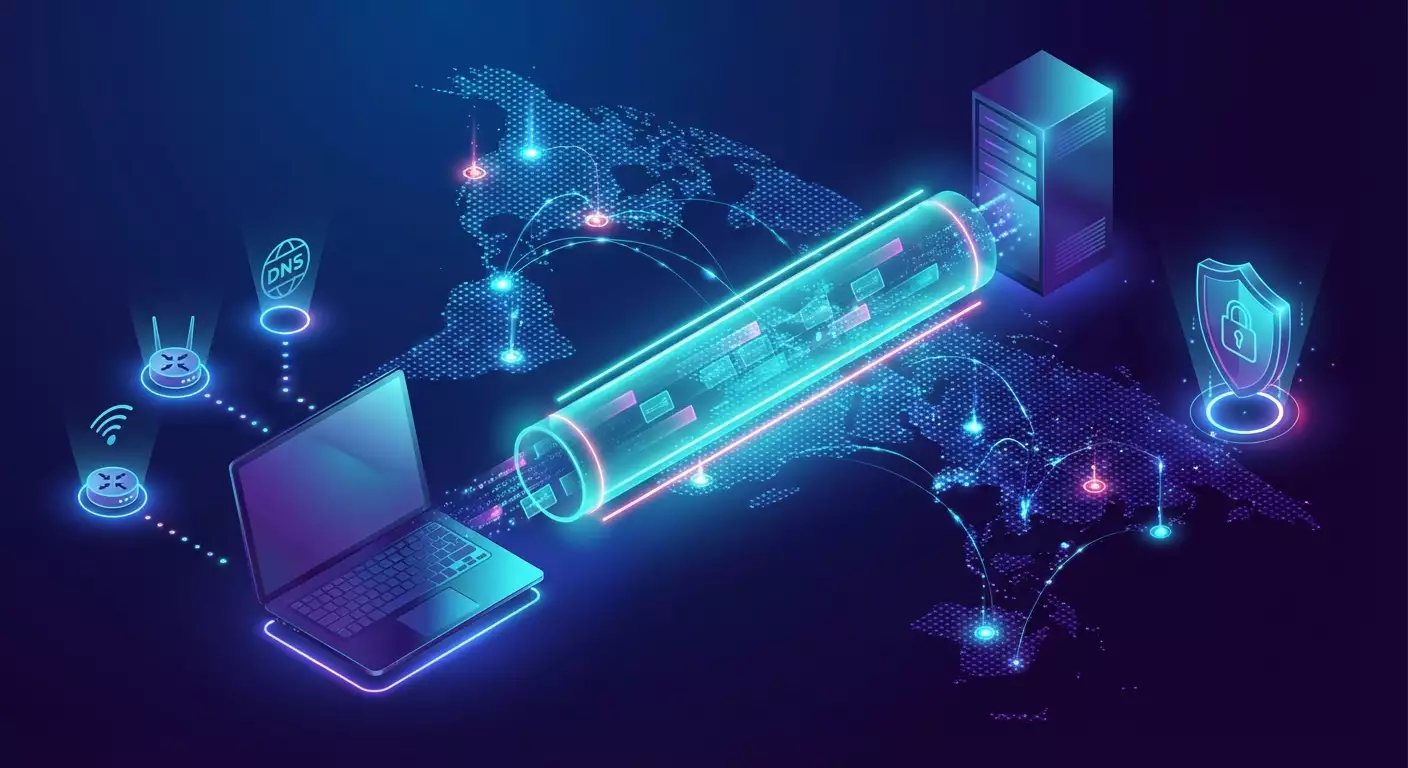
Как же VPN вписывается в эту историю Мы добавляем второй конверт поверх первого. Пакет запечатывается еще раз и отправляется не прямо к сайту, а к VPN серверу. Уже оттуда он идет дальше. Это называется туннелирование. И в этом плюс VPN он шифрует данные и меняет видимый маршрут. Но за это иногда приходится платить скоростью и дополнительной сложностью. Поэтому не сработает магия включил VPN и все стало лучше. Важно понимать основы, иначе легко попасть в ловушки настроек и странного поведения сети.
Где тут появляется VPN
Когда мы используем VPN, мы договариваемся с удаленным сервером говорить на особом языке шифрования и инкапсуляции. Наши пакеты не гуляют по сети голыми, они в бронежилете. Для окружающих видна лишь оболочка и адрес VPN узла, остальное секрет. Это помогает прятать трафик от провайдера, защищает в публичных Wi Fi и иногда помогает обходить блокировки. Но не все так радужно. Если провайдер применяет глубокую инспекцию или активные пробы, придется настраивать маскировку под обычный HTTPS. А мы ведь хотим реальную приватность без потери доступности. Здесь и пригодится понимание состава и маршрута пакета.
VPN не отменяет законов физики и сети. Маршрутизация, MTU, DNS резолвинг все эти вещи продолжают действовать. Знаете, что чаще ломает подключение Не какой то мистический баг, а простая несостыковка размеров пакетов или утечки DNS. Поэтому, если мы хотим стабильности, надо понимать, что такое TCP IP модель, как роутеры принимают решения, и зачем DNS нужен вашему браузеру буквально при каждом клике.
Что мы разберем в статье и чем это полезно
Мы пройдем путь от простого к продвинутому. Сперва сложим в голове четкую, но дружелюбную модель TCP IP. Потом разберем, как маршрутизаторы двигают пакеты и почему иногда дороги меняются. Затем расколдуем DNS без магии, объясним, как работает шифрование, и плавно перейдем к конкретике VPN протоколов и сценариев. Наконец, дадим пошаговые советы и разберем реальные кейсы с типичными ошибками. В финале небольшой, но практичный FAQ. Хотите понимать, что происходит, когда вы включаете кнопку VPN Тогда пристегивайтесь мы летим вдоль всего пути пакета.
Это не академическая лекция. Мы говорим просто, честно и местами эмоционально. Да, без сухих формальностей, зато с полезными аналогиями, парадоксами и конкретикой. Кому все это Если вы пользуетесь VPN в поездках, настраиваете удаленную работу, бережете приватность семьи или отвечаете за сеть в маленьком бизнесе, эта статья сэкономит часы экспериментов и нервов. Давайте сделаем интернет понятнее, а VPN осмысленнее.
Модель TCP IP простыми словами
Канальный и сетевой уровни IP, MAC, ARP
Давайте начнем снизу. Канальный уровень это локальная доставка внутри одной сети, где устройства узнают друг друга по MAC адресам. Как спросить соседа по имени, если вы знаете только номер квартиры На помощь приходит ARP простой протокол, который спрашивает кто владеет таким IP и получает MAC в ответ. Дальше данные упаковываются в кадр, и роутер решает, куда перекинуть дальше. Здесь же живут стандарты вроде Ethernet и Wi Fi с их скоростями, сигналами и коллизиями. Важно понять одну вещь канальный уровень не знает о мире за пределами локальной сети, его заботы ограничены ближайшим переходом.
Сетевой уровень знакомит нас с IP адресами и маршрутизацией. Здесь пакеты получают адрес отправителя и получателя, как город и улица на конверте. Задача простая доставка от точки А к точке Б, но через кучу ворот. Каждый маршрутизатор проверяет таблицу и пересылает дальше. Если локально или через один шаг, отлично. Если нужно пересечь полмира, пакет пройдет десяток автономных систем. И здесь появляется ключевое отличие VPN мы можем изменить видимый адрес отправителя, спрятав свой реальный IP за адресом VPN сервера. Но механика доставки остается той же.
Транспорт TCP против UDP и QUIC
Транспортный уровень отвечает за то, как приложение получает данные без потерь или максимально быстро. TCP гарантирует порядок и доставку, следит за перегрузками, восстанавливает потерянные пакеты. Ценой такой заботы становится задержка. UDP наоборот максимально легкий протокол без гарантий, зато быстрый. Стримы, звонки, игры часто опираются на UDP, потому что паузы хуже, чем редкие потери. В 2026 мы живем в мире, где поверх UDP активно бежит QUIC, а вместе с ним HTTP 3. Это переносит надежность и управление перегрузкой в пользовательское пространство и ускоряет соединения, особенно на мобильных сетях.
И где же здесь VPN Многие современные VPN протоколы выбирают UDP как базу. Причина проста меньше накладных расходов и хорошая работа сквозь нестабильные сети. WireGuard, к примеру, прост по дизайну и быстрый. Впрочем, иногда приходится отступать к TCP особенно там, где провайдеры душат UDP или применяют строгий DPI. Тогда VPN маскируется под обычный HTTPS, жертвует частью скорости, но выигрывает в проходимости. Баланс гибкий, задача понять контекст и выбрать транспорт под сценарий.
Прикладной уровень HTTP 3, TLS 1.3, DNS
На верхнем уровне живут наши приложения и их протоколы. Браузер говорит с сайтом через HTTP, сегодня чаще версия 3, то есть поверх QUIC. Почта, мессенджеры, стриминговые клиенты тоже используют свои протоколы, нередко с шифрованием по умолчанию. TLS 1.3 стал де факто стандартом, упростил рукопожатие и ускорил старт сессии. Добавьте к этому ECH скрытие SNI внутри шифрования и вы получите заметное снижение видимости вашего запроса для посторонних. Не на сто процентов, но уже прилично.
DNS кажется мелочью, но без него все рушится. Каждый домен нужно перевести в IP адрес. Это делается быстро, кэшируется и сильно влияет на ощущение скорости. И здесь VPN может вмешаться подменить резолвер, включить DNS через шифрование, сократить утечки. Самое приятное мы можем явно выбрать, кому доверяем резолвить домены, и настроить поведение под себя, будь то DoH, DoT или гибридные варианты. В итоге прикладной уровень становится менее прозрачным для провайдера и злоумышленников, а вы получаете предсказуемую производительность.
IP адресация и маршрутизация
Частные и публичные IP, NAT и CGNAT
Внутри дома или офиса почти всегда используются частные IP адреса. Ваш роутер прячет их за единственным публичным адресом с помощью NAT, подменяя отправителя на выходе в интернет. Это удобно экономит адресное пространство, но имеет побочный эффект входящие подключения извне становятся сложнее. Когда провайдер применяет CGNAT, под одним публичным адресом живут сотни клиентов. Красиво для провайдера и не очень для тех, кому нужен прямой доступ. Например для игровой консоли или домашнего сервера.
VPN помогает обойти ограничения CGNAT, потому что вы строите исходящее соединение на VPN узел и уже там получаете белый адрес в другой сети. В итоге удаленный доступ или P2P начинают работать предсказуемо. Но есть нюанс вам нужен протокол, который стабильно проходит через NAT и чувствует себя хорошо на мобильных сетях. В 2026 такими качествами обладает WireGuard, а также решения, маскирующиеся под HTTPS по UDP и TCP, если сеть слишком придирчива. Главное помнить NAT не зло, а особенность. Планируйте маршруты с учетом этого фильтра.
Как роутеры принимают решения таблицы маршрутизации, BGP
Каждый роутер хранит таблицу, где для подсетей указан следующий шаг. Локальный маршрут, маршрут по умолчанию, несколько более специфичных записей все это складывается в простое правило выбираем самый точный префикс и отправляем туда. Внутри провайдера работают динамические протоколы, а между провайдерами правит бал BGP. Он не идеален, иногда дает кривые дороги из за политик и приоритетов. Но без него глобальная сеть просто не собралась бы. Почему нам это важно Потому что VPN добавляет новые маршруты. Если конфигурация неаккуратная, часть трафика уходит мимо туннеля, а часть внутри, что вызывает странности.
В реальности топология меняется. Сегодня путь короткий, завтра длиннее из за анонса в BGP или аварии на магистрали. Мы видим это на скорости и пингах как будто дорогу перекрыли ночью и пустили в объезд. Хорошая новость у нас есть инструменты. Traceroute подсветит трассу, а mtr покажет стабильность. Зная, как устроена логика выбора маршрута, проще объяснить себе, почему VPN через сервер в соседней стране на деле быстрее, чем через узел в том же городе. Да, парадоксально, но такое случается чаще, чем кажется.
Что такое MTU, фрагментация и почему это важно для VPN
MTU это максимально допустимый размер пакета на конкретном участке сети. Если пакет крупнее, его придется дробить или сбрасывать. Фрагментация ухудшает производительность и ломает некоторые вещи. В VPN это критично, ведь мы добавляем заголовки и служебные поля. В итоге полезная нагрузка становится толще и может не пройти там, где раньше проходила. Итог обрывистые загрузки, зависающие сайты и загадочные тайм ауты. Слышали про проблемы с некоторыми сервисами когда VPN включен Скорее всего MTU виновник.
Практика простая. Найдите безопасное значение, обычно 1280 1420 байт для туннелей, с учетом конкретного протокола и сети. Проведите тест ping с флагом Do not Fragment подбирая размер. Настройте MSS клампинг для TCP, чтобы отправитель знал предел. Результат немедленный стабильные загрузки и предсказуемый пинг. Возможно, разница будет казаться мелочью, но ощущения при серфинге и стриминге становятся заметно лучше. А если вы администрируете офисные подключения, корректный MTU это половина успеха.
DNS без магии
Иерархия корень, TLD, авторитетные серверы
DNS работает как телефонная книга с распределенной иерархией. На вершине корневые серверы, ниже домены верхнего уровня, еще ниже авторитетные серверы для конкретного домена. Браузер не бежит на корень каждый раз. Этим занимается резолвер ваш провайдерский, системный или выбранный вами вручную. Он задает вопросы по цепочке, кэширует ответы и возвращает IP. Вся операция обычно занимает миллисекунды, но влияет на каждую загрузку страницы.
Понимание иерархии помогает объяснить, почему иногда сайт недоступен, хотя сервер жив. Если авторитетные серверы домена недосягаемы или записи повреждены, резолвер не получит ответ. Бывает и так что TLD работает, но из за ошибок в делегировании часть мира не может узнать IP вашего сайта. В 2026 инструменты диагностики на стороне клиента стали удобнее, но базовая логика не меняется проверить кэш и цепочку, убедиться, что TTL разумный и авторитетные сервера дают одинаковые ответы.
Резолвер, кэш и TTL почему сайты открываются быстрее
Кэширование в DNS это экономия на каждом клике. Когда резолвер уже знает ответ, браузер получает IP сразу и может устанавливать соединение. TTL время жизни записи подсказывает, как долго можно доверять кэшу. Слишком маленький TTL ускорит изменения, но создаст лишнюю нагрузку и задержки. Слишком большой ускорит повседневную работу, зато не позволит быстро переключиться при авариях. Баланс зависит от сценария. Для новостного сайта один подход, для API с редкими изменениями другой.
VPN здесь тоже играет роль. Многие клиенты подменяют системный резолвер на свой, нередко с DoH или DoT. Это полезно тем, что мы избегаем утечек в локальный провайдер и получаем единое поведение на разных сетях. Но появляется новая точка доверия оператор VPN резолвит домены за нас. И здесь стоит выбрать провайдера, который не логирует лишнее и корректно кэширует популярные записи. Пара секунд выигрыша на DNS иногда сильнее влияет на ощущение скорости, чем сырые мегабиты канала.
Безопасность в DNS DNSSEC, DoH, DoT, ODoH
DNSSEC позволяет проверить целостность записи с помощью подписи. Он не шифрует трафик, но защищает от подмены по пути. В дополнение приходят DoH и DoT шифрованные каналы к резолверу. Провайдер уже не увидит, какие домены вы спрашиваете, а значит меньше шансов на простую цензуру. В 2026 набирает обороты также Oblivious DoH идея разделить того, кто принимает запрос, и того, кто его видит, чтобы никто не обладал полной картиной. Это не серебряная пуля, но еще один кирпич в стене приватности.
Важно понимать, что шифрованный DNS не решает все. Рекламные сети, трекеры и поведенческие профили никуда не исчезают. Однако базовая опора надежный резолвер с правильным кэшированием и включенным шифрованием это необходимый минимум. Добавьте к этому ECH, который скрывает имя сайта в TLS рукопожатии, и вы получите ощутимо более приватный старт соединения. И да, в некоторых сетях DoH блокируют. Тогда помогает туннелирование через VPN или fallback на DoT по нестандартным портам.
Шифрование и аутентификация в сети
Симметричное и асимметричное шифрование
Симметричное шифрование быстрое и легкое для процессора. Одна пара ключей на шифрование и дешифрование, прекрасный вариант для потока данных. Асимметричное наоборот медленнее, зато удобно для обмена секретами и проверки подписи. В реальном мире они идут в паре. Мы используем асимметрию, чтобы безопасно договориться о симметричном ключе, а затем летим на скорости уже симметрией. Такой гибрид дает баланс безопасности и производительности, особенно важный для мобильных устройств и VPN сессий.
Еще важнее кто говорит с кем и может ли злоумышленник влезть в разговор. Сертификаты, цепочки доверия, корневые центры сертификации все это каркас аутентификации. Ошибка валидации и вы общаетесь не с тем, с кем думаете. VPN клиенты тоже полагаются на ключи и сертификаты. Нередко именно неверная дата на устройстве или просроченный сертификат ломают подключение. Забавно, но правда простые административные мелочи нарушают даже изящные криптосхемы.
TLS 1.3 и ECH что видит ваш провайдер сегодня
TLS 1.3 сократил рукопожатие и убрал устаревшие алгоритмы. Сессии стартуют быстрее, и меньше пространства для атак на согласование. Сегодня почти все крупные сайты работают на TLS 1.3, а HTTP 3 поверх QUIC ускоряет первый байт. Что видит провайдер Метаданные направления, объемы, время и иногда имя сайта через SNI. Вот почему ECH так важен он прячет имя внутри шифрования, оставляя провайдеру только IP и обтекаемые характеристики трафика. Это не невидимость, но шаг к приватности.
В 2026 ECH уже поддерживается основными браузерами, а крупные CDN раскатывают его по умолчанию. Полная повсеместность пока впереди, но тренд очевиден. Для нас, пользователей VPN, это хорошая новость меньше причин прибегать к грубому маскировочному трафику. Сайт шифруется, имя скрыто, остальное делает маршрутизация. В сочетании с DNS через DoH картина выглядит значительно лучше, чем еще три четыре года назад. Приватность стала реальнее, а не просто лозунгом.
Переход в пост квантовый мир NIST PQC, гибридные схемы
Квантовые компьютеры еще не ломают интернет, но индустрия уже готовится. NIST утвердил набор пост квантовых алгоритмов, и в 2025 2026 мы видим пилоты гибридных рукопожатий в браузерах и VPN. Идея проста смешать классические и пост квантовые методы, чтобы не потерять совместимость и получить защиту на будущее. Это не критично для домашнего серфинга, но для длительно защищаемых данных, например юридических архивов, имеет смысл.
Что делать нам Следить за совместимостью. Если ваш VPN клиент заявляет поддержку гибридных ключевых обменов, проверьте замеры. Важно, чтобы накладные расходы не убивали скорость. На практике прирост задержек обычно скромный, а выигрыш в устойчивости к будущим атакам заметен. Не гонитесь за модными аббревиатурами, но и не игнорируйте вехи. Безопасность это марафон, а не спринт, и переход к PQC будет происходить ступенчато с тестами, откатами и постепенной стабилизацией.
Как работает VPN под капотом
Туннели и инкапсуляция IPsec, WireGuard, OpenVPN
Туннель это договоренность упаковывать ваш трафик в дополнительный конверт. IPsec работает на уровне сети, хорош для корпоративных связок и давно стандартизирован. OpenVPN исторический ветеран поверх TLS, гибко маскируется, но может быть тяжелее. WireGuard молодой и очень лаконичный, минимизирует код и дает отличную скорость, особенно на мобильных процессорах. Нет идеального протокола для всех. Выбор зависит от окружения, провайдера и целей.
Еще нюанс политика шифрования. Некоторые клиенты шифруют все, другие позволяют гибко выбирать. Иногда лучше не тянуть весь трафик в туннель, а оставить локальные ресурсы и стриминг вне его, чтобы снизить задержку. Но если речь о публичном Wi Fi или жесткой цензуре, полный туннель с маскировкой поверх HTTPS выглядит уместно. Важно понимать механизмы, а не только названия протоколов. Так вы будете принимать решения, а не гадать.
Маршрутизация через VPN split tunnel vs full tunnel
Full tunnel означает, что весь ваш трафик идет через VPN сервер. Это просто, последовательно и безопасно в небезопасных сетях. Split tunnel делит потоки, позволяя посылать корпоративные адреса в туннель, а остальное напрямую. Плюс экономия полосы и меньшая задержка на сервисах, критичных к пингу. Минус требования к аккуратной настройке, чтобы ничего лишнего не утекало мимо. Здесь пригодится понимание таблиц маршрутизации на вашем устройстве и приоритетов по префиксам.
В 2026 гибридные политики стали удобнее. Многие клиенты умеют правила по доменам и приложениям. Хотите, чтобы видеозвонки шли напрямую, но работа и банк в туннеле легко. Главное проверить, что DNS запросы для доменов, идущих в туннель, тоже резолвятся внутри. Иначе получите классическую утечку DNS и непредсказуемое поведение. Хорошая практика вести небольшой список критических ресурсов и регулярно ревизовать его. Да, бюрократия, зато сеть ведет себя стабильно.
Протоколы, порты и обход ограничений 443 UDP, TCP over TLS, MASQUE
Сети бывают разные. Где то UDP режут наповал, где то пропускают только веб через 443. Поэтому умные VPN научились маскироваться. Запуск на 443 UDP делает трафик похожим на HTTP 3 поверх QUIC, а TCP over TLS имитирует обычную веб сессию. Добавьте обфускацию заголовков и рандомизацию интервалов, и DPI начинает путаться. В 2026 нарастает интерес к MASQUE это способ проксировать UDP и даже целые туннели поверх HTTP 3, что резко повышает шансы пройти через капризные сети.
Впрочем, чудес не бывает. Самая мощная маскировка упирается в политику сети. Если админ режет все, кроме белого списка, придется либо использовать корпоративные каналы, либо менять точку доступа. Но в обычных сценариях грамотный выбор порта и протокола решает 80 процентов проблем. Начните с UDP и WireGuard, при сбоях переходите на TCP over TLS, а для особо вредных сетей пробуйте MASQUE совместимые клиенты. И всегда держите в уме MTU, чтобы не стрелять себе в ногу.
Реальные сценарии использования и настройки
Домашняя приватность, публичный Wi Fi, стриминг
Дома мы хотим простоты и скорости. Лучший старт включить VPN на роутере или клиент на устройствах, настроить шифрованный DNS и выбрать ближайший сервер. В публичных Wi Fi ставка на полный туннель, kill switch и проверку сертификатов, чтобы исключить атаки человек посередине. Для стриминга иногда лучше split tunnel или выделенный профиль, чтобы сервисы геолокации не путались и не снижалась битрейт адаптация.
Если вы путешествуете, заранее проверьте несколько серверов в соседних странах. Бывает, что железо в одном регионе перегружено, а рядом пустует. Реальный кейс команда на выезде в азиатской стране добилась двукратного ускорения просто переключившись на точку в соседнем дата центре, несмотря на большее географическое расстояние. Маршрутизация удивляет, но измерения снимают вопросы. Не верьте ощущениям, верьте пингу и графикам.
Бизнес кейсы 2026 SASE, ZTNA, SDP
В компаниях повестка сместилась к нулевому доверию. ZTNA дает доступ не в сеть, а к конкретным приложениям. SDP скрывает инфраструктуру, пока пользователь и устройство не докажут свою подлинность и состояние. SASE объединяет безопасность и сеть в облачной модели, где трафик фильтруется близко к пользователю. VPN при этом не исчез, он стал частью архитектуры доступ к старым системам, туннели между площадками, резерв на случай аварий.
Выстраивая корпоративную схему, проверьте несколько вещей. Инвентаризируйте приложения кто к чему должен иметь доступ. Определите классы трафика, требующие полного туннеля. Включите контроль позы устройств проверку обновлений, шифрования диска, наличия EDR. Разнесите резолверы DNS для корпоративных доменов и публичных. В 2026 это звучит стандартно, но именно эти шаги определяют уровень риска и удобства. И не забывайте про журналирование без фанатизма, но достаточно, чтобы расследовать инцидент.
Практика выбор протокола, MTU, DNS, kill switch, мультихоп
Простой чеклист на каждый день. Выбираем протокол в порядке приоритетов скорость, стабильность, проходимость. Тестируем MTU, фиксируем его на клиенте. Включаем шифрованный DNS через туннель и проверяем утечки. Активируем kill switch, чтобы при обрыве туннеля трафик не пошел мимо. Мультихоп два последовательных узла полезен, когда нужен дополнительный слой приватности, но учитываем задержки и возможные несовместимости с некоторыми сервисами.
Чем измерять Скорость не всегда главный параметр. Замерьте time to first byte, стабильность пинга, джиттер и количество переподключений за час. Сохраните результаты для разных протоколов и серверов. Через пару недель у вас будет своя карта мира, а не рекламная картинка с красивыми стрелками. И да, иногда правильный ответ выключить VPN для конкретной задачи. Приватность и удобство у каждого свои, и мы выбираем баланс сознательно.
Что ломается и как чинить
Утечки DNS и IP, WebRTC
Классическая проблема DNS резолвится вне туннеля. Вы думаете, что скрыли маршрут, а провайдер видит все домены. Решение принудить резолвинг через VPN, включить DoH или DoT в клиенте, и проверить утечку с помощью известных тестовых страниц. Еще источник боли WebRTC в браузере, который может раскрывать локальные и публичные адреса. Отключите нестабильные механизмы обнаружения и проверьте разрешения. В команде все просто но пока не знаете, где искать, можно часами гоняться за призраками.
IP утечки часто приходят через исключения в правилах split tunnel или приложения, игнорирующие системные настройки прокси. Проверьте список исключений, очистите кэш DNS, перезапустите клиент. В сложных случаях посмотрите tcpdump на интерфейсах системный и VPN и убедитесь, что нужные потоки идут туда, куда должны. Да, звучит хардкорно, но после пары попыток становится рутиной. Важно не паниковать, а идти по цепочке от резолвинга к маршрутам и шифрованию.
Блокировки по SNI, DPI, активные пробы
Если сеть режет по SNI, современные сайты с ECH чувствуют себя лучше. Но когда блокируются сами IP адреса или диапазоны, приходится маскироваться шире. Здесь помогает перенос на TCP over TLS или QUIC с правдоподобными паттернами трафика. DPI любит предсказуемость, а наша задача добавить вариативности. Активные пробы распознают подпись протокола и закрывают соединение. Ответ включить обфускацию, ротировать ключи и порты, а при возможности запускать туннель внутри HTTP 3 через MASQUE.
Есть и приземленные блокировки корпоративные фаерволы с жесткими политиками. Для них иногда проще получить официальное разрешение на конкретный подсеть и порт, чем креативить обходы. Важно помнить цель обеспечить безопасную и предсказуемую работу, а не сражаться с ветряными мельницами. Если вы админ, документируйте исключения. Если пользователь говорите с админом на языке метрик и рисков. Тогда решения находятся быстрее и живут дольше.
Диагностика traceroute, mtr, tcpdump, логика проверки
Диагностика это метод. Сначала проверяем доступность DNS. Затем пинг до VPN сервера и до целевого сайта. Далее трассировка, чтобы увидеть поворотные точки. Если возникают странности, смотрим MTU. На уровне приложений проверяем настройки протокола и шифрования. Tcpdump или встроенные логи клиента покажут, где застревает трафик. Важно фиксировать изменения и проверять только один параметр за раз. Иначе вы не поймете, что именно помогло.
Полезная схема. Шаг первый подтверждаем, что базовый интернет без VPN работает стабильно. Шаг второй включаем VPN и повторяем измерения. Шаг третий меняем протокол и порт, если есть подозрение на блокировки. Шаг четвертый проверяем DNS и утечки. Шаг пятый смотрим на серверную сторону перегруз, потери, географию. В 2026 многие клиенты уже автоматизируют эти шаги, но ручная проверка остается золотым стандартом. Прозрачная методология экономит часы и бережет нервы.
Практические советы для пользователей и админов
Короткий чеклист перед включением VPN
Давайте коротко, но по делу. Обновите клиент и систему. Выберите ближайший сервер по пингу, а не по красивому названию. Проверьте MTU и MSS. Убедитесь, что DNS идет через туннель. Включите kill switch. Если вы в публичном Wi Fi, проверьте, что профиль настроен на полный туннель. Эти пять шагов решают большую часть бытовых проблем, и вы начинаете с чистой базы, а не с хаоса.
Если сеть капризничает, переключите протокол. Начните с WireGuard на 51820 UDP или 443 UDP. Не пошло попробуйте TCP over TLS на 443. Для особо сложных сетей используйте профиль с маскировкой под HTTP 3 через MASQUE, если провайдер услуги поддерживает. И да, проверяйте время на устройстве. Несколько раз за год мне писали люди, у которых все ломалось из за отставания часов на три четыре минуты. Надежность часто рушится о мелочи.
Оптимизация скорости и задержки
Скорость это не только мегабиты. Сократите рукопожатия держите соединение живым, если это уместно. Используйте HTTP 3 там, где он стабилен, но не бойтесь откатиться на HTTP 2, если сеть режет UDP. Поднимите приоритет трафика реального времени, если роутер поддерживает QoS. Для игр лучше прямой маршрут без VPN, если нет веской причины его включать. Для конференций решить может правильная точка входа в туннель, ближе к сервису, а не к вам.
Смотрите на цифры. Джиттер выше 30 40 мс уже портит звонки. Потери больше 1 2 процента делают стрим дерганым. Пинг важен, но стабильность важнее. Если туннель добавляет 15 20 мс, а стабильность растет, возможно это компромисс ради которого стоит понизить максимальный битрейт или выбрать другой сервер. Интернет живой, и тонкая настройка часто выигрывает у грубой силы канала.
Безопасность и соблюдение приватности
Приватность это процесс, а не один тумблер. Минимизируйте журналы на клиенте и сервере. Включите ECH и шифрованный DNS. Проверьте разрешения приложений на системном уровне и запретите обход туннеля для чувствительных программ. Разнесите профили рабочий, личный, путешествия. Маленький секрет отдельный профиль под банковские операции часто снижает риск странных срабатываний анти фрода, потому что маршруты и география становятся предсказуемыми.
Не забывайте про обновления. Уязвимости находят даже в самых красивых протоколах. WireGuard минималистичный, но имплементации бывают разными. OpenVPN гибкий, но плагины добавляют сложность. IPsec надежный, но конфигурации часто избыточны. Периодический аудит настроек и аккуратная ротация ключей дают спокойный сон. И да, иногда самое безопасное решение не подключаться, если сеть вызывает сомнения. Лучше подождать, чем лечить последствия.
Что нового и важного в 2026
Широкая поддержка HTTP 3 и рост доли QUIC
За последние годы поддержка HTTP 3 стала по сути универсальной в популярных браузерах и крупных сайтах. Доля трафика на QUIC уверенно растет, а время до первого байта на мобильных сетях заметно снизилось. Для VPN это важный фон трафик на UDP стал нормой, и маскировка под веб на 443 UDP перестала выглядеть экзотикой. Провайдеры же аккуратно адаптируют фильтры, потому что грубое блокирование ломает пользовательский опыт.
Чему это нас учит Мы можем смелее тестировать профили на UDP, искать баланс между скоростью и устойчивостью, и держать TCP как запасной план. При этом в сложных сетях HTTP 3 еще нестабилен, так что проверка нескольких профилей по разным портам остается лучшей практикой. Никакая статья не заменит измерения в вашей реальной сети. Но понимание тренда помогает сделать стартовую гипотезу и сэкономить время.
IPv6 становится нормой
Честно говоря, IPv6 идет к нам медленнее, чем мечталось, но идет. В среднем по миру доля клиентов с IPv6 приблизилась к половине, в отдельных странах выше. Для VPN это значит одно туннель должен уверенно тянуть и IPv4, и IPv6, а политика split tunnel учитывать оба стека. Нередко проблемы прячутся именно в IPv6 потоки идут мимо туннеля или резолвер возвращает AAAA запись, а сервис не готов. Проверьте поведение клиента и серверов, и не стесняйтесь временно ограничивать IPv6, если это починит работу.
Хорошая новость многие роутеры домашнего уровня стали лучше работать с префикс делегацией и автоматически раздают IPv6 внутри. Если ваша цель стабильность, проверяйте, как туннель взаимодействует с такими сетями. Иногда достаточно одной галочки, чтобы все заработало идеально. Иногда придется прописать пару маршрутов вручную. Опять же, измеряйте. Интернет неоднороден, и ваш дом это маленькая автономная система со своими привычками.
ECH взрослеет, MASQUE выходит из лаборатории
Шифрование имени сайта в TLS уже не выглядит экспериментом. Поддержка ECH улучшается, конфликты совместимости уходят. Это снижает эффективность простых блокировок на уровне SNI и делает наш старт соединения тише. Параллельно MASQUE перестает быть новинкой. Проксирование UDP поверх HTTP 3 дает VPN еще один мощный инструмент. Да, не все провайдеры услуг успели внедрить, но там, где доступно, проходимость через жесткие сети заметно выше.
В ближайшие месяцы стоит ожидать более точные политики у провайдеров и корпоративных фильтров. Их логика тоже развивается. Поэтому наш ответ прежний гибкая архитектура, несколько профилей и осознанный выбор протокола под задачу. Приватность и доступность двигаются вместе. И когда понимаешь механику, перестаешь реагировать на маркетинговые обещания и спокойно строишь свою карту маршрутов.
FAQ
База
Почему VPN иногда медленнее, чем без него
Потому что мы добавляем лишние шаги шифрование, инкапсуляцию и обходной маршрут до VPN сервера. Если сервер перегружен или путь до него длиннее, задержка растет. Добавьте неправильный MTU и получите странные подвисания. Что делать Выбрать близкий узел по пингу, проверить MTU и попробовать другой протокол. Часто переход на UDP дает прибавку, но в некоторых сетях TCP over TLS стабильнее. И не забывайте про DNS ускорение резолвинга делает чудеса для ощущения скорости.
Чем split tunnel лучше или хуже полного туннеля
Split tunnel экономит полосу и уменьшает задержки для обычных сервисов, но требует железной дисциплины в настройке. Если часть критичных доменов уйдет мимо туннеля, получите утечки и риски. Полный туннель проще включил и забыл, особенно в публичных сетях. Идеальный подход иметь два профиля и переключаться по контексту. Работа и банки полный туннель. Стриминг и игры тонко настроенный split. Проверяйте, куда идет DNS, это половина успеха.
Технические нюансы
Как подобрать правильный MTU для моего VPN
Сделайте серию ping запросов к надежному хосту с флагом не фрагментировать, понижая размер полезной нагрузки, пока пакет проходит. Затем отнимите накладные расходы вашего протокола. Для большинства туннелей безопасный диапазон 1280 1420. Настройте MSS клампинг, чтобы TCP не пытался передать больше, чем может сеть. После этого проверьте загрузку нескольких сайтов и сервисов. Если исчезли подвисания на финальном этапе рукопожатия и страницы открываются с первого раза, вы попали в точку.
WireGuard, OpenVPN или IPsec что выбрать в 2026
Если нужна простота и скорость, часто побеждает WireGuard особенно на мобильных устройствах. Если нужна гибкая маскировка и совместимость со старыми сетями, OpenVPN на TCP over TLS очень выручает. Для корпоративных связок сайт сайт IPsec остается рабочей лошадкой. Но ответ всегда контекст. Провайдер, сеть, политика безопасности. Сделайте короткий пилот для своего сценария. Бывает, что OpenVPN на правильно настроенном 443 дает стабильность, которую WireGuard не может обеспечить в конкретной сети с жестким DPI.
Безопасность и практика
Скрывает ли VPN все от провайдера
Нет. Провайдер видит, что вы подключены к VPN серверу, объемы и время сессий. Содержимое трафика скрыто, но метаданные остаются. Чтобы сократить видимость, используйте шифрованный DNS, профили с маскировкой и при возможности ECH. Это снижает риск простой фильтрации и профилирования, но не стирает следы полностью. Приватность это набор мер, а не один тумблер. И да, хороший провайдер VPN не логирует лишнее, а вы проверяете это в политике компании.
Как понять, что у меня нет утечки DNS
Простой тест откройте пару известных тестовых страниц на утечки и смотрите, какой резолвер видят сервисы. Если показывается локальный провайдер, а не адрес резолвера через VPN, значит запросы идут мимо туннеля. Исправьте настройки клиента, включите DoH или DoT, и повторите тест. Иногда помогает перезапуск службы резолвера в системе. В сложных сценариях проверьте таблицы маршрутизации и убедитесь, что трафик к резолверу направлен внутрь туннеля. После исправления закрепите профиль и не забудьте проверить на другом устройстве.
Что делать, если сеть блокирует UDP
Переключайтесь на TCP over TLS на 443 и включайте обфускацию. Если доступно, попробуйте профиль через MASQUE то есть туннель поверх HTTP 3. Это помогает проходить строгие фильтры, имитируя легитимный веб трафик. В крайнем случае используйте прокси поверх TLS как временную меру. Но всегда проверяйте легальность действий в вашей юрисдикции и корпоративную политику. Технически обойти можно многое, но цель обеспечить доступность сервисов без нарушения правил и здравого смысла.
