Guía para usar WireGuard en Windows
Resumen
Guía paso a paso para instalar y configurar WireGuard en Windows. Descarga del cliente, importación de la configuración y conexión al servidor VPN en solo 5 minutos.
¿No quieres montar el servidor tú mismo?
Obtener un servidor listo

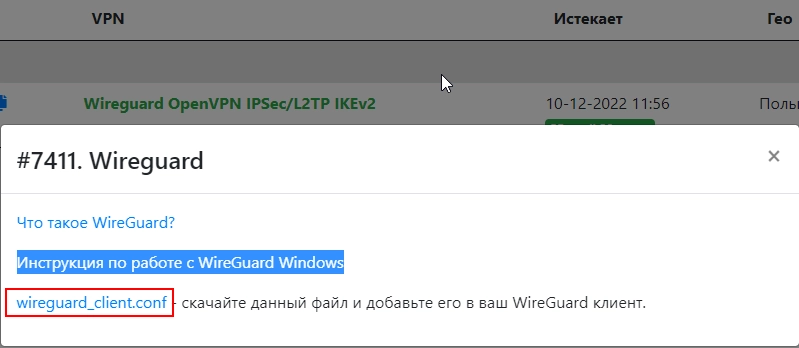
- Descargamos el archivo de configuración

- Descarga la versión más reciente para Windows en: https://www.wireguard.com/install/ y procede a instalarla
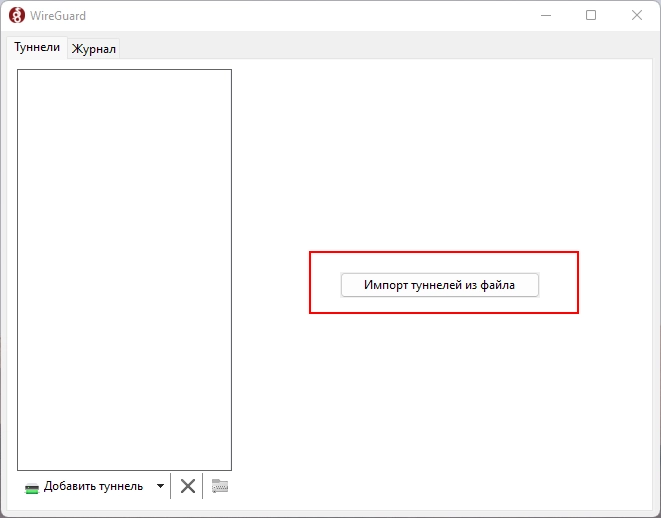
- Abre C:\Program Files\WireGuard\wireguard.exe y agrega un túnel vacío (configuraremos la parte del servidor):
- Importa los túneles desde el archivo
- Selecciona el archivo de configuración que descargaste
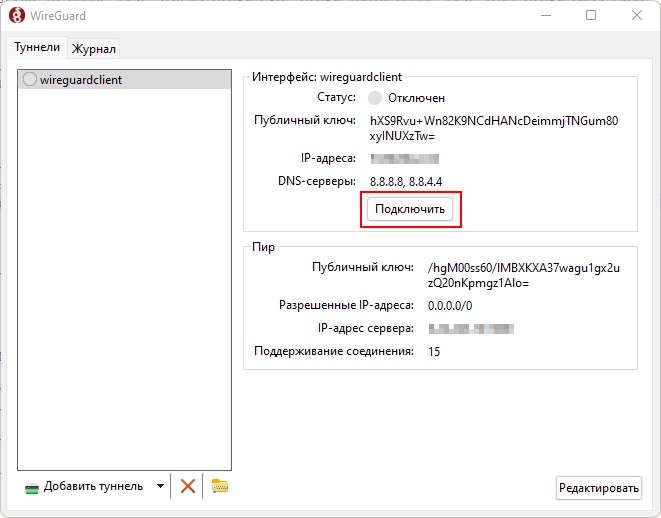
- Espera a que cargue la configuración y haz clic en "Conectar"
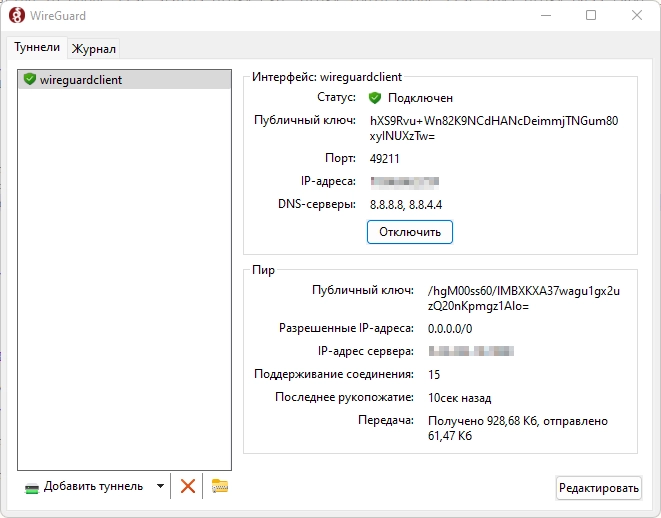
- ¡Listo! Ya estás conectado mediante el seguro y cifrado protocolo VPN WireGuard