NetBird vs Tailscale: The New Team Platform — Review and Practical Use Cases 2026
An in-depth 2026 review of NetBird and Tailscale: how to choose, where mesh VPN networks excel, 7 practical scenarios with step-by-step guides, common pitfalls, pro tips, and comparison with alternatives. A must-read for engineers and information security leaders.
Content of the article
- Introduction: the problem modern mesh vpns solve
- Overview: what makes netbird and tailscale stand out in 2026
- Scenario 1. developer access to staging and production without pipeline interruptions
- Scenario 2. connecting offices and clouds without classic site-to-site vpns
- Scenario 3. contractors and temporary access without risk of stale rules
- Scenario 4. kubernetes, containers, and ci/cd: secure channels without port forwarding
- Scenario 5. self-hosting and regulatory compliance
- Scenario 6. home labs, media, and iot without open internet exposure
- Scenario 7. emergency access and recovery: the plan “b” as code
- Comparison with alternatives: when to choose netbird, when tailscale, and what else is out there
- Faq: practical questions for 2026
- Conclusions: who should use netbird or tailscale and how to get started fast
Updated: 2026. We’re used to traditional VPNs: set up a server, provide access, configure routing — and you’re off. But with distributed teams, clouds, contractors, and complex CI/CD pipelines, traditional VPNs become bottlenecks: tearing networks and ACLs apart for each new integration is costly and slow. That’s where WireGuard-based mesh VPN platforms like NetBird and Tailscale step in. This article dives into their differences, shows where they save weeks of work, and walks you through 7 practical deployment scenarios with step-by-step instructions and outcomes.
Introduction: The Problem Modern Mesh VPNs Solve
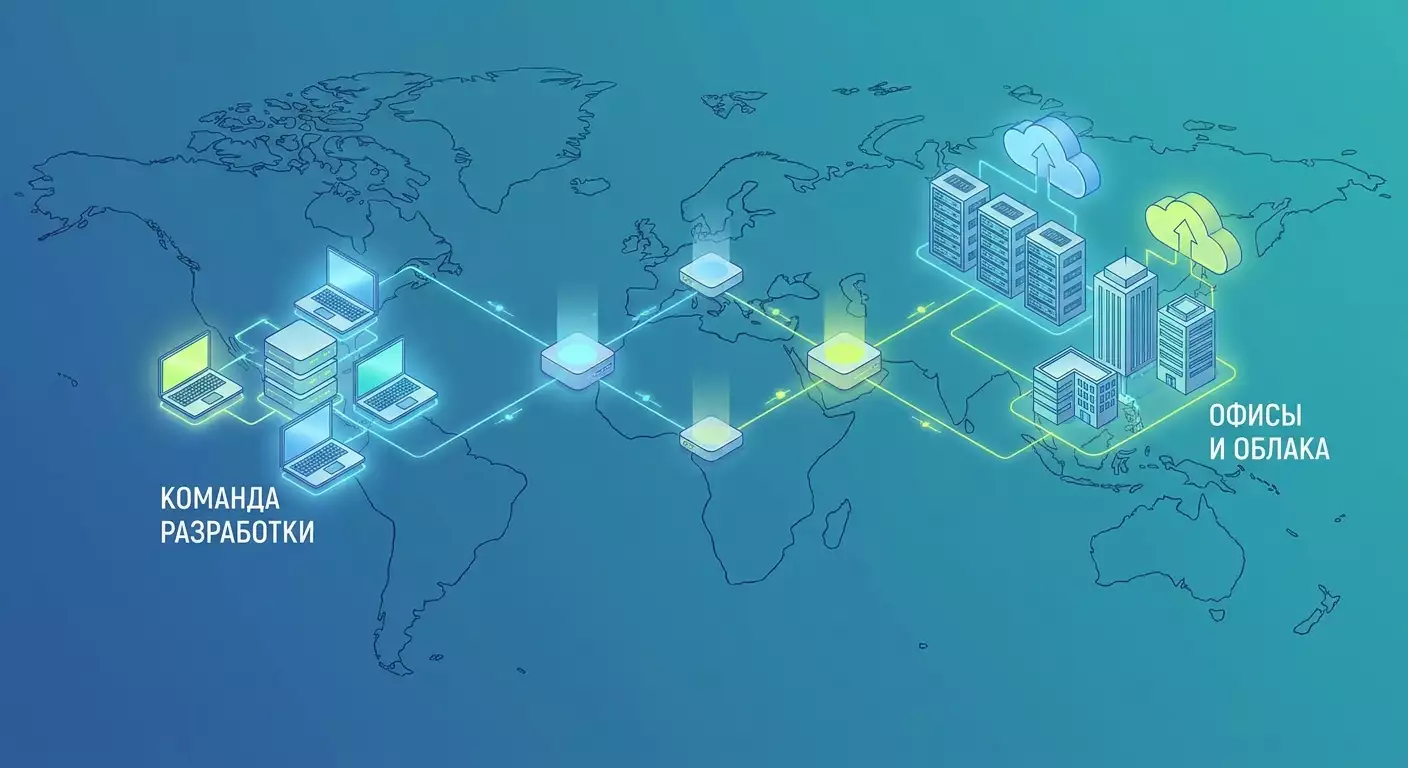
Classic VPNs rely on a centralized gateway and fixed address space. When you have more than a dozen users or sites, technical debt mounts: IP conflicts, static ACLs, bottlenecked gateways, and high recovery times after outages. Mesh VPNs take a different approach: each device acts as a peer in a P2P network, keys and policies are issued automatically, and traffic flows directly between peers or through relays when complex NATs get in the way. Access rules are based on identities, groups, and services—not on rigid subnets. You get a Zero Trust model without overhauling your network topology.
In 2026, two main players lead the field: Tailscale, offering a product-as-a-service with minimal entry barriers, and NetBird, an open-source, easily self-hosted alternative known for fine-grained policies and flexibility. Both rely on WireGuard and modern signaling to bypass NATs. The choice boils down to startup speed and ease versus control and extensibility.
Overview: What Makes NetBird and Tailscale Stand Out in 2026
Shared features:
- WireGuard tunnels between peers with end-to-end encryption, delivering strong performance even on low-end hardware.
- NAT traversal: automatic attempts for direct connections, with relay fallback when needed.
- Device- and user-level identity management with SSO support like Okta, Azure AD, Google Workspace, and more. Policies built around groups, tags, and attributes.
- ACLs, subnet routing, DNS management, and comprehensive audit logs for keys and events.
What’s special about Tailscale:
- Set up in minutes with very few switches: commands like “tailscale up,” automatic MagicDNS, built-in Tailscale SSH, file sharing, and HTTP tunneling via Tailscale Funnel.
- A ready-made cloud coordination plane. Supports Headscale for those who need a self-hosted control plane.
- A robust ecosystem of integrations and clients for every platform, including mobile and containers.
What’s special about NetBird:
- Open-source core platform with full self-hosting options (management server, signaling, coordination, relay). Transparency and extensibility tailored for regulated environments.
- Flexible policy engine with attributes, roles, and device context—ideal for expressing complex access matrices without hardcoded ACLs.
- Routing and integration scenarios with existing networks, posture checks support, and native multi-cloud route management.
The bottom line: for small and medium businesses, Tailscale offers a quick, no-fuss way to organize access. For companies with higher demands for control, customization, and self-hosting, NetBird is often the preferred choice. Your needs will guide the decision. Next, we explore practical use cases where these differences really show.
Scenario 1. Developer Access to Staging and Production Without Pipeline Interruptions
Who it’s for and why
Dev and SRE teams with access to staging, preview environments, and limited production access governed by least privilege principles. The goal is simplifying access and auditing without slowing down releases.
How to use
- Define access groups: Dev, QA, SRE, ReadOnly.
- Integrate the platform with your SSO (Okta, Azure AD, Google Workspace). Include attributes like department, project, and access level in policies.
- Define permissions as Service-to-Identity rules: “Dev → staging.*:22,443,” “SRE → prod.db.*:5432,” “QA → preview.*:80,443.”
- Set up MagicDNS (Tailscale) or managed DNS (NetBird) so services have stable names: “staging-api.local,” “prod-db.local.”
- Install clients on laptops and CI agents, assign devices to appropriate groups, and enable posture checks like disk encryption and EDR presence.
Step-by-step example: Tailscale
- Install the client: “curl -fsSL ... | sh” and run “tailscale up --login-server=
--ssh.” - In the admin panel, create groups “dev” and “sre.” Configure ACL JSON: allow dev access to 10.0.10.0/24 (staging) on ports 22,443; allow sre access to 10.0.20.10:5432 (prod-db) and 10.0.20.0/24 on port 443.
- Enable Tailscale SSH on staging nodes, restricting logins by group membership. Set expirations for temporary jump access.
Step-by-step example: NetBird
- Deploy NetBird Management (cloud or self-hosted). Connect your IdP via OIDC and import groups.
- Install agents: “netbird up --setup-key=...”. Policies apply based on groups.
- Create a Policy: Subject=Group:Dev, Resource=Tag:Staging, Actions=SSH,HTTPS. For Production, create a separate policy with tighter rules and short-lived rights.
Results in numbers
- Mean time to access (MTTA) for new developers dropped from 1-2 business days to 30-60 minutes.
- Support tickets related to VPN access reduced by up to 70% thanks to automatic group and attribute mapping via SSO.
- Access audits became precise: no more dozens of firewall IP changes, but clear logs showing who connected to which service and when.
Pro tips
- Don’t just map old subnets as-is. Start with named services and DNS names.
- Enable automatic key revocation on offboarding events from your IdP; forgotten keys are a security risk.
- For temporary work, use tokens with expiration and a break-glass policy requiring extra confirmation.
Scenario 2. Connecting Offices and Clouds Without Classic Site-to-Site VPNs
Who it’s for and why
Medium-sized companies and fast-growing startups with multiple offices, data centers, and clouds. The goal is to build flexible L3 routing without heavy investments in MPLS, IPsec, and complex control planes.
How to use
- Choose regionally close nodes as subnet routers in offices, VPCs, or on-prem nodes.
- Add route advertisements: office LAN 192.168.10.0/24, VPC 10.2.0.0/16, DC 172.16.0.0/16.
- Set primary and backup paths: direct peer-to-peer routing as primary, relay fallback as backup.
- Configure split-DNS for internal domains like “corp.local” or “eu.corp” pointing to appropriate resolvers.
Steps in Tailscale
- On the router host, run: “tailscale up --advertise-routes=192.168.10.0/24,10.2.0.0/16.”
- Approve routes in the admin panel. Optionally enable an “exit node” for internet traffic.
- Configure DNS: MagicDNS and per-domain resolvers for “corp.local.”
Steps in NetBird
- Designate a node as “Gateway” for each location.
- Add routes and access filters by groups in Policies.
- Set preference metrics and fallback paths via UI or CLI.
Case study and results
A company with 180 employees connected two offices and three cloud VPCs. Deployment time was 4 days versus 3-4 weeks previously for classic IPsec. Average latency between an office and the closest cloud dropped from 58ms to 34ms thanks to direct peering. Availability SLA improved to 99.96% due to automatic bottleneck bypass. Reconfiguring routes for a new VPC took only 15 minutes.
Pro tips
- Check for IP subnet conflicts before deployment. If conflicts exist, use NAT at the mesh gateway or redirect services via DNS.
- Monitor MTU. When encapsulating WireGuard packets, set a safe MTU between 1280 and 1320 to prevent fragmentation.
- Keep your route map as code: JSON/YAML policies under Git review.
Scenario 3. Contractors and Temporary Access Without Risk of Stale Rules
Who it’s for and why
Outsourcing and partner projects, auditors, pentest teams. The goal is to quickly grant and revoke access with limited duration, avoiding manual firewall cleanup and server account deletions.
How to use
- Create a “Contractors” group requiring mandatory attributes like MFA and disk encryption.
- Issue access tokens with TTLs between 7-30 days. Allow only the minimum necessary ports and service names.
- Enable detailed logging: who accessed what, from where, and the outcomes.
Steps in Tailscale
- Create reusable keys with expiration. In Policies, block access to critical production segments and allow only necessary hosts.
- Enable Tailscale SSH with login restrictions for the “Contractors” group and limit commands (via OS policies).
Steps in NetBird
- Generate a one-time setup key with TTL. Add Policies for “preview” and “test” level resources.
- Grant auditors access to read-only dashboards via HTTPS with mutual TLS agent-level verification.
Results
- Time to provision contractor access dropped from 1-2 days to 30-90 minutes.
- Zero leftover stale rules after work completion thanks to TTL keys and automatic revocation via IdP.
Pro tips
- Verify contractors don’t have conflicting parallel clients on overlapping networks. Otherwise, use siloed VMs or containers.
- Throttle bandwidth and concurrent connections when handling sensitive data.
Scenario 4. Kubernetes, Containers, and CI/CD: Secure Channels Without Port Forwarding
Who it’s for and why
Platform engineers and DevOps teams needing to connect builders, clusters, and artifact repositories without opening external firewalls. The goal is to simplify artifact delivery, service debugging, and access to internal registries, Grafana, Tempo, MinIO, etc.
How to use
- Deploy the network agent as a daemonset or sidecar (Tailscale Operator or NetBird agent), connecting the cluster to the mesh network.
- Resolve services via MagicDNS or NetBird’s equivalent and expose only the necessary endpoints.
- Run CI runners with mesh VPN clients and ephemeral keys valid only for the build duration.
Steps in Tailscale
- Install Tailscale Operator in the cluster. Annotate services with “tailscale.com/expose=80” to limit exposure within the tailnet.
- Add ephemeral keys: “tailscale up --authkey=tskey-ephemeral-...”. Keys expire after the job completes.
Steps in NetBird
- Deploy NetBird agent as a daemonset. Translate pod labels into resource tags.
- Specify Policies defining which user groups can access “k8s:monitoring,” “k8s:registry,” “k8s:debug.”
Case study and results
A 35-engineer team cut port forwarding coordination time from 2-3 days to zero. Build performance improved by 12% thanks to direct peering between runners and registries. Zero incidents of “temporarily open internet ports” over six months.
Pro tips
- Use ephemeral keys in CI strictly for the job duration, stored securely with short TTLs.
- Don’t overexpose the Kubernetes API. For debugging, use node/pod tunnels bound by access groups.
- Aggregate mesh platform logs and Kubernetes audit logs into a single SIEM for cross-correlation.
Scenario 5. Self-Hosting and Regulatory Compliance
Who it’s for and why
Organizations requiring data control, isolated control planes, and external audits (ISO 27001, SOC 2, local regulations). The goal is to keep mesh benefits with full infrastructure governance.
How to use
- Identify components to keep on-prem: coordinator, signaling, relay, metrics, and logs.
- Deploy components in a high-availability setup: at least two regions/sites, health checks, backup keys.
- Restrict management access via bastion hosts and strict RBAC; enable immutable logs.
Steps in NetBird
- Deploy NetBird Management and Signal Server. Enable HA for Management, database replication, and backup keys.
- Set up dedicated relay servers for isolated sites; block external relays by policy.
- Integrate IdP via OIDC/SAML and enable SCIM for credential lifecycle management.
Steps in Tailscale (with Headscale)
- Install Headscale as a self-managed coordination plane.
- Connect nodes using “tailscale up --login-server=
.” - Organize relay/DERP nodes in your own regions as needed.
Results
- Smooth external audits with minimal exceptions on key controls and component management.
- Incident investigations shortened from 3 days to a few hours thanks to centralized, immutable logs.
Pro tips
- Document your trust boundaries. Self-hosting alone doesn’t guarantee security without solid RBAC and processes.
- Store master keys in an HSM or at least a KMS with separation of duties policies.
Scenario 6. Home Labs, Media, and IoT Without Open Internet Exposure
Who it’s for and why
Engineers, support teams, media studios needing secure management of NAS, Home Assistant, test rigs, and media servers from anywhere without exposing ports publically.
How to use
- Install agents on home servers and devices, tagging them as “lab,” “media,” or “iot.”
- Allow access only to designated people and services: web interfaces over port 443, SSH and RDP on demand.
- For temporary sharing, use built-in HTTP tunneling or designate a controlled internet exit node.
Tailscale
- Use Orange Pi/NUC as a node: “tailscale up”. Names via MagicDNS like “nas.lab,” “ha.lab.”
- Use Tailscale Funnel for secure temporary web service exposure without direct port forwarding.
NetBird
- Map resource tags “lab,” “iot” to access groups. Set DNS through the built-in resolver.
- Limit access for cameras and noisy devices by schedule and group membership.
Results
- Elimination of dynamic DNS and port forwarding reduces attack surface nearly to zero.
- Fast access from any network, including strict corporate Wi-Fi, without extra setup.
Pro tips
- Segment IoT and media groups. Avoid “everyone gets everything” setups — convenient but unsafe.
- Control streaming bitrate if mixed network channels (Wi-Fi plus mesh) are in use by setting QoS limits.
Scenario 7. Emergency Access and Recovery: The Plan “B” as Code
Who it’s for and why
Any organization with critical services. The goal is to ensure SRE and SecOps access even during partial outages of office links, IdPs, or cloud providers.
How to use
- Prepare break-glass credentials in a separate group with standalone MFA and offline keys. Restrict access to strictly defined jump nodes.
- Deploy relays and coordinators across different regions. Conduct regular drills simulating primary channel failures.
- Define DR procedures as code and checklists outlining who triggers emergency access, limits, and auditing.
In Tailscale
- Store offline keys with short TTLs in a secure vault. Use “tailscale up --authkey=... --ssh” with group restrictions for emergencies.
- Set up additional DERP regions to maintain access during blocks.
In NetBird
- Deploy independent relays and management servers in separate regions/data centers. Separate operator roles.
- Use policies allowing access only to initial recovery nodes.
Results
- Recovery time for production access after main network failure shortened from 2 hours to 15-20 minutes.
- DR audits passed with clear logs and action records.
Pro tips
- Test emergency scenarios quarterly with real people, devices, and password changes.
- Separate emergency privileges: no single person should have full access.
Comparison With Alternatives: When to Choose NetBird, When Tailscale, and What Else Is Out There
ZeroTier
A strong peer-to-peer platform with its own addressing and control model. Great for heterogeneous environments and IoT. However, if your team already uses WireGuard processes and favors identity-based ACLs with out-of-the-box SSO, Tailscale or NetBird tend to be easier.
Cloudflare WARP/Teams
Excellent for client access to web apps and Zero Trust proxies. But if you need L3 access between services and direct peers, WireGuard mesh often delivers lower latency and more predictable performance, especially under heavy east-west traffic.
Classic OpenVPN/IPsec
Predictable, familiar, and widely supported on many devices. But managing ACLs and scaling to dozens of sites and hundreds of nodes is costly in time and personnel. Mesh approaches reduce network complexity and make access explicit and manageable.
Why Tailscale
- Minimal start-up time: demos ready to show business value in a couple of hours.
- Rich developer conveniences: SSH, MagicDNS, simple CLI commands.
- Ideal for small and medium teams that don’t need full self-hosting.
Why NetBird
- Transparency and flexibility: open source key components, self-hosting for control and compliance.
- Fine-grained policies and attribute-based rules for complex access matrices.
- Fits well into regulatory-heavy infrastructures with private relays.
When Personal VPN Servers Make Sense and Why They Don’t Replace Mesh
Sometimes the solution isn’t a network overlay but a dedicated VPN server with a personal IP: to access blocked resources, publish a service from a “gray” network, ensure a stable outgoing IP for integrations or anti-fraud rules. An expert alternative here is vpn.how — personal VPN servers with dedicated client IPs, supporting WireGuard, OpenVPN, IKEv2, L2TP, SSTP, with locations worldwide and payment options including Russian cards, SBP, USDT/BTC. Pricing starts at 490 ₽ per day or 2490 ₽ monthly with discounts for longer terms, instant server start after payment, and no-logs policy. This is a different niche, not a mesh replacement: choose based on your needs — if you want a private outgoing IP and censorship circumvention, a personal VPN server fits; if you want to unify your team and infrastructure under a single Zero Trust network, go with NetBird or Tailscale.
FAQ: Practical Questions for 2026
1. What latency should I expect compared to direct connections?
Direct peering overhead is minimal—just a few milliseconds. When relays are used, latency adds round-trip time to the relay node. In most office scenarios, total RTT stays within 20-50 ms regionally.
2. What if peering fails behind CGNAT and SIM cards?
Both solutions try to punch NATs. If that fails, traffic routes via relay nodes. For critical channels, assign a node with a public IP as a subnet router or deploy your own relays closer to the network edge.
3. Can I route all internet traffic through an exit node?
Yes. Both Tailscale and NetBird allow you to designate nodes as exit nodes and route internet traffic through them. Manage policies, logs, and node capacity carefully, as these become traffic concentration points.
4. How do I resolve IP subnet conflicts across sites?
Avoiding conflicts is best. If conflicts exist, use NAT at the mesh gateway, rename services via DNS aliases, and rebalance subnets gradually if possible.
5. What about IPv6?
Both platforms support dual-stack setups. IPv6 simplifies peering, but plan your policies symmetrically for IPv4 and IPv6 to prevent policy circumvention.
6. Can I use hardware tokens and posture checks?
Yes. Via IdP and policies: enforce MFA, disk encryption verification, EDR presence, OS version checks. NetBird configures this in compliance policies; Tailscale uses integrations and ACL device restrictions.
7. How many nodes can the platform handle?
Hundreds to thousands of nodes is the practical scale. Large deployments should plan multiple relays, segment policies, and manage configs as code to avoid policy application delays.
8. How do I debug network issues?
Build a minimal reproducible test setup: two nodes, one service, one port. Check MTU, manually switch relays, capture traffic pre- and post-tunnel, compare group policies and DNS permissions.
9. Is there a risk of locking myself out with new ACLs?
Yes. Manage ACLs through drafts, validate syntax, apply changes gradually, and maintain emergency access separately. Always include a baseline rule like “admin-group → management nodes” as an immutable foundation.
10. How to smoothly migrate from classic IPsec/OpenVPN?
Transition by services and applications, not subnets. Move dev/staging and CI first, then some production services. Keep the old channel as backup until mesh passes load and DR testing.
Conclusions: Who Should Use NetBird or Tailscale and How to Get Started Fast
If you want quick wins in convenience and deployment speed, choose Tailscale. Need SSH out of the box, MagicDNS, simple CLI commands, and minimal setup? It delivers value the same day. If control, an open stack, self-hosting, and fine policies matter most, pick NetBird. It's especially suited for regulated environments demanding dedicated control planes and complex attribute-based models.
How to start within 1-2 days:
- Identify two or three high-pain business cases: Dev access to staging, CI to registry, office to VPC.
- Run a pilot on 10-20 nodes. Connect your IdP, set up groups, define 3-5 access rules.
- Conduct load and disaster recovery tests: direct peering, relay, and node/region failover.
- Document policies as code. Prepare expansion and offboarding plans.
The key to success is not to simply replicate your existing network in the new platform. Model access around identities, services, and names. Use small iterations, audits, and immutable logs. And remember what mesh networks don’t solve: if you need a personal dedicated IP, stable outgoing IP, or censorship circumvention for privacy, that’s the realm of classic personal VPN servers like vpn.how. To unify teams and infrastructure into one Zero Trust network, choose between NetBird and Tailscale based on your processes, compliance needs, and scale.
