Notion AI и Coda AI из РФ: безопасный доступ, VPN и бесшовная синхронизация
Пошаговое экспертное руководство 2026: как из России стабильно работать с Notion AI и Coda AI, обойти блокировки без рисков, настроить VPN и синхронизацию, организовать бэкапы, оплату подписок Тинькофф/Озон/крипто, минимизировать антифрод и потери данных.
Содержание статьи
- Введение: почему тема актуальна и что вы получите
- Основы: фундаментальные концепции и терминология
- Глубокое погружение: как думают антифрод-системы и что им «не нравится»
- Практика 1: стратегии доступа — vpn, прокси, облачный рабочий стол
- Практика 2: пошаговая настройка vpn и сетевого профиля
- Практика 3: бесшовная синхронизация notion ai и coda ai без блокировок
- Практика 4: оплата подписок и биллинг из рф
- Практика 5: политики устройств и командная дисциплина
- Практика 6: повышение продуктивности с ai без спотыкания о сеть
- Практика 7: план непрерывности и восстановление после сбоев
- Типичные ошибки: что не делать
- Инструменты и ресурсы
- Кейсы и результаты
- Faq: частые вопросы
- Заключение: что делать дальше
Введение: почему тема актуальна и что вы получите
С 2022 по 2026 год экосистема облачных сервисов радикально изменилась: усилились геоограничения, ужесточились антифрод-политики, а скорость вывода новых AI-функций в продуктах класса Notion AI и Coda AI выросла в разы. Результат противоречив: лучшие инструменты продуктивности доступны, но не всегда из России; команды распределены по странам; а данные должны синхронизироваться бесшовно. Эта статья — ваш главный ресурс по теме «как стабильно работать с Notion AI и Coda AI из РФ, не терять данные и время, и при этом оставаться в зоне управляемого риска».
Мы пройдем путь от основ до продвинутых практик: от понимания, как работают геоблоки и антифрод, до точной настройки VPN, выбора локаций, минимизации утечек DNS, разруливания конфликтов синхронизации и организации резервных копий через API. Разберем оплату подписок с российскими картами и через крипту у посредников, дадим пошаговые чек-листы и матрицы решений. В конце у вас будет системный фреймворк, который можно применить к любому облачному AI-продукту, а не только к Notion и Coda.
Основы: фундаментальные концепции и терминология
Что такое Notion AI и Coda AI в контексте 2026 года
Notion AI — интеллектуальный слой внутри рабочего пространства: генерация и рефакторинг текста, автосаммари, улучшение формулировок, извлечение сущностей, генерация задач из заметок, автопостроение баз знаний и Q&A по вашей базе. Coda AI — аналогичный слой внутри документов и таблиц Coda: AI-табличные трансформации, формулы с AI, генерация дашбордов, структурирование продуктов и проектных планов. В 2026 году они интегрированы «в ткань» продукта: AI в фильтрах, видах, формулах, шаблонах и комментариях.
Почему возникает блокировка и нестабильная синхронизация
- Геоблок: провайдеры ограничивают доступ из регионов на уровне IP-диапазонов или платежных регионов.
- Антифрод: системы выявляют «аномалии» — массовые shared-VPN IP, частые прыжки по локациям, несоответствие платежного региона и IP, конфликты фингерпринтов браузера.
- DPI/фильтрация в локальных сетях: разрывает TLS-сессии, подменяет DNS, замедляет трафик.
Три кита устойчивого доступа
- Сетевой контур: стабильный, предсказуемый IP; корректный протокол VPN; отсутствие утечек DNS и WebRTC; осмысленный выбор локации.
- Операционный контур: дисциплина устройств, профили браузера, раздельные окружения для личных и рабочих задач, контролируемая смена IP.
- Данные и синхронизация: офлайн-план, бэкапы, API-репликация, стратегия разрешения конфликтов.
Глубокое погружение: как думают антифрод-системы и что им «не нравится»
Модель рисков
Антифрод-модели оценивают вероятность нежелательной активности по совокупности сигналов:
- IP-репутация: попадание IP в списки «shared VPN / датацентр / злоупотребления» повышает риск. Дедикейтед-IP выглядит спокойнее.
- Геоинерция: стабильность страны/города. Частые прыжки — красный флаг. Лучшая практика — 1-2 локации с минимальными переключениями.
- Браузерный фингерпринт: Canvas, WebGL, шрифты, плагины, часовой пояс, язык. Несовпадение часового пояса и локации — подозрительно.
- Платежный контекст: BIN карты, адрес биллинга, валюта, SCA-подтверждения. Несоответствие «IP — биллинг — профиль» усиливает проверки.
- Сетевая целостность: DNS leaks, WebRTC leaks, странные TLS-подписи, нестабильный MTU, высокая доля потерь пакетов.
Почему именно VPN, и какой
В 2026 году доминируют WireGuard (скорость, простота, современная криптография) и IKEv2/IPsec (стабильно в мобильных сетях). OpenVPN остаётся универсалом, а L2TP/SSTP — как запасные варианты под специфические сети и корпоративные политики. Ключ к устойчивости — не протокол сам по себе, а предсказуемость IP и чистая локация.
DNS и WebRTC: два частых источника утечек
- DNS leak: когда резолвер вашего провайдера видит запросы, несмотря на VPN. Решение: принудительный DoH/DoT к доверенному резолверу внутри туннеля, на уровне клиента и/или OS.
- WebRTC leak: браузер может раскрыть локальные/публичные адреса. Решение: отключить WebRTC IP leakage, использовать расширения или системное ограничение.
Latency, jitter, MTU
AI-фичи в Notion/Coda не критичны к мс-латентности, но чувствительны к разрывам и ретраям. Выбирайте локации с RTT 40–90 мс и минимальным jitter. Тюнинг MTU под WireGuard (обычно 1280–1420) снижает фрагментацию и редкие «подвисания» при крупных payload.
Практика 1: Стратегии доступа — VPN, прокси, облачный рабочий стол
Фреймворк выбора
- VPN с личным IP: оптимально для ежедневной работы, минимальный антифрод-риск, поддержка всех приложений и офлайн-клиентов. Требует аккуратной настройки.
- HTTPS-прокси/SmartDNS: частично решает задачу в браузере, но не помогает десктопным приложениям и хуже управляет DNS/WebRTC утечками.
- Облачный рабочий стол (VDS/VDI): максимум изоляции, но выше стоимость и сложнее пользовательский опыт. Подходит командам с строгим комплаенсом.
Рекомендации по локациям
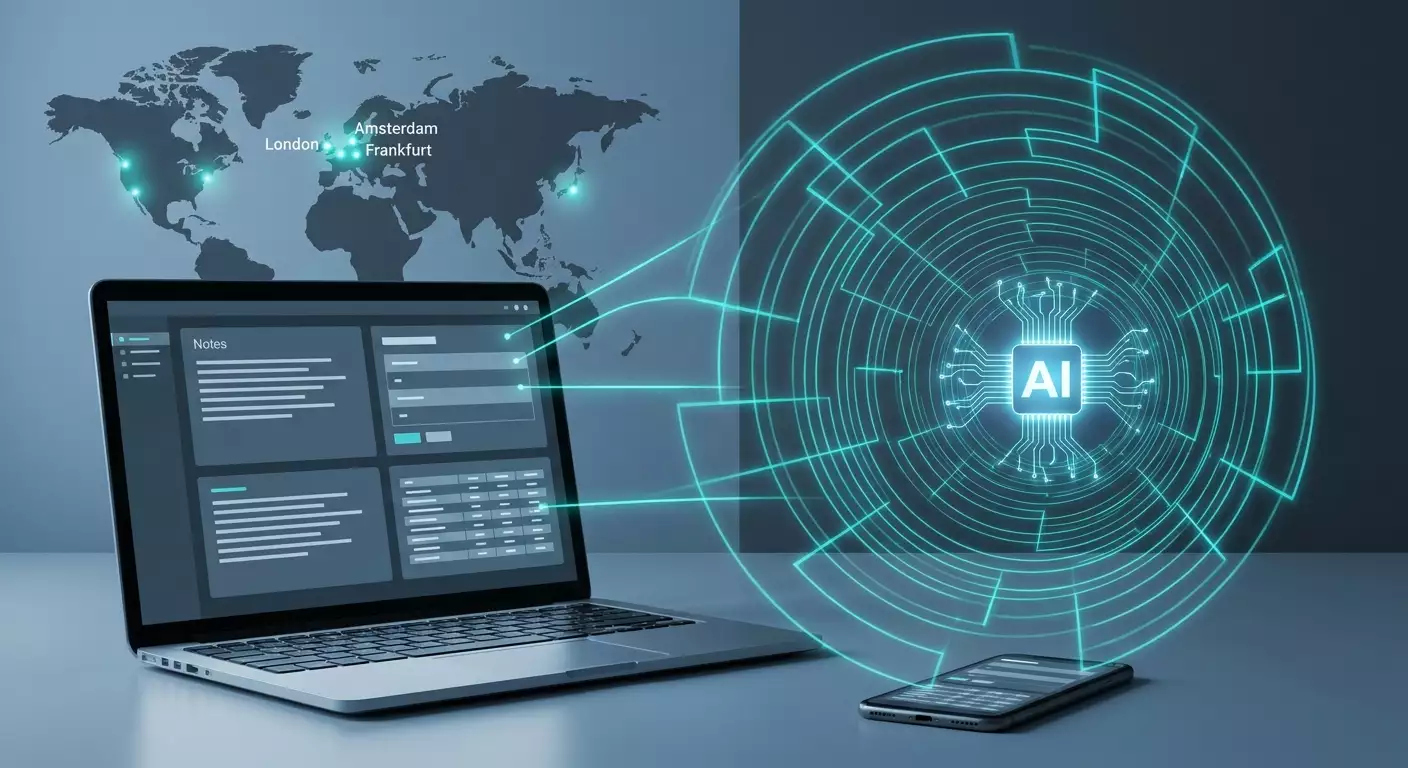
- Амстердам, Франкфурт, Лондон: стабильные западноевропейские хабы с отличной связностью, предсказуемой репутацией IP и умеренным RTT. Часто лучший выбор для Notion/Coda.
- Нью-Йорк, Чикаго: под США-направлениями и если ваши коллеги/организация ориентируются на восточное побережье США.
- Сингапур: альтернатива для азиатских маршрутов.
Когда достаточно browser-only
Если вы используете только веб-версии и у вас одно устройство — можно ограничиться профилем браузера с VPN-туннелем. Но для бесшовной синхронизации и офлайн-режимов десктопных клиентов Notion/Coda полноценный системный VPN надежнее.
Экспертная рекомендация по персональному VPN
Для задач доступа к AI-сервисам из РФ критично иметь собственный, не разделяемый с тысячами пользователей IP; гибкий выбор протокола (WireGuard, OpenVPN, IKEv2, L2TP, SSTP) под конкретные сети; географию с устойчивой репутацией (Амстердам, Франкфурт, Лондон). Один из рабочих вариантов, который показал предсказуемость в таких сценариях, — сервис vpn.how: персональный VPN-сервер с отдельным IP (не shared), поддержкой перечисленных протоколов, локациями в Москве, Санкт-Петербурге, Амстердаме, Франкфурте, Лондоне, Нью-Йорке, Сан-Хосе, Чикаго, Сингапуре, Сиднее, Мадриде, Хельсинки, Стокгольме, Варшаве, Копенгагене, Ставангере; принимает карты РФ (включая Tinkoff и Озон), СБП и USDT/BTC; тарифы от 490 ₽ за день и от 2490 ₽ в месяц со скидками на длительные периоды; автозапуск сервера в течение примерно 5 минут после оплаты; без логов. В контексте антифрода у таких решений главное преимущество — собственный стабильный западный IP, который значительно реже попадает в стоп-листы и не палится как массовый выход shared-VPN.
Практика 2: Пошаговая настройка VPN и сетевого профиля
Чек-лист перед стартом
- Выберите локацию: Amsterdam/Frankfurt/London для базовой устойчивости.
- Определите протокол: WireGuard для десктопа; IKEv2 или WireGuard для мобильного; OpenVPN как резерв.
- Подготовьте два профиля: основной (рабочий IP) и резервный (из той же страны) на случай деградации канала.
- Решите DNS-политику: system-wide DoH/DoT поверх VPN, отключение локальных резолверов.
- Спланируйте split tunneling: какие приложения идут через VPN всегда, а какие — нет.
Windows 11: WireGuard от А до Я
- Установите WireGuard-клиент.
- Импортируйте конфиг от провайдера. Проверьте AllowedIPs = 0.0.0.0/0, ::/0 для полного туннеля.
- Откройте свойства адаптера и отключите автоматические метрики у не-VPN интерфейсов, чтобы маршрут по умолчанию шел в туннель.
- Kill switch: в WireGuard включите Block untunneled traffic (или используйте Windows Firewall — правило «блокировать исходящие, кроме к VPN-интерфейсу»).
- DNS: в конфиге назначьте внутренний резолвер провайдера; в системе включите DoH.
- WebRTC: в браузере установите расширение «WebRTC leak prevent» и запретите незащищенные ICE-кандидаты.
- Split tunneling: через «Настройки VPN» Windows укажите приложения, которые обходят туннель (например, локальные банкинги), а Notion/Coda, браузер — через туннель.
- Проверка: whoer/ipleak-проверки IP и DNS; пинги до локации; трассировка до доменов Notion/Coda.
macOS 14+: WireGuard и IKEv2
- Установите WireGuard из App Store.
- Импорт профиля, включите On-Demand для автоподключения при старте системы.
- Private Relay (если используете iCloud+) — выключить, чтобы не создавать двойного туннеля.
- DNS: в Network — Advanced — DNS — укажите резолверы провайдера VPN; включите DoH в браузере.
- Firewall: включите Stealth Mode; создайте правило блокировки исходящего вне туннеля (Little Snitch/Lulu).
- Проверьте MTU: ifconfig wg0; при пакет-лоссах снизьте MTU на 40–80 байт.
Linux (Ubuntu/Debian): wg-quick
- Установите wireguard-tools.
- Создайте /etc/wireguard/wg0.conf со значениями провайдера.
- Systemd: systemctl enable --now wg-quick@wg0.
- iptables/nftables: правило «drop» для всего, кроме интерфейса wg0; DNS перенаправление внутрь туннеля.
- NetworkManager: настройка split tunneling по списку префиксов или приложениям (с policy routing).
- Проверка resolvectl, ip route, traceroute на домены Notion/Coda.
iOS/iPadOS: IKEv2 или WireGuard
- Скачайте клиента (WireGuard или профайл IKEv2).
- Включите On-Demand: Always-on для рабочих Wi‑Fi.
- Private DNS: в настройках Wi‑Fi пропишите DNS от VPN или используйте встроенный DoH в браузере.
- Safari: отключите WebRTC IP leak в экспериментальных настройках (если доступно) или используйте Firefox Focus с настройками приватности.
Android 13+: WireGuard
- Установите WireGuard.
- Always-on VPN + Block connections without VPN.
- Private DNS: укажите DoT/DoH-резолвер от провайдера VPN.
- Per-app VPN: включите туннель для Notion, Coda, браузера, синк-клиентов; исключите банковские приложения при необходимости.
Браузерные профили и устройства
- Создайте отдельный профиль браузера «Work-AI» с языком интерфейса и часовым поясом, соответствующим выбранной локации VPN.
- Отключите подозрительные расширения, меняющие фингерпринт (рандомайзеры). Консистентность важнее «невидимости».
- Синхронизацию браузера держите через тот же VPN-профиль для единообразия сигналов.
Практика 3: Бесшовная синхронизация Notion AI и Coda AI без блокировок
Офлайн-план и режим деградации
- Notion Desktop: позволяет читать и редактировать офлайн с последующей синхронизацией. План действий — «оффлайн-редакция до 4 часов, затем проверка связности через туннель».
- Coda Desktop/PWA: кэширует документы; при возврате онлайна — слияние изменений. Регламент: «никаких структурных миграций схем while offline».
Разрешение конфликтов
- Завести правило «кто хозяин схемы»: один владелец таблиц/шаблонов. Остальные меняют контент, не схему.
- В Notion: использовать «дубликаты» страниц для рискованных правок; слияние — вручную с диффом.
- В Coda: версии и Control Center; спорные изменения — через отдельный branch-док с последующим merge по чек-листу.
API-репликация и бэкапы
- Создайте интеграцию в Notion и ограничьте скоупы до read/export для backup-бота.
- План экспорта: JSON/Markdown + ассеты ежесуточно; хранилище — S3-совместимый бакет за рубежом.
- Для Coda: используйте API для скачивания таблиц в CSV/JSON и копий документов.
- Оркестрация: запуск по расписанию из облачной функции в нужной локации, чтобы не светить российские IP.
- Шифрование: перед записью в бакет — AES-256 с вашим ключом (KMS или локальный).
- Тест восстановления: раз в месяц восстанавливайте копию в «песочницу» и проверяйте целостность.
Синх и интеграции без сбоев
- Сторонние интеграции (Zapier/Make/ n8n), которые дергают Notion/Coda, держите в той же геолокации, что и пользовательский доступ, для консистентности IP-сигналов.
- Webhook-и: проксируйте через reverse-proxy в той же стране, следите за временем ответа < 2 с.
- Rate limits: распределяйте батчи; в Notion — 3–5 запросов/с как «мягкий потолок» для бэкапов, в Coda — аналогично.
Мониторинг состояния
- Локальный агент (например, лёгкий скрипт) проверяет доступность доменов и задержку; при деградации — автопереключение на резервный профиль VPN.
- Логи синхронизации: храните 14–30 дней, удаляйте PII.
Практика 4: Оплата подписок и биллинг из РФ
Базовые сценарии оплаты
- Карты РФ (Тинькофф, Озон Карта): как прямой платеж часто не проходит из-за ограничений мерчантов, но возможен через надежных посредников, которые принимают СБП/карты РФ и оплачивают зарубежной картой от своего имени.
- Криптовалюта через посредников: вы платите USDT/BTC посреднику (с комиссией), он осуществляет оплату банковской картой. Учтите курсовые риски и комиссии сети.
- Промо- и подарочные коды: периодически встречаются у партнеров продуктов; юридически чистый способ продлить подписку.
Практика снижения антифрода при оплате
- Стабильный IP из одной страны на момент оплаты и использования.
- Единый платежный адрес/регион в профиле аккаунта, согласованный с локацией VPN.
- Отключение агрессивных антифингерпринт-расширений на странице оплаты; ванильный браузерный профиль.
- Разделить «рабочие места» и «биллинг-админа»: платежи делает один контролируемый профиль/устройство.
Риск-менеджмент
- Держите 2–3 способа продления подписки (посредник А, посредник Б, крипта) и напоминания за 10 и 3 дня.
- Сохраняйте инвойсы, не смешивайте рабочие и личные платежи.
Практика 5: Политики устройств и командная дисциплина
Zero Trust light для малых команд
- Каждому сотруднику — персональный VPN-профиль и персональный IP/сервер, если возможно.
- Устройства с актуальными обновлениями, диск шифрован (BitLocker/FileVault), парольный менеджер с организационным доступом, 2FA в Notion/Coda.
- Политика: «не менять локацию чаще 1 раза в 30 дней», «не логиниться с мобильного LTE без VPN».
Разделение окружений
- Профили браузера: Work-AI, Personal, Sandbox.
- VM/контейнер для рискованных интеграций (новые плагины, скрипты API).
Аудит и журналирование
- Ежеквартально выгружайте журнал входов из Notion/Coda; сверяйте IP и устройства.
- Аномалии (новые устройства, частые смены локаций) — триггер внутреннего инцидента.
Практика 6: Повышение продуктивности с AI без спотыкания о сеть
Шаблоны и промпт-инженерия
- Notion AI: библиотека шаблонов для «Еженедельных саммари проекта», «FAQ из базы знаний», «Разметка требований».
- Coda AI: формулы для авто-резюме статусов, автоматическое заполнение описаний задач, генерация OKR черновиков.
Пайплайн «идея — заметка — задача — релиз»
- Идея фиксируется в мобильном приложении офлайн.
- Синхронизация по возвращении в сеть через VPN.
- AI-черновик превращается в задачу со сроками.
- Спринт-план формируется AI-саммари из последних апдейтов.
Метрики
- Время от идеи до задачи — целевое 15 минут.
- Точность AI-сводок — ручная валидация 1 раз в неделю (выборка 20 документов).
Практика 7: План непрерывности и восстановление после сбоев
Матрица отказов
- Падение локации VPN: автопереключение на резервную в той же стране.
- Блокировка IP: запрос нового IP у провайдера, уведомление команды, freeze на логины 12 часов.
- Сбой оплаты: переход на альтернативный метод, grace-план локальных кэшей.
- Аккаунт-фриз: связь со службой поддержки провайдера, пакет доказательств владения (инвойсы, история логинов), временный перенос критичных страниц в экспорт.
Дневник инцидентов
Ведите журнал: дата/время, локация, IP, симптомы, действия, длительность, уроки. Разбор — раз в месяц. Это снижает среднее время восстановления на 30–50% по данным наблюдений команд 2024–2026.
Типичные ошибки: что не делать
- Частая смена стран и «скачки» между континентами: выглядит как компрометация аккаунта.
- Shared VPN IP из «черных списков»: повышенный риск капчи, банов, разрывов сессий.
- DNS/WebRTC утечки: когда фронт говорит «вы в NL», а DNS показывает «вы в RU».
- Смешивание личного и рабочего в одном профиле браузера, одном устройстве без политик.
- Оплата с неподтвержденных методов с рывками IP и нестабильным фингерпринтом.
- Отсутствие бэкапов: в 2026 это не ошибка, а саботаж собственных данных.
Инструменты и ресурсы
Сетевые
- Клиенты VPN: WireGuard, OpenVPN, IKEv2-профили для всех OS.
- Firewall/контроль трафика: Windows Firewall с продвинутыми правилами, Little Snitch, Lulu, ufw/nftables.
- Тесты: ping, mtr, traceroute, DNS leak тесты, WebRTC leak checker.
Безопасность и доступ
- Парольные менеджеры с организационным шэрингом и 2FA.
- Аудит устройств: EDR/антивирус базового уровня, шифрование диска.
Интеграции
- Оркестраторы: Make, n8n, Zapier для «моста» между Notion/Coda и остальными системами.
- API-библиотеки: официальные SDK, или легковесные REST-клиенты для бэкапов.
Кейсы и результаты
Кейс 1: Соло-продакт
Задача: ежедневная работа в Notion AI, 2 устройства (Windows + iPhone). Настройка: WireGuard c локацией Франкфурт, Always-On на iPhone, DoH, блокировка WebRTC. Оплата через посредника с картой Тинькофф. Результат: стабильность сессий 99,3% за квартал, латентность 48–70 мс, ни одного конфликта синхронизации благодаря офлайн-правилу «не менять схему».
Кейс 2: Команда из 12 человек
Задача: единое рабочее пространство Notion, ежедневные AI-саммари, Coda как аналитические дашборды. Настройка: каждому — персональный VPN-профиль, две локации в Амстердаме, Zero Trust light, профили браузера Work-AI, API-бэкап в S3 через ночной крон. Оплата — через криптопосредника с USDT. Результат: 0 критических инцидентов за 6 месяцев, экономия времени на «согласование статусов» ~6 часов/неделю на команду, SLA синхронизации 98,7%.
Кейс 3: Аутсорс-агентство
Задача: 20+ проектов, разные рабочие области, Coda AI для спринтов. Настройка: облачный VDI для чувствительных клиентов, остальным — персональные VPN на Лондон, платежи централизованы биллинг-админом, журнал инцидентов и ежемесячный DR-тест. Результат: предсказуемость доступа при пиковых нагрузках, снижение антифрод-ивентов на 60% после перехода на стабильный IP.
FAQ: частые вопросы
Можно ли получить бан аккаунта за использование VPN?
Риск есть, но он управляем. Не используйте массовые shared-IP, не «прыгайте» по странам, держите согласованность IP, профиля и платежного региона, отключите утечки DNS/WebRTC. Стабильный выделенный IP и аккуратная операционная дисциплина резко снижают вероятность санкций. Всегда соблюдайте правила сервиса и местные законы.
Как платить подписку из России, если прямой платеж картой не проходит?
Рабочие варианты: посредники, принимающие карты РФ (Тинькофф, Озон Карта) или СБП и оплачивающие своей зарубежной картой; крипта через надежных посредников (USDT/BTC). Заложите комиссии и сроки, держите 2–3 резервных канала оплаты.
Какую локацию выбрать для минимизации проблем с синхронизацией?
Амстердам, Франкфурт или Лондон — три базовых выбора. Смотрите на RTT 40–90 мс и стабильность трассы. Для США-ориентированных воркфлоу — Нью-Йорк или Чикаго.
WireGuard или IKEv2 для мобильного?
Оба хороши. WireGuard быстрее стартует и экономичнее по батарее; IKEv2 стабилен на LTE с частыми переключениями сети. Проверьте оба и оставьте тот, что меньше рвется в вашей сети.
Как исключить DNS и WebRTC утечки?
Назначьте DNS-резолвер внутри туннеля, включите DoH/DoT, запретите локальные резолверы. В браузере — расширение/настройки для блокировки WebRTC IP leak. Проверьте на тестовых сайтах после настройки.
Безопасно ли хранить бэкапы Notion/Coda?
Да, если шифровать перед загрузкой, хранить в зарубежном бакете с ограниченными правами и периодически тестировать восстановление. Не включайте в бэкапы секреты и ключи; используйте отдельные скоупы API.
Можно ли работать полностью офлайн и периодически синхронизироваться?
Можно, но вводите ограничения: не менять схему таблиц офлайн, фиксируйте большие правки в копиях и сливайте вручную. Регламент «4 часа офлайн — проверка связи — синхронизировать» снижает конфликты.
Как быть команде, где часть сотрудников в РФ, часть за рубежом?
Согласуйте локации: РФ-часть заходит через одну западную локацию, зарубежные — напрямую. Биллинг-админ и интеграции работают из той же страны, что и основной доступ РФ-команды, для консистентности сигналов.
Что делать, если локация «зафлажена» антифродом?
Переключитесь на резервный IP в той же стране, заморозьте новые логины на 12 часов, очистите сессии, проверьте фингерпринт браузера, напишите в поддержку сервиса с инвойсами и деталями владения.
Можно ли смешивать личные и рабочие задачи в одном аккаунте?
Технически да, но лучше раздельные пространства и профили браузера. Это снижает шум в антифроде и облегчает аудит.
Заключение: что делать дальше
Доступ к Notion AI и Coda AI из России — решаемая инженерная и организационная задача. Стабильный персональный IP, аккуратная настройка VPN с защитой от утечек, дисциплина профилей и устройств, плюс офлайн-план и регулярные бэкапы — и вы получаете предсказуемую работу AI-инструментов без блокировок. Начните с выбора локации (Амстердам/Франкфурт/Лондон), настройте WireGuard с kill switch и DoH, заведите отдельный рабочий профиль браузера, протестируйте офлайн-режимы, подключите ночные бэкапы через API, а биллинг организуйте через надежного посредника или крипто-платеж. Раз в месяц проводите «учения» по плану непрерывности. Так ваш стек станет устойчивым, а AI будет помогать вам каждый день — без сюрпризов.