Azure VPN Gateway in 2026: The Complete Guide to Site-to-Site and Point-to-Site for Russian Companies
An in-depth, hands-on, and up-to-date 2026 guide to Azure VPN Gateway tailored for Russian businesses: design, topologies, BGP, NAT, security, automation, checklists, common pitfalls, and case studies. Step-by-step instructions and expert tips for S2S and P2S, covering both pilots and production environments.
Content of the article
- Introduction: why now and why it matters
- Basics: key concepts and terminology
- Deep dive: architecture, bgp, nat, performance, and resilience
- Practice 1: design and topology choice for a russian company
- Practice 2: step-by-step site-to-site ipsec ikev2 with bgp and nat setup
- Practice 3: step-by-step point-to-site for remote access
- Practice 4: operation, security, and automation in production
- Practice 5: multi-hub architectures, virtual wan, and b2b segmentation
- Practice 6: performance and fine tuning — from mtu to ciphers
- Practice 7: migrations, upgrades, and continuity
- Common mistakes: what not to do and why
- Tools and resources: what to use daily
- Case studies and outcomes: what works in practice
- Faq: tough questions and clear answers
- Tools and resources: quick templates and tips
- Conclusion: next steps
Introduction: Why Now and Why It Matters
By 2026, secure hybrid networks have become the standard for corporate IT. From branch offices to remote employees, from data centers to clouds: everything must be connected securely, predictably, and manageably. Azure VPN Gateway addresses the crucial need to link your on-premises infrastructure with Azure while providing secure remote access. For Russian companies, this challenge carries extra complexity: sanctions, a variety of user devices, regulatory requirements, and limited payment options call for a practical, tailored approach.
In this guide, we'll cover Azure VPN Gateway for Site-to-Site and Point-to-Site scenarios from A to Z: core concepts, advanced architectures, step-by-step setup, BGP, NAT, scaling, operations, security, and automation. You'll find detailed checklists for preparation, configuration, and deployment, real-world case examples, and typical mistakes. Our aim is for you to not just read but actively use this as a hands-on roadmap and a decision-making toolkit.
Basics: Key Concepts and Terminology
What is Azure VPN Gateway. It's a managed Azure service that creates encrypted tunnels between your virtual network environment in Azure and external networks. It supports two primary scenarios: Site-to-Site (S2S) for connecting VNets to physical sites and other clouds, and Point-to-Site (P2S) for secure access by individual devices. Azure VPN Gateway runs on IPsec/IKE for S2S and supports IKEv2, OpenVPN, and SSTP protocols for P2S.
Key Components:
- Virtual Network (VNet) — Azure's virtual network hosting your resources, which must include a dedicated GatewaySubnet for the VPN gateway.
- VPN Gateway — the gateway deployed in GatewaySubnet. Multiple SKUs are available, optimized for performance and features, including zonal options for high availability.
- Local Network Gateway (LNG) — an object that describes your on-premises network and, if applicable, BGP parameters for S2S.
- Connection — a resource linking a VPN Gateway and LNG (or P2S), specifying encryption methods, keys, and BGP/NAT settings.
Topology Types:
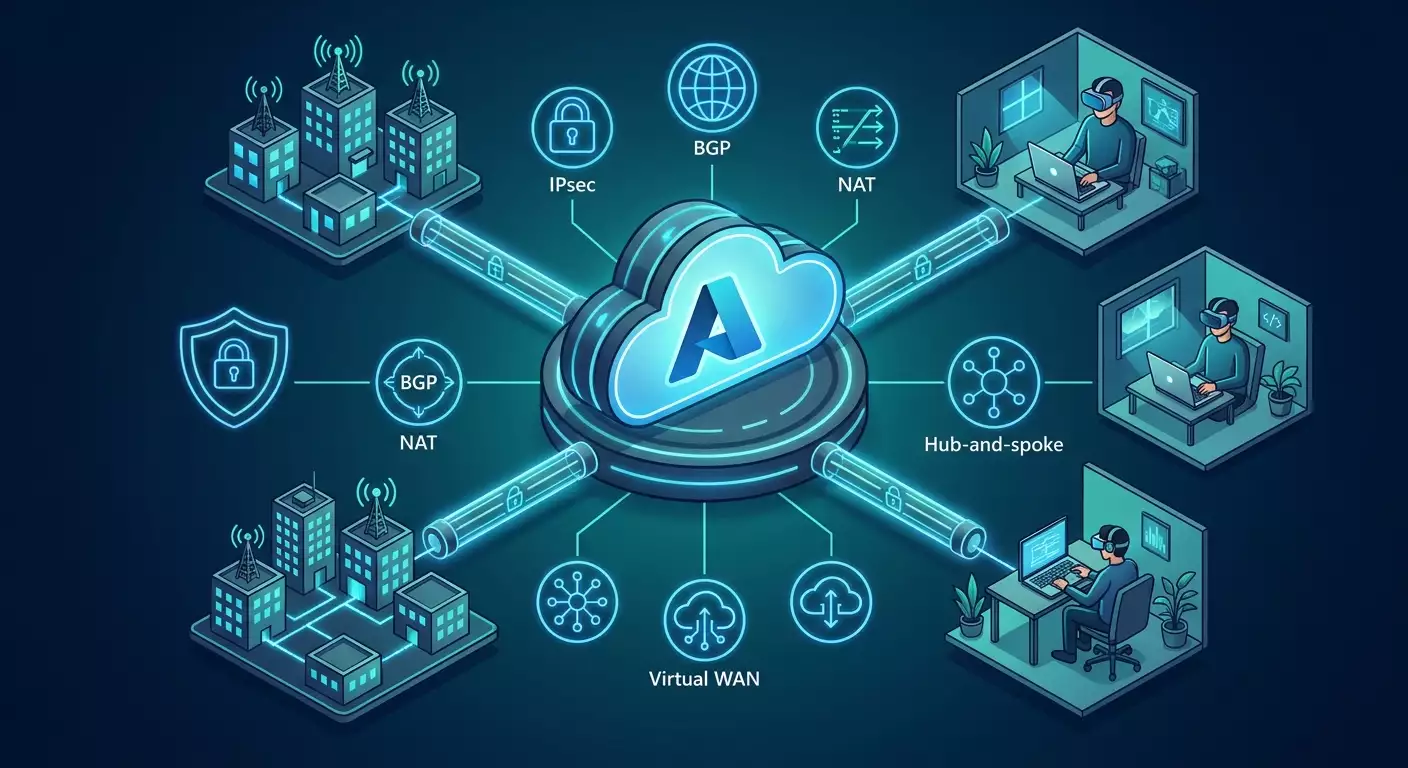
- Hub-and-Spoke — one or more hub VNets with VPN Gateway, Firewall, and shared services connected to spoke application VNets. This is the standard corporate architecture.
- Virtual WAN — a managed cloud fabric topology for large-scale networks with dozens or hundreds of sites. Simplifies mass management and includes a Secure Virtual Hub.
- VNet-to-VNet — direct tunnels between VNets when no central hub exists.
Authentication and Encryption:
- Site-to-Site: IKEv2 with PSK or certificates, IPsec ESP using recommended AES-GCM cipher suites and Perfect Forward Secrecy (PFS). BGP is used for dynamic routing.
- Point-to-Site: OpenVPN for cross-platform compatibility, IKEv2 for performance and native OS support, SSTP as a fallback for compatibility. Authentication options include certificates, Azure AD, and RADIUS (with MFA support).
When to Choose ExpressRoute. Choose ExpressRoute if you need guaranteed SLA on performance and latency, private access to Microsoft services, or strict communication channel requirements. In many cases, S2S IPsec provides sufficient bandwidth, especially with effective traffic segmentation.
Deep Dive: Architecture, BGP, NAT, Performance, and Resilience
BGP Routing. BGP enables a self-configuring and resilient hybrid network. Azure VPN Gateway supports dynamic route exchange. Azure uses a default ASN (e.g., 65515) and APIPA addresses for BGP peers (169.254.x.x/30). BGP benefits include automatic VNet prefix advertisement to sites, fast failover, aggregated prefix announcements, and Active-Active configurations with multiple tunnels. Best practices: avoid overly detailed prefixes, aggregate where possible; use MED/AS Path/Local Pref to control traffic on supported border equipment; avoid transit routes through Azure unless explicitly planned.
Azure VPN NAT. A crucial feature for handling overlapping address spaces or integrating legacy networks. NAT rules on Azure VPN Gateway allow transformation of inbound and outbound prefixes per connection. This is invaluable for M&A projects or partner integrations. Design NAT early: document mappings clearly, avoid cascading NAT unless absolutely necessary, and test symmetry and return traffic correctness.
Performance. Bandwidth depends on gateway SKU, cipher suites, MTU, routing, the remote end, and traffic patterns. For IKEv2/IPsec with AES-GCM, mid-range SKUs typically handle hundreds of Mbps; top-tier SKUs approach gigabit speeds or more with parallel streams. Plan with headroom: spread traffic over multiple tunnels or hubs, use split tunneling, minimize protocol chatter inside the tunnel, and enable hardware encryption acceleration at the CPE. Test with iperf3 (UDP and TCP) and measure Goodput, not just raw throughput.
Resilience. Use zonal SKUs (Availability Zones) for high availability; enable Active-Active mode on gateways and build mirrored tunnels onsite with ECMP or prioritization. Use BGP for rapid convergence. Keep GatewaySubnet free of NSG blocks and sized at least /27 for future growth. Prepare key/certificate rotation and gateway migration plans with zero downtime by running parallel gateways and staged cutovers.
MTU, Fragmentation, and TCP MSS. IPsec and OpenVPN add overhead, reducing effective MTU. A practical rule: set MTU to 1400 on interfaces with subsequent MSS clamping to 1350–1360 for TCP to minimize fragmentation. MSS clamping is also beneficial for OpenVPN over UDP. Test Path MTU Discovery (PMTUD) and monitor ICMP to preserve proper path detection.
Security. Minimum standards: IKEv2, AES-GCM-256, SHA2, PFS (DH group 14 or elliptic groups 19/20), no SHA1 or DH2. Migrate to ECDSA certificates where possible. For P2S, enforce multi-factor authentication via Azure AD or RADIUS, conditional access, and posture assessment via MDM. Restrict access by network segments using NSG/Firewall, leverage Private DNS and Private Endpoints. Enable gateway diagnostic logs in Log Analytics with alerts.
Practice 1: Design and Topology Choice for a Russian Company
Step 1. Define Business Requirements
- Roles: Which segments need cloud communication (SAP, 1C, BI, Dev/Test, SOC, SCADA)?
- Traffic: Estimate daily peaks, critical windows, backup loads, required latency
- Access: Permanent S2S sites, remote P2S access, B2B partners
- Compliance: Personal data, critical infrastructure, export encryption requirements
- Operational Model: Who manages policies, how are new sites and users onboarded
Step 2. Choose Architecture Pattern
- Hub-and-Spoke with VPN Gateway — ideal for 10–30 sites, requiring predictable policies, strong control, and integration with Azure Firewall/Application Gateway. Benefits: transparency and flexibility.
- Virtual WAN — suited for 30+ sites or rapid growth plans, needing unified control and automated site onboarding. Benefits: simplified scaling, SD-WAN integrations, centralized Secure Hub.
- Hybrid Approach — critical sites in dedicated hubs, mass sites through vWAN.
Step 3. Addressing Plan and BGP
- Plan VNets and spoke networks with future growth in mind
- Assign unique prefixes for each branch; if overlaps are unavoidable, plan NAT on Azure VPN Gateway
- Assign ASN per site; avoid conflicts with Azure default ASNs; large organizations should use private ASNs from 64512–65534 range
- Aggregate announcements, e.g., 10.40.0.0/16 instead of multiple /24s
Step 4. Resilience and Performance
- Select zonal SKUs based on peak loads and growth
- Plan Active-Active VPN Gateways
- Ensure two independent internet providers per site
- For P2S — regional distribution and failover profiles
Step 5. Security by Default
- Exclude deprecated cipher suites and protocols
- Enable diagnostic logs and tunnel drop alerts
- Separate trust zones with NSG and Firewall; deny east-west traffic between Spokes unless necessary
- Formalize key and certificate management processes
Practice 2: Step-by-Step Site-to-Site IPsec IKEv2 with BGP and NAT Setup
Prerequisites
- Azure subscription with permission to create public IPs
- Designed VNet and GatewaySubnet (at least /27)
- Static public IP on the CPE or virtual router side
- Router or firewall supporting IKEv2 and BGP: Cisco, Juniper, FortiGate, Check Point, Mikrotik, VyOS/strongSwan
Step 1. Create VNet and GatewaySubnet
- Create VNet in Azure Portal or via automation, e.g., 10.100.0.0/16
- Create GatewaySubnet, e.g., 10.100.255.0/27, without NSG and UDR
Step 2. Deploy VPN Gateway
- Create a Public IP address
- Create VPN Gateway of type VPN, Route-based, selected SKU (e.g., VpnGw2AZ for medium profile)
- Enable Active-Active if planning dual tunnels on site
Step 3. Define Local Network Gateway
- Specify your site’s public IP
- Specify branch address prefixes if using static routing
- For BGP, enable it, set site ASN and BGP-peer address (APIPA, e.g., 169.254.21.2)
Step 4. Create S2S Connection
- Link your VPN Gateway and Local Network Gateway using Connection resource
- IKE type: IKEv2, ciphers AES256-GCM, SHA2-256, PFS, DH groups 15/19
- Set pre-shared key (PSK) or certificates
- Enable BGP if needed
- Configure NAT rules if necessary: Ingress and Egress, mapping prefixes
Step 5. Configure CPE
General advice: use the same ciphers and timers, enable Dead Peer Detection (DPD), set MTU to 1400 and MSS clamp to 1350, create loopback for BGP peer, advertise aggregated routes.
Sample Basic IKE/IPsec Parameters
- IKE SA: AES256, SHA256, DH Group 14/19, lifetime 28800 seconds
- IPsec SA: AES256-GCM, PFS Group 14/19, lifetime 3600 seconds
- DPD: 10s interval, 3 retries
Conceptual Example for strongSwan/VyOS
- Create peer using Azure Public IP, IKEv2 only
- Set identifiers by IP, apply PSK
- Define traffic selectors 0.0.0.0/0 for BGP or specific networks for static routing
- Start BGP with site ASN, neighbor Azure APIPA 169.254.x.x, source loopback, announce necessary prefixes
Conceptual Example for FortiGate
- Phase 1: IKEv2, AES256, SHA256, DH14 or ECP256, DPD on-demand
- Phase 2: AES256-GCM, PFS group 14/19
- BGP: neighbor 169.254.x.x remote-as 65515, network summary 10.40.0.0/16
Step 6. Verification and Diagnostics
- Check connection status in Azure Portal
- Ensure SA establishment and BGP route exchange on CPE
- Test connectivity from Azure VM to branch and back
- Monitor logs: IKE/IPsec, BGP, failure events, tunnel metrics
Step 7. Security Policies and Segmentation
- Allow only necessary ports and directions on NSG and Azure Firewall
- For branch-to-spoke access, use UDR through Hub Firewall
- Create separate connections and isolated NAT rules for B2B partners
S2S Launch Checklist
- Address plan agreed, no overlaps or managed NAT rules in place
- SKU and Active-Active mode selected based on SLA
- Encryption uses modern suites, PSK is sufficiently complex, rotation scheduled
- MTU/MSS configured, PMTUD functioning
- Logs and alerts enabled in Log Analytics
- Routing and policy documentation current
Practice 3: Step-by-Step Point-to-Site for Remote Access
When P2S is Appropriate
P2S complements S2S by providing secure access for developer teams, admins, contractors needing limited segment access, as well as emergency access. In 2026, a proper P2S architecture includes MFA, posture checks, split tunneling, and strict auditing.
Step 1. Prepare VPN Gateway for P2S
- Enable P2S on the existing gateway or deploy a dedicated one for load segregation
- Assign client address pool, e.g., 172.16.201.0/24
- Select protocols: OpenVPN and IKEv2; use SSTP only for compatibility
Step 2. Authentication
- Azure AD: seamless integration with Conditional Access and MFA. Convenient on Windows/macOS/iOS/Android via OpenVPN client
- RADIUS: integration with existing IAM including OTP/MFA
- Certificates: quick start and offline scenarios, but require PKI discipline
Step 3. Client Profiles
- Generate P2S profile on gateway
- Deploy via MDM/Intune, JAMF, GPO, or manually
- Configure split tunneling to route only necessary prefixes through the tunnel
Step 4. DNS and Resource Access
- Specify Azure Private DNS servers or hybrid resolvers
- Set up records in Private DNS Zones so internal service names resolve consistently for S2S and P2S
Step 5. Security
- Enforce MFA and Conditional Access: block insecure devices, control geography-based access
- For admins — Just Enough Access, separate profiles
- Log connections in SIEM, limit session durations
Step 6. UX and Support
- Unified user instructions with screenshots
- Testing across all target OS platforms
- Connection monitoring, automatic profile updates
P2S Launch Checklist
- Chosen OpenVPN and/or IKEv2 protocols, performance tested
- MFA and Conditional Access configured
- Address pool doesn't conflict with S2S or Azure VNets
- Split tunneling and routes defined
- DNS resolution consistent
- Alerts and audit enabled
Practice 4: Operation, Security, and Automation in Production
Operations and SRE Approach
- Define SLOs: gateway availability, tunnel recovery time, target throughput
- Implement metrics: active tunnels count, BGP adjacencies, failed P2S authentications
- Set up alerts: tunnel drops, throughput degradation, RTT spikes
Security in Practice
- Regular PSK and certificate rotation
- Timely updates for CPE and clients
- Admin role segregation and Just-in-Time access
- Traffic segmentation and least privilege principle
Logging and Observability
- Enable gateway Diagnostic Settings in Log Analytics
- Collect IKE/IPsec events, P2S connection success/failure, BGP events
- Correlate logs with Firewall and NSG Flow Logs
Automation: IaC and Scripts
- Terraform: define VNet, GatewaySubnet, VPN Gateway, Local Network Gateway, Connection, NAT rules, Diagnostic Settings
- Bicep/ARM: native Azure template deployments
- Azure CLI/PowerShell: scripts for key rotation, MTU/MSS changes on VM Scale Sets, bulk onboarding
Continuous Testing
- Synthetic scheduled tunnel health checks
- iperf3 runs during off-peak windows
- Verify cipher suites compliance with security policy
Practice 5: Multi-Hub Architectures, Virtual WAN, and B2B Segmentation
Two or More Hubs
Achieve regional multi-zone resilience by deploying hubs across Azure regions with consistent policies. Use Azure Firewall Premium and TLS inspection at each hub’s edge; route via UDR and BGP priority for user/service geo-affinity.
Virtual WAN
- Suitable for dozens or hundreds of sites
- Automatic scaling, simplified onboarding via SD-WAN partners
- Secure Virtual Hub with centralized policies
B2B
- Dedicated connections per partner
- NAT to resolve address conflicts
- Contracted cipher suites and SLA per tunnel
Migration Roadmap
- Start with a single hub, expand to two regions
- Migrate some sites to vWAN as growth demands
- Unify policies and automate using IaC
Practice 6: Performance and Fine Tuning — From MTU to Ciphers
MTU/MSS and Fragmentation
- Set MTU to 1400, MSS clamp 1350–1360 for TCP
- Monitor ICMP Fragmentation Needed messages
- Run tracepath and ping with DF flag and increasing packet size
Cipher Suites and CPU Load
- AES-GCM performs faster than AES-CBC with HMAC
- ECDH groups 19/20 are generally faster than classic DH groups
- Hardware acceleration on CPE reduces peak CPU load
Parallelism
- Use multiple tunnels for different prefixes or ECMP
- Separate data and backup traffic streams
- Tune TCP windows on backup/replication servers
Route Control
- Filter unnecessary route announcements
- Use MED/LocalPref to select primary path
- Stop propagation in sensitive segments
Practice 7: Migrations, Upgrades, and Continuity
Migration from Policy-based to Route-based
- Bring up parallel route-based tunnel
- Shift traffic by segments
- Decommission legacy setup
SKU Upgrade and Gateway Replacement
- Deploy new gateway alongside old
- Migrate connections one at a time
- Remove old gateway post-stabilization
Key and Certificate Updates
- Rotate PSK regularly (every 90–180 days minimum)
- Use short-lived certificates and automate issuance
- Plan rollback procedures
Drills and Disaster Recovery Checks
- Simulate tunnel failure scenarios
- Measure BGP convergence and SLA impact
- Update response plan accordingly
Common Mistakes: What Not to Do and Why
- Ignoring BGP and relying on static routing: leads to complexity and vulnerability during failures
- Too narrow GatewaySubnet or applying NSGs to GatewaySubnet: causes unexpected outages
- Using outdated ciphers and protocols: risk of compromise and incompatibility
- Skipping MTU/MSS tuning: hidden TCP performance degradation
- Combining P2S and critical S2S on one gateway without considering peak loads: mutual impact
- Missing logs and alerts: extended downtimes, challenging troubleshooting
- Poorly planned NAT and cascaded translations: asymmetry and hard-to-debug issues
- Chaotic addressing and lack of aggregation: route table explosion
Tools and Resources: What to Use Daily
Design and IaC
- Terraform for declarative VPN, connection, NAT, and diagnostics configurations
- Bicep for native Azure deployments
- Azure CLI and PowerShell for management scripts
Observability and Testing
- Log Analytics and alerts
- Network Watcher for route and connection diagnostics
- iperf3 for bandwidth testing
- Wireshark/tcpdump for MTU and MSS analysis
Identities and Security
- Azure AD/Entra for P2S and Conditional Access
- RADIUS with MFA
- PKI: certificate issuance and rotation
POCs and Pilots Without Bureaucracy
For quick pilots and proof-of-concepts to test Azure access from distributed environments, a handy option is a personal VPN server deployed externally. Consider checking out vpn.how as a fast-start service: you get a personal, non-shared VPN server with dedicated IP, supporting WireGuard, OpenVPN, IKEv2, L2TP, SSTP — pick the protocol that fits your needs. Locations include Moscow, St. Petersburg, Amsterdam, Frankfurt, London, New York, San Jose, Chicago, Singapore, Sydney, Madrid, Helsinki, Stockholm, Warsaw, Copenhagen, Stavanger. Russian payment options accepted, including Tinkoff, Ozon, SBP, and cryptocurrencies USDT/BTC. Pricing starts at 490 RUB per day and 2490 RUB per month with discounts for longer terms; servers auto-start within 5 minutes post-payment with no logs. This is convenient for quick test stands and secure contractor access during short sprints; for production or compliance requirements, consider full corporate deployment on dedicated infrastructure or certified GOST-VPN solutions.
Case Studies and Outcomes: What Works in Practice
Case 1. Manufacturing Company with 12 Branches
Situation: overlapping address spaces in three acquired branches, mixed CPE hardware, tight three-month consolidation deadline. Solution: Hub-and-Spoke in Western Europe region, zonal VpnGw3AZ, BGP, NAT on Azure VPN Gateway to resolve conflicts, unified Azure Firewall. Results: consolidation completed in 9 weeks; 100% sites on BGP; average latency to key services 35–55 ms; L3/L4 incidents reduced by 60%; tunnel recovery time during maintenance under 20–30 seconds.
Case 2. Retail Chain and Remote Points of Sale
Situation: hundreds of small sites, unstable internet, inexpensive routers. Solution: Virtual WAN with automated onboarding, P2S for mobile IT teams, OpenVPN fallback, strict split tunneling, centralized monitoring. Results: new site onboarding time cut to 2 hours; resilience to provider outages via dual tunnels; 18% cost savings by avoiding expensive dedicated circuits.
Case 3. Development and DevSecOps
Situation: 300 developers needing access to private repos and CI/CD, requiring MFA and device compliance. Solution: dedicated P2S gateway with Azure AD authentication and Conditional Access, profiles deployed via Intune, group-based segmentation, SIEM auditing. Results: zero-trust perimeter in action; access incidents cut by 40%; onboarding time reduced from 2 days to 4 hours.
FAQ: Tough Questions and Clear Answers
Can I use a single gateway for both S2S and P2S?
Yes, but consider the impact of P2S peak load on the shared resource pool. Larger organizations typically opt for separate gateways or at least distinct QoS policies and monitoring.
Is BGP necessary with two tunnels per site?
Recommended. Without BGP, you’ll have complex static configurations with slower recovery and higher risk of asymmetric routing.
How to handle overlapping address spaces?
Use NAT on Azure VPN Gateway or readdress branches as part of migration. Prefer aggregation and standardization; NAT serves as compatibility and smooth migration tool.
How to choose P2S protocol?
OpenVPN for versatility and cross-platform support; IKEv2 for performance and native OS support; SSTP as fallback. Always use MFA and Conditional Access.
How to ensure high availability?
Zonal SKUs, Active-Active gateways, dual providers onsite, BGP, parallel tunnels, monitoring and automatic alerts.
How to measure performance correctly?
Run parallel iperf3 streams, consider MTU/MSS, test across different times, analyze Goodput and latency at p95/p99, and log degradation events.
Is PSK usage safe?
Yes, with sufficient length and regular rotation. However, certificates with automation and short lifetimes are preferred for large perimeters.
What about IPv6?
Plan dual-stack where justified by business and supported by equipment and policies. Start with inventory and POC; avoid partial deployments without clear DNS and security design.
When to consider ExpressRoute?
If you need consistent latency and bandwidth guarantees, integration with private Microsoft services, and strict SLA adherence. Otherwise, IPsec often offers simpler, flexible, and cost-effective solutions.
Can routing policies be changed dynamically?
Yes, via BGP parameters on CPE, announcement filtering, and prioritization. Ideally managed through IaC and tested in a staging environment.
Tools and Resources: Quick Templates and Tips
Addressing Plan Template
- VNet Hub: 10.100.0.0/16
- Spoke App1: 10.101.0.0/20; App2: 10.102.0.0/20
- GatewaySubnet: 10.100.255.0/27
- P2S Pool: 172.16.201.0/24
- NAT Reserve: 100.64.0.0/16
Security Cipher Checklist
- IKEv2: AES256, SHA256, DH 14/19
- IPsec: AES256-GCM, PFS 14/19
- Certificates: ECDSA p256/p384
- Exclude: SHA1, DH2
Basic Monitoring Plan
- Tunnel down alert
- RTT threshold breach alert
- P2S auth failure spikes alert
- Dashboard for active tunnels and BGP neighbors
Conclusion: Next Steps
Azure VPN Gateway in 2026 is a mature and reliable corporate network fabric tool. It enables scalable, secure hybrid networks for branches and remote users alike. The key to success is architectural and operational discipline: BGP for flexibility, NAT as a compatibility tool, strong security by default, IaC-driven automation, and robust observability. Start with a clear Hub-and-Spoke or Virtual WAN design, build your POC, set your SLOs, deploy logs and alerts, then proceed with phased site migration. Don’t forget remote user experience, MFA, posture assessment, and access segmentation. Most importantly, document solutions thoroughly, automate routine tasks, and regularly run resilience drills. This way, your network becomes a dependable business platform, not a source of surprises.
Publisher: vpn.how