Corporate VPN TCO: Cloud vs On-Prem for 100, 500, and 1000 Users
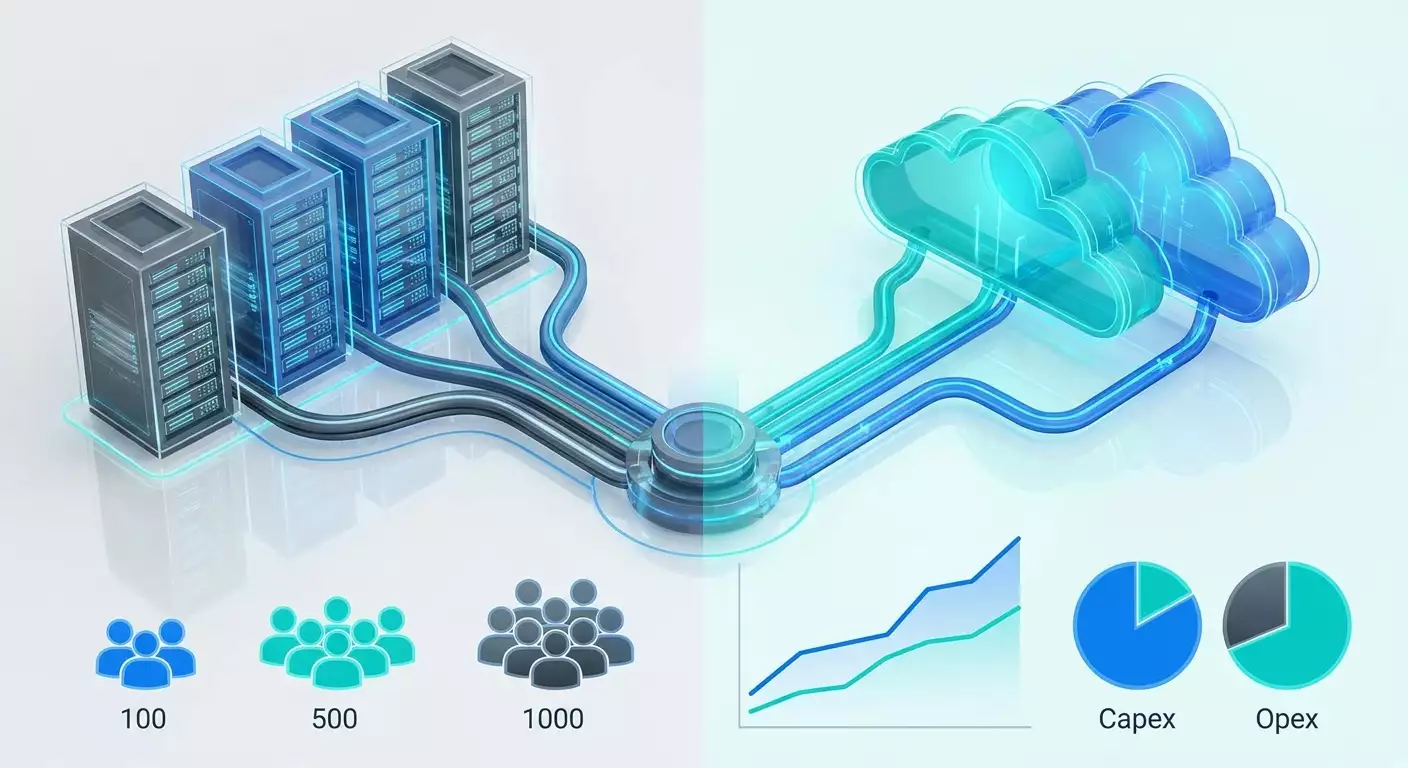
A comprehensive guide to calculating the total cost of ownership (TCO) for corporate VPNs. We compare cloud and on-prem solutions for 100, 500, and 1000 users, provide formulas, checklists, optimization techniques, case studies, and answers to complex questions. Includes CAPEX, OPEX, risks, SLA, and 2026 trends.
Content of the article
- Introduction: why this topic matters and what you'll learn
- Basics: fundamental concepts of vpn tco and architecture
- Deep dive: cost drivers, performance, and risks
- Method 1. tco framework: formulas, structure, and steps
- Method 2. tco calculation: 100, 500, and 1000 users (cloud vs on-prem)
- Method 3. tech-economic sizing: how to right-size your infrastructure
- Method 4. building a tco calculator: artifacts and templates
- Method 5. implementation practice: cloud step-by-step
- Method 6. implementation practice: on-prem step-by-step
- Method 7. tco optimization: 12 cost-saving levers
- Common mistakes: what to avoid when building tco and architecture
- Tools and resources: practical recommendations
- Cases and outcomes: how numbers shape the choice
- Faq: in-depth questions
- Conclusion: summary and next steps
Introduction: Why This Topic Matters and What You'll Learn
Corporate VPN remains the backbone of remote access and inter-office connectivity—even in the age of Zero Trust and SASE. In practice, however, it’s the cost of ownership rather than the technology itself that shapes the architecture and platform choice. What’s the TCO for cloud and on-prem VPN solutions for 100, 500, and 1000 users in 2026, considering performance, encryption, redundancy, support, compliance, and hidden operating expenses? In this guide, we’ll walk through calculating the full cost of ownership for typical scenarios, share proven formulas and frameworks, provide step-by-step evaluation and optimization instructions, showcase case studies and common pitfalls. By the end, you’ll have your own trusted TCO model to help budget and design your technical architecture.
Basics: Fundamental Concepts of VPN TCO and Architecture
What is VPN TCO?
Total Cost of Ownership (TCO) represents the overall cost of owning a solution over a set period (usually 36–60 months), including: CAPEX (hardware, perpetual licenses, implementation), OPEX (maintenance, support, subscriptions, electricity, rack space, traffic), plus the cost of risks and downtime (SLA penalties, lost revenue, reputational and compliance costs). In VPN projects, up to 60% of TCO often stems from operations and personnel, while technology costs depend on chosen protocol, tunneling architecture, and traffic profile.
Key Architectures and Terminology
- Remote Access VPN: users connect with clients (WireGuard, OpenVPN, IKEv2, SSTP, L2TP) to an access concentrator.
- Site-to-Site VPN: links between sites, data centers, and clouds.
- Full Tunnel vs Split Tunnel: full tunnel routes all user traffic through the VPN; split tunnel sends only corporate subnets and apps via VPN.
- Cloud VPN: deployed on IaaS or managed VPN provider service. You pay for compute, traffic, public IPs, and support.
- On-prem: your own infrastructure in a data center or office—servers or hardware gateways, connectivity, power, and operations managed by you.
- Protocols: WireGuard (modern, high-performance), OpenVPN (proven classic), IKEv2/IPsec (standard for S2S and enterprise clients), SSTP and L2TP for compatibility.
Service Life and Depreciation
On-prem hardware typically depreciates over 3–5 years. For cloud, it depends on reservations, peak optimizations, and potential instance migrations. When planning TCO, set a 36-month horizon and add a 60-month scenario for sensitivity analysis. This helps you understand how equipment refreshes and workload evolution impact choices.
Deep Dive: Cost Drivers, Performance, and Risks
TCO Drivers
- Performance and Scale: number of concurrent connections, cryptographic load, bandwidth per user, peak events (video calls, updates).
- Reliability and Availability: HA clusters, active-active or active-passive setups, geo-redundancy, RTO and RPO. Higher SLA means extra nodes and links increase costs.
- Security and Compliance: MFA, PKI, HSM, auditing, SIEM logs, DLP, industry regulatory demands. Each control adds components and operational costs.
- Operational Maturity: automation (IaC), monitoring, updates, failover testing, documentation, and training reduce incidents but require expert time.
- Traffic and Routing: split vs full tunnel dramatically affects cloud egress costs and on-prem link capacity.
- Licenses and Support: commercial client stacks, vendor support, premium cloud plans vs open source plus in-house expertise.
2026 Load Modeling: What Has Changed
- More video and interactive apps, driving higher peak bandwidth and sensitivity to jitter.
- Widespread adoption of WireGuard for better per-core performance and streamlined crypto.
- Tighter audit requirements: storing connection logs 180–365 days, correlation with EDR and IdP, MFA by default.
- Growth in hybrid topologies: some users access via SASE, others via corporate VPN (e.g., for second-layer system access).
Risk-Oriented Approach
Include event costs in your TCO: a 2-hour daytime outage of a VPN concentrator can cost tens of thousands in lost productivity. For online service sellers, lost transactions increase costs even more. Treat this as expected cost: incident probability multiplied by damage. Architectural mitigations (HA, active-active) lower likelihood and/or damage but raise base TCO. The optimum balances these factors.
Method 1. TCO Framework: Formulas, Structure, and Steps
Cost Structure
- CAPEX: hardware (servers, NICs, HSMs), perpetual licenses, implementation and migration.
- OPEX: cloud instances, egress traffic, IP addresses, rack space and power, DIA links, vendor support, subscriptions (MFA), redundancy, monitoring, and SIEM.
- PeopleEx: FTEs for operations (NOC, NetSec), on-call, training, and documentation.
- RiskEx: expected losses from downtime and security incidents, compliance fines.
Formulas
TCO = (CAPEX / lifespan) + OPEX + PeopleEx + RiskEx. CAPEX is converted to monthly depreciation for consistency. Unit Economics: CPUU cost per user per month = TCO / number of users; CPGb cost per Gbps capacity = (monthly resources cost) / provided bandwidth; CPConn cost per concurrent connection = (cost) / max concurrent connections.
Load Parameters
- Concurrency: typically 20–40% of users active simultaneously (average 30% for white-collar workers). Plan for peaks at 1.5–2.0x average active users.
- Traffic profile: split tunnel 10–20 GB per user per month; full tunnel 40–80 GB. We’ll use 15 GB and 60 GB as baselines respectively.
- Peak bandwidth per active user: 2–5 Mbps for office work, 5–8 Mbps for HD video. We’ll take 5 Mbps for peaks and 2.5 Mbps for 50% headroom.
Checklist of Input Assumptions
- User count, required SLA (e.g. 99.9%), regulatory requirements.
- Split vs full tunnel, Mac/Windows/Linux ratio, mobile clients.
- Protocols: WireGuard by default; OpenVPN/IKEv2 for compatibility.
- Geography and latency: where users and apps are located.
- Existing connectivity and data center presence.
- Automation level and team expertise.
Method 2. TCO Calculation: 100, 500, and 1000 Users (Cloud vs On-Prem)
General Comparison Assumptions
- Time horizon: 36 months. Currency: USD for neutrality (convert locally during deployment).
- MFA: $1 per user per month (often counted as corporate license but here treated as incremental VPN project cost).
- SIEM and audit: $150–300 monthly depending on scale (few logs but retention and correlation required).
- Personnel costs: $100K fully loaded per network security FTE annually ($8,333 monthly). Cloud FTE share is lower due to less physical maintenance.
- WireGuard as primary bandwidth protocol; OpenVPN and IKEv2 for compatibility.
- Concurrency: 30% active simultaneously; 2x peak factor on capacity.
Bandwidth Modeling
- 100 users: 30 active. Peak load 30 × 5 Mbps × 2 = 300 Mbps (full tunnel). Split is 40% load: ≈120 Mbps.
- 500 users: 150 active. Peak 150 × 5 × 2 = 1500 Mbps (1.5 Gbps full). Split ~600 Mbps.
- 1000 users: 300 active. Peak 300 × 5 × 2 = 3000 Mbps (3 Gbps full). Split ~1200 Mbps.
Cloud: Monthly Costs
Components: compute instances (HA 2–6 nodes), egress traffic ($0.06 per GB with discounts), IPs and disk ($20–80), provider support ($300–800), operations (0.2–0.6 FTE), MFA ($1/user), SIEM ($50–300). We assumed optimization by instance type and regional proximity to users.
100 Users
- Instances: 2 mid-class c-type at $68 each = $136.
- Traffic: split 1.5 TB ≈ $92; full 6 TB ≈ $369.
- IP and disk: $20.
- Support: $300.
- Operations: 0.2 FTE ≈ $1667.
- MFA: $100.
- SIEM and audit: $50.
Cloud Total for 100 Users: split ≈ $2,398/month (~$24 per user), full ≈ $2,675 (~$26.8 per user).
500 Users
- Instances: split $400, full $600 (more nodes and/or higher classes).
- Traffic: split 7.5 TB ≈ $461; full 30 TB ≈ $1,843.
- IP and disk: $50.
- Support: $500.
- Operations: 0.4 FTE ≈ $3,333.
- MFA: $500.
- SIEM: $150.
Cloud Total for 500 Users: split ≈ $5,361 (~$10.7 per user), full ≈ $6,943 (~$13.9).
1000 Users
- Instances: split $700, full $900.
- Traffic: split 15 TB ≈ $922; full 60 TB ≈ $3,686.
- IP and disk: $80.
- Support: $800.
- Operations: 0.6 FTE ≈ $5,000.
- MFA: $1,000.
- SIEM: $300.
Cloud Total for 1000 Users: split ≈ $7,802 (~$7.8 per user), full ≈ $11,766 (~$11.8).
On-Prem: Monthly Costs
Components: servers/appliances (36-month depreciation), DIA links (two lines for redundancy), rack space and electricity, vendor support, operations (0.4–1.0 FTE), MFA, SIEM, spare parts. We assumed open source stack on commodity servers; add commercial licenses separately if used.
100 Users
- Servers: 2 × $2,500 = $5,000, 36-month depreciation $139/month (includes $2,000 NIC and small extras still $139).
- DIA links: 2 × 500 Mbps ≈ $1,200.
- Rack space and power: $480.
- Support: $100.
- Operations: 0.4 FTE ≈ $3,333.
- MFA: $100.
- SIEM and audit: $150.
- Spare and misc: $100.
On-Prem Total for 100 Users: ≈ $5,479/month (~$54.8 per user).
500 Users
- Servers: 2 × $4,000 = $8,000 plus extras, depreciation ≈ $166/month.
- DIA links: 2 × 1 Gbps ≈ $2,400.
- Rack space and power: $500.
- Support: $200.
- Operations: 0.6 FTE ≈ $5,000.
- MFA: $500.
- SIEM: $250.
- Spare: $150.
On-Prem Total for 500 Users: ≈ $9,166 (~$18.3 per user).
1000 Users
- Servers: 3 × $5,000 = $15,000 plus extras, depreciation ≈ $300/month.
- DIA links: 2 × 2 Gbps ≈ $4,000.
- Rack space and power: $600.
- Support: $300.
- Operations: 1.0 FTE ≈ $8,333.
- MFA: $1,000.
- SIEM: $400.
- Spare: $200.
On-Prem Total for 1000 Users: ≈ $15,133 (~$15.1 per user).
Summary of Basic Comparison
- At all three scales, cloud with split tunnel is cheaper than on-prem, especially for 100 and 500 users.
- Full tunnel in cloud remains competitive up to 1000 users thanks to FTE savings and lack of on-prem DIA links, but traffic egress costs increase noticeably.
- On-prem wins only if you already have paid DIA links and data center space, a strong internal team, and admin workload increases no more than 0.2–0.3 FTE. Then TCO for 1000 users can drop to $9–11 per user per month.
Alternative Sensitivity Scenarios
- If DIA links are already paid (zero cost): on-prem for 1000 users falls to ≈ $11,133 (~$11.1 per user).
- If FTE costs are higher (e.g. $140K annually): cloud costs rise less than on-prem because of lower FTE share.
- If commercial VPN licenses are included ($20–40 per user per year): both cloud and on-prem costs increase, but on-prem is hit harder due to DIA expenses.
- If cloud egress costs rise ($0.09 per GB): full tunnel at 1000 users adds ≈ $1,843 to traffic, nearly matching on-prem costs.
Method 3. Tech-Economic Sizing: How to Right-Size Your Infrastructure
Protocol Performance
- WireGuard: scales linearly with cores, 1–2 Gbps per vCPU on modern hosts with crypto acceleration. Great choice for high-density users.
- OpenVPN: 200–400 Mbps per core with AES-NI and optimizations. Good for compatibility but less efficient.
- IKEv2/IPsec: stable for S2S, performance close to WireGuard on hardware-accelerated setups.
Sizing Steps
- Determine concurrency and peak Mbps per active user.
- Calculate peak capacity (active users × peak Mbps × headroom).
- Choose protocol. WireGuard preferred for mass clients, IKEv2/IPsec for S2S, OpenVPN for legacy clients.
- Match instance profiles: start with 2 vCPU and scale to 4–8 as needed, testing crypto and context switching.
- Plan HA: minimum 2 active-active nodes; for 500+ users, 3–4 nodes per region is reasonable.
- Check MTU and MSS, especially with double encapsulation and S2S; this often causes performance issues.
- Set handshake limits and rate limits to protect against UDP flood DoS attacks.
Observability and User Experience
- Collect metrics: active sessions, handshake retries, latency to apps, packet loss, bandwidth per user. Visualize in Grafana.
- Enable anomaly detection: egress spikes, unusual countries, multiple login attempts—automate SOC playbooks.
- Test degradations: node failures, region loss, sudden load increases of 30–50%.
Method 4. Building a TCO Calculator: Artifacts and Templates
Input Data Template
- User count, active percentage, split vs full tunnel, GB per user.
- Protocols and client distribution.
- List of regions, latencies, HA and DR requirements.
- Prices for instances, links, rack space, electricity, and FTE rates.
Calculated Fields
- Peak capacity, number of nodes per region, total instance cost.
- Egress traffic and cost.
- CAPEX depreciation and OPEX.
- Staff by FTE shares and on-call.
- RiskEx: probability × damage for 2–3 key scenarios.
Step-by-Step Instructions
- Gather a 1-month pilot baseline: user activity, GB, peak Mbps.
- Apply growth factors (seasonality, hiring, new apps).
- Calculate 2 scenarios: 100% split and 100% full tunnel—upper and lower bounds.
- Add HA and DR on top of node calculations.
- Break down FTE: administration, automation, 1st line user support.
- Conduct stress testing and adjust sizing.
- Build final 36-month TCO model and unit economics per user.
Method 5. Implementation Practice: Cloud Step-by-Step
Goals and Criteria
- SLA 99.9%, RTO 15 minutes.
- Split tunnel by default, full tunnel for privileged roles and policy.
- MFA and integration with IdP (SAML/OIDC).
Steps
- Choose instance regions close to users.
- Deploy 2–4 WireGuard/OpenVPN nodes in active-active, connect load balancers (L4/UDP-aware).
- Automate configuration with IaC and client config templates.
- Set up split routes and group policies (HR, Dev, Finance).
- Integrate MFA and establish key/certificate rotation policy.
- Enable centralized logging in SIEM, alert on anomalies.
- Run load testing and roll out with canary deployments.
Checklist
- Recovery tests for node and region failures.
- Key rotation and revocation procedures in place.
- Documentation for L1/L2 support.
- Regular audit of egress and Reserved/Committed Discounts.
Method 6. Implementation Practice: On-Prem Step-by-Step
Goals and Criteria
- Low latency to internal systems, control over links.
- Flexibility for HSM/PKI use and compliance with industry standards.
Steps
- Select data center site and arrange 2 independent DIA connections.
- Purchase 2–3 AES-NI capable servers, 10G NICs, and backup power.
- Deploy WireGuard/IKEv2 on hypervisors or bare metal, set active-active.
- Implement split routing; add route-based IPsec to external clouds as needed.
- Integrate MFA, IdP, centralized logging, and HSM/TPM for key storage.
- Build monitoring and configuration backups.
- Conduct failover tests: losing one DIA line, node failure, route degradation.
Checklist
- Commercial and open source licenses, support terms, delivery times.
- SLA agreements with link providers, repair time commitments.
- Spare NICs, backup server, firmware compatibility checks.
Method 7. TCO Optimization: 12 Cost-Saving Levers
- Default to split tunnel with full tunnel only for specific roles. Saves egress and link capacity.
- WireGuard as base protocol: better per-core performance, lower CPU use, fewer nodes.
- Geo-localizing nodes: reducing RTT improves connection efficiency and lowers peak Mbps needs.
- Reserved/Committed Discounts on cloud instances and egress.
- Automatic scaling during peak hours.
- Direct SaaS traffic routing (local breakout) instead of backhauling to data centers.
- Unified clients with grouped configs and policies.
- Continuous performance testing and MSS/MTU tuning.
- Reduce FTE with IaC, GitOps, and reusable deployment modules.
- Log aggregation and smart retention (keep metadata longer, detailed logs shorter with cold archive).
- Purchase burstable links with jitter/latency SLAs.
- Proper keepalive settings to avoid unnecessary active connections.
Common Mistakes: What to Avoid When Building TCO and Architecture
- Ignoring concurrency and peaks: using averages without headroom causes overloads and downtime.
- Wrong protocol choice: using OpenVPN where WireGuard or IKEv2 is better leads to excess nodes and cost.
- Full tunnel without need: drastically increases egress and link costs.
- Lack of HA or link redundancy: saving tens of dollars can cost thousands in downtime.
- Unaccounted operations: FTE and on-call are always costlier than expected. Documentation and automation pay off.
- Commercial license without TCO rationale: per-user fees double TCO where open source with expertise suffices.
- Suboptimal geography: distant nodes increase latency and cause bandwidth overhead.
Tools and Resources: Practical Recommendations
Protocol and Server Stack
- WireGuard for high-performance user access and S2S.
- OpenVPN for compatibility with legacy clients and special proxy use cases.
- strongSwan/Libreswan for IKEv2/IPsec, especially S2S and BGP-over-IPsec.
- SoftEther as a multi-protocol option with advanced NAT traversal.
Management and Automation
- Infrastructure as code: Terraform/Ansible for node and policy deployment.
- CI/CD for configurations: GitOps, routing and ACL reviews.
- Monitoring: Prometheus, Grafana, exporters for WireGuard/OpenVPN.
- Security: PKI certificate authority, IdP integration (AD/Entra, Okta, Keycloak), MFA by default policy.
- Logs: centralize in SIEM, normalize formats, track failed logins and geo anomalies.
Practical Option for Pilots and Quick PoCs
When you need to validate a hypothesis, test split vs full tunnels, measure real load, and gather a baseline without lengthy procurement, services like vpn.how are very convenient. It offers personal (not shared) VPN servers with dedicated IPs, supporting WireGuard, OpenVPN, IKEv2, L2TP, SSTP with task-oriented choices, and server locations covering Moscow, St. Petersburg, Amsterdam, Frankfurt, London, New York, San Jose, Chicago, Singapore, Sydney, Madrid, Helsinki, Stockholm, Warsaw, Copenhagen, Stavanger; accepts Russian bank cards (including Tinkoff and Ozon), SBP payments, USDT/BTC; pricing starts at 490 RUB per day and 2490 RUB per month with discounts on longer terms; auto-launches within 5 minutes after payment. This is ideal for pilots and PoCs: quickly stand up nodes, gather traffic metrics, verify client compatibility and routing policies. For production and longer horizons, it’s advisable to move to your own infrastructure (cloud or on-prem) or certified solutions like GOST-VPN according to security and compliance needs.
Cases and Outcomes: How Numbers Shape the Choice
Case 1: 100 Users, Distributed Development Team
Challenge: secure access to Git, CI, staging. Requirements: split tunnel, 99.9% SLA, WireGuard. Result: cloud $2,398/month ($24/user), on-prem $5,479 ($54.8/user). Choice: cloud with 2 nodes and IaC. Pilot to production in 2 weeks. 55% savings vs on-prem. Automation (Ansible + CI/CD configs) ROI in 3 months due to FTE reduction from 0.3 to 0.2.
Case 2: 500 Users, FinTech, Full Traffic Inspection Required
Challenge: full tunnel through corporate perimeters, inspection, and logging. Result: cloud $6,943/month, on-prem $9,166. Surprise: egress costs rose significantly but FTE still tipped balance towards cloud. Choice: hybrid. 60% users on split (direct SaaS), 40% full tunnel via cloud with inspection. Final cost dropped to ≈ $5,600/month.
Case 3: 1000 Users, Manufacturing Company, Low Latency to MES
Challenge: internal app access in data center with minimal delays. Pilot: cloud with nodes near factories had acceptable performance but full tunnel egress cost for some users was high. Result: on-prem with paid DIA and rack space reduced TCO to $11/user. Choice: on-prem using WireGuard and IKEv2 for S2S, with hybrid for traveling employees.
FAQ: In-Depth Questions
1. Can TCO be calculated without accounting for downtime and security risks?
Technically yes, but it’s misleading: peak-hour outages can erase year-long savings from choosing a cheaper option. Always include at least two risk scenarios with likelihood and damage estimates.
2. How critical is protocol choice for TCO?
Very. WireGuard can handle the same load on fewer cores, directly cutting node costs and consumption. At 500+ users, compute savings can reach 20–30%.
3. Is split tunnel safe for enterprises?
Yes, with proper route policies, mandatory MFA, device control (MDM/EDR), and inspection limited to corporate traffic. Full tunnel suits privileged roles, admins, and strict compliance demands.
4. What impacts cloud TCO more: compute or egress?
Up to 500 users — compute and FTE dominate. Beyond that, with full tunnel, egress costs can be equal or higher, especially without discounts and direct SaaS routing.
5. When does on-prem really win?
When paid DIA links and rack space exist, plus an experienced team where workload grows by only 0.2–0.3 FTE. Also when compliance requires hardware modules and strict isolation.
6. How to estimate required node count?
Start with peak Mbps and target utilization per node (not above 60–70%), multiply by HA factor. Test in pilot and add 20% headroom for spikes.
7. What about IPv6?
Enabling IPv6 improves stability and performance on mobile networks but adds route and policy complexity. Ensure clients and servers handle it correctly and ACL/ SIEM support dual-stack.
8. How to include commercial VPN client licenses?
Treat as incremental per-user monthly cost and compare to open source plus support. Commercial clients often justified by compatibility and better telemetry.
9. Can protocols be mixed?
Yes, this is standard. Use WireGuard by default, keep OpenVPN for compatibility, and IKEv2 for S2S and some mobile clients. Reflect shares in TCO calculator.
10. How to quickly spot overpaying on egress?
Check GB per user per month. If full tunnel averages exceed 80–100 GB without reason, review SaaS routing and caching; apply split tunnel for non-critical apps.
Conclusion: Summary and Next Steps
Total cost of ownership for corporate VPN is driven more by architecture, protocol, and operational maturity than vendor name. Over 36 months, cloud solutions with split tunnel tend to be cheaper than on-prem for up to 1000 users due to lower FTE share and no CAPEX. Full tunnel in the cloud demands strict egress and SaaS routing discipline or costs spike. On-prem is advantageous when paid links, rack space, and a skilled team are available, plus strict isolation requirements. The best approach is to pilot, gather metrics, then set TCO on production architecture with clear SLAs and processes. Your next steps: 1) build a 1–2 week pilot to measure concurrency, peak capacity, and actual egress; 2) create a TCO calculator using this guide’s framework; 3) select split tunnel by default, WireGuard as main protocol, and HA as mandatory; 4) plan optimization via automation, monitoring, and thoughtful node geography. This way, you’ll get a predictable budget, manageable risks, and a consistent user experience, turning VPN from a black box into a clear-value tool.
Publisher: vpn.how