10 ошибок при использовании VPN в 2026: как их допускают все и как перестать
10 типичных ошибок при использовании VPN в 2026 году: от бесплатных сервисов и утечек DNS/WebRTC до неправильных протоколов, kill switch и split tunneling. Пошаговые решения, реальные кейсы, советы по скорости, безопасности и приватности. Полное руководство.
Содержание статьи
- Введение: почему мы до сих пор ошибаемся с vpn в 2026
- Ошибка 1: выбор «бесплатного» vpn и цена за приватность
- Ошибка 2: слепая вера в «нулевые логи»
- Ошибка 3: неправильная настройка протоколов
- Ошибка 4: игнорирование dns, webrtc и ipv6 утечек
- Ошибка 5: отсутствие kill switch, split tunneling и правил фаервола
- Ошибка 6: одинаковый профиль для стриминга, торрентов, игр и работы
- Ошибка 7: неучет скорости, пинга и маршрутизации
- Ошибка 8: мультихоп, обфускация и «луковая» маршрутизация без нужды
- Ошибка 9: недооценка мобильной безопасности: 5g/6g, публичный wi‑fi, esim
- Ошибка 10: забытая операционная гигиена: пароли, 2fa, трекеры, отпечаток
- Как построить «здоровую» vpn-практику в 30 минут
- Ошибка 1 в деталях: «бесплатный» трафик как черный ящик
- Ошибка 2 в деталях: «нулевые логи» без подтверждений
- Ошибка 3 в деталях: протокол не там и не так
- Ошибка 4 в деталях: тесты утечек делаем раз в полгода, а надо чаще
- Ошибка 5 в деталях: kill switch и split tunneling на автопилоте
- Ошибка 6 в деталях: не сегментируем задачи
- Ошибка 7 в деталях: верим в «ближайший сервер»
- Ошибка 8 в деталях: «чем сложнее, тем лучше» – ложная интуиция
- Ошибка 9 в деталях: мобильные мелочи, которые бьют больно
- Ошибка 10 в деталях: «vpn все починит» – опасная мысль
- Faq: коротко и по делу
Введение: почему мы до сих пор ошибаемся с VPN в 2026
Коротко: зачем вам VPN в 2026
Казалось бы, к 2026 году VPN превратился в привычную кнопку: включил и забыл. Но реальность куда колючее. Мы живем в эпоху, где одновременно звучат слова «приватность», «дешевле», «быстрее» и «без болтовни по настройке». Вы стримите, играете, качаете, работаете удаленно, торгуете криптой и всерьез обсуждаете кроссбордерные подписки. VPN помогает обходить блокировки, шифрует трафик, прячет IP и иногда даже снижает пинг за счет умных маршрутов. Но волшебная кнопка – это миф. В нюансах сидит дьявол.
Да, современные провайдеры поддерживают WireGuard, обфускацию, двойные тоннели и даже гибридное постквантовое шифрование на базе Kyber в экспериментальных ветках. Однако большинство проблем не в технологиях, а в привычках. Мы торопимся, экономим по мелочам и забываем тестировать. А потом удивляемся: почему «утек» реальный IP через WebRTC, или стримы режут качество, или пинг скачет как мячик на бетонной площадке.
Почему одни и те же ошибки повторяются
Три причины. Первая: маркетинговый шум. «Нулевые логи», «молниеносная скорость», «анонимность в один клик». Слоганы гремят, детали шепчут. Вторая: иллюзия умолчаний. Мы верим, что дефолт оптимален, как будто производитель знает наш профиль использования лучше нас самих. Третья: отсутствие простого чек-листа. Нужны предсказуемые шаги в нужном порядке. Без этого даже опытные пользователи наступают на те же грабли.
Забавно, но именно в мелочах прячется большая безопасность. Одно неотмеченное поле в настройках, и у вас утечка DNS. Один протокол «не для вашего кейса», и потеря половины скорости. Одно неудачное сочетание расширений в браузере, и отпечаток устройства ведет вас как маяк. И знаете что? Это поправимо.
Как читать эту статью и получить максимум
Мы разберем 10 самых частых ошибок, покажем, как они выглядят в реальной жизни, и дадим решения «в два клика», «в пять минут» и «на час вперед». В финале вас ждет пошаговый план на 30 минут, который можно повторять раз в квартал: как сезонную замену шин. Будут живые кейсы, цифры и тренды 2026 года: WireGuard с улучшенной обфускацией, QUIC/HTTP/3-трафик, ECH (Encrypted Client Hello), гибридный постквантовый обмен, а также поведение DPI и блокировок. Без воды, но с человеческими словами. Поехали?
Ошибка 1: Выбор «бесплатного» VPN и цена за приватность
За «бесплатно» платите данными
Бесплатные VPN выглядят как лакомый кусок. Но бесплатная еда бывает только в мышеловке. Как именно монетизируются такие сервисы в 2026? Три пути: сбор телеметрии, продажа агрегированных профилей и агрессивная реклама с трекерами. Некоторые приложения запрашивают избыточные разрешения на мобильных: доступ к геолокации, контактам, активности. Зачем VPN ваши контакты? Правильно, ни за чем. Но доступ к ним открывает дверь маркетинговым партнерам.
На практике это значит: вы экономите 3–8 долларов в месяц и теряете контроль над собственными данными на порядок серьезнее. Да и стабильности бесплатные сети не обещают: перегруженные узлы, нестабильные скорости, капризы по пингу. Нередко именно такие приложения становятся целью атак, потому что код закрытый, проверок мало, а «сладкие» данные собраны в одном месте.
Как распознать риск и не попасть
Смотрите на прозрачность. Есть ли публичный аудит инфраструктуры за 2024–2026 годы? Указаны ли дата-центры и сетевые партнеры? Предлагается ли анонимная оплата (криптовалюты, карты одноразовой оплаты)? Есть ли опция полного отключения диагностической телеметрии? Хороший показатель – политики удаления сессионных ключей: если провайдер хранит ключи дольше, чем длится сессия, это тревожный знак.
Второй фильтр – репутация приложения в сторах. Ищите не звездочки, а содержательные отзывы. «Быстро и классно» – это ничто. Читайте про отвалы соединения, о баги в split tunneling, про Kill Switch, о конфликты с брандмауером. В 2026 у добросовестных приложений есть понятные release notes и баг-трек. Тишина – подозрительна.
Что делать на практике
Если бюджет жесткий, выбирайте фремиум с ограничением скорости или трафика, но с прозрачными политиками и аудитом. Лучше заплатить 3–5 долларов за базовый план, чем «экономить» на приватности. А еще – переместите критичные задачи (банк, почта, кошельки) на платный профиль, а второстепенные (чтение новостей, видео) оставляйте на основной канал без VPN или с отдельным профилем с ограничениями. Разделяй и властвуй – работает и здесь.
Ошибка 2: Слепая вера в «нулевые логи»
Маркетинг против реальности
Слова «no logs» так часто мелькают, что перестали что-то значить. В 2026 это не бинарная опция, а спектр: от временных сессионных метаданных до нулевого доступа в RAM-дисковых узлах. Более того, страны и юрисдикции диктуют свои правила хранения. Провайдер из страны с обязательным хранением метаданных может красиво написать «нулевые логи», но обязать дата-центр вести записи уровня сети. И где тогда правда?
Вам нужна проверка, а не обещание. Нужны независимые аудиты, повторенные не один раз, а циклично. Нужны результаты внешнего пентеста, описания инцидентов и то, как их закрывали. Нужна ясность, как работает анонимная диагностика: какие поля собирают, как аггрегируют, через сколько удаляют.
Как оценивать «no logs» в 2026
Три критерия. Первый – RAM-only серверы и автоматическое стирание при перезапуске. Второй – внешний аудит от компаний, которые умеют смотреть глубже, чем «политики на сайте». Третий – отсутствие персональных идентификаторов в биллинге: одноразовые почты и платежи без привязки к реальному имени снижают риски. Дополнительно смотрите, поддерживает ли провайдер ECH и маскировку SNI: это не про логи как таковые, но про приверженность приватности на уровне протоколов.
Быстрый чек-лист
Попросите у поддержки документы по аудитам за последние 12–18 месяцев. Спросите, как часто они перезапускают узлы и есть ли автоматические процессы ротации ключей. Узнайте о внутренних доступах и ролях: кто и как может видеть метрики. Если ответа нет или он уклончивый – ищите альтернативу. Вы голосуете не только кошельком, но и своим трафиком. Это важнее денег.
Ошибка 3: Неправильная настройка протоколов
WireGuard по умолчанию? Не всегда
WireGuard быстро стал стандартом де-факто. Он прост, быстр, использует ChaCha20-Poly1305 и хорошо чувствует себя на мобильных сетях. Но это не серебряная пуля. В некоторых сетях WireGuard проще детектируется DPI, особенно без обфускации, а в ряде корпоративных окружений UDP-трафик жестко фильтруют. Итог: соединение нестабильно или вовсе не поднимается.
Решение простое: проверьте режимы. Иногда OpenVPN TCP через 443 или обфусцированный профиль по QUIC/HTTP/3 проходит лучше. Иногда IKEv2 выигрывает на iOS с переменным сигналом, потому что грамотно пересобирает туннель при смене сети. Не бойтесь переключаться и тестировать на реальных сценариях: стриминг, звонки, загрузка больших файлов.
QUIC и MASQUE: когда это уместно
К 2026 все больше провайдеров предлагают профили поверх QUIC (HTTP/3) и MASQUE-маршрутизацию. Плюсы: обход некоторых блокировок, лучшее поведение при потере пакетов, особенно в мобильных. Минусы: нагрузка на CPU и непредсказуемость в корпоративных сетях, где прокси и IDS немного «ревнуют» к новому трафику. И да, не все реализации одинаково зрелые. Тестируйте конкретно у вашего провайдера.
Как выбрать протокол под задачу
Правило трех профилей. Профиль «Скорость»: WireGuard или обфусцированный WireGuard для домашних сетей. Профиль «Стабильность»: IKEv2 для мобильных и OpenVPN TCP 443 как запасной. Профиль «Стелс»: OpenVPN с обфускацией или QUIC/HTTP/3, когда DPI не дремлет. Запомните: если вас часто «выбрасывает», сначала меняйте протокол, а не провайдера. Иногда это спасает часы жизни.
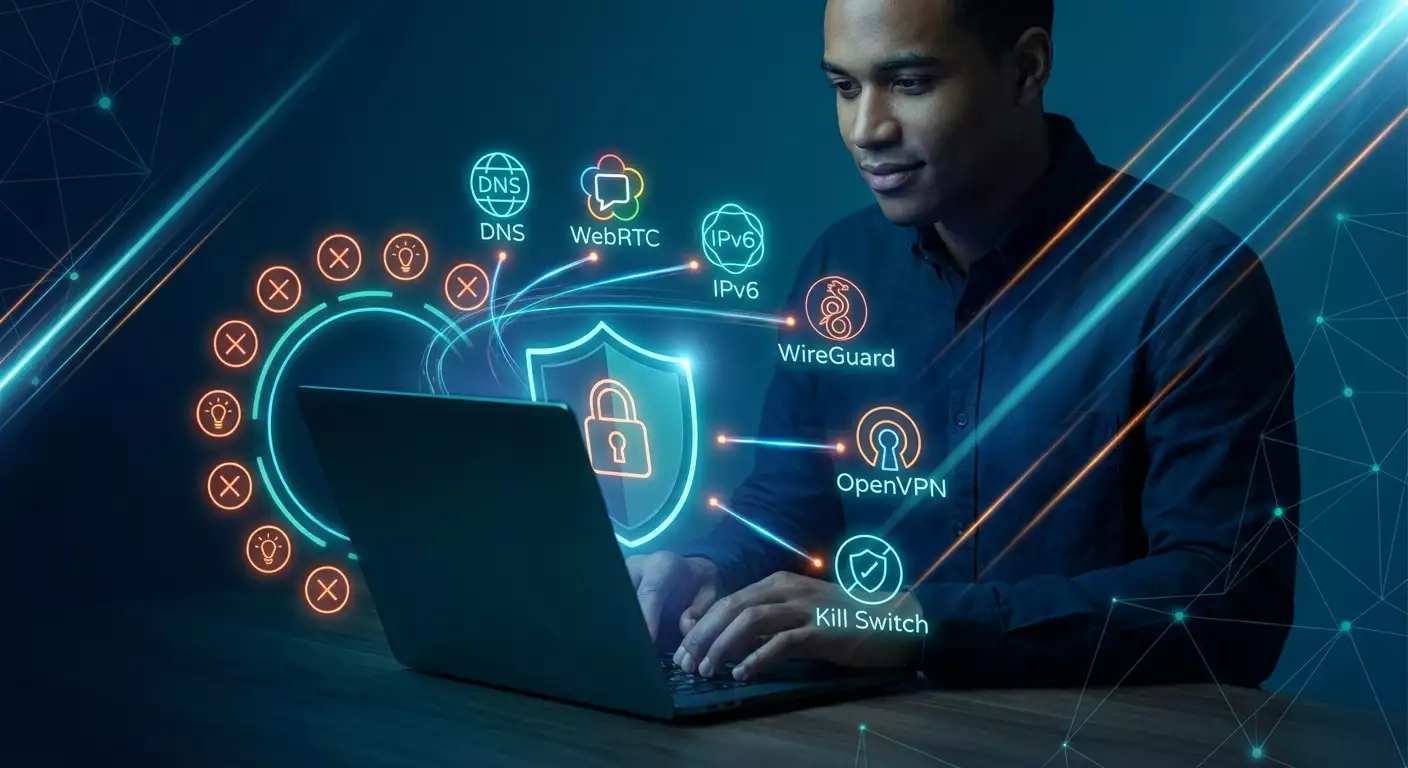
Ошибка 4: Игнорирование DNS, WebRTC и IPv6 утечек
Что такое утечки и почему это важно
Вы можете шифровать трафик, менять IP и прятать географию, но один запрос к неправильному DNS – и весь замысел всплывает на поверхность. Аналогично с WebRTC: браузер может раскрыть ваш реальный IP, особенно если включен IPv6, а VPN его не туннелирует. В 2026 многие сервисы, включая рекламные сети и антифрод-платформы, проверяют эти детали. Несостыковка равна подозрению.
Парадокс: утечки часто возникают не из-за плохого провайдера, а из-за смешения расширений, кэшей, старых настроек, конфликтов между брандмауэром и клиентом VPN. Поэтому «у меня все настроено» – не аргумент. Аргумент – чистый тест.
Как тестировать утечки
Тестируйте три вещи: DNS, WebRTC и IPv6. Используйте независимые сервисы проверки и меняйте браузеры. Выполните контрольный тест без VPN, затем с VPN, затем с обфускацией, затем с другим протоколом. Разница между этими четкими состояниями показывает слабые звенья. Дополнительно проверьте, не перехватывает ли ваш роутер DNS на уровне прошивки (некоторые модели так грешат).
Для мобильных полезно отключить «умные» функции оператора, которые подменяют DNS ради ускорения. На iOS и Android это теперь отдельные переключатели. Если вы используете DoH/DoT в браузере, согласуйте его с настройками VPN, иначе получите двойной параллелизм и странные результаты.
Как закрыть канал утечек
Включите опцию «автопринудительный DNS через туннель» в приложении VPN. Заблокируйте WebRTC на уровне браузера или установите расширение, которое управляет его поведением без ломки видеозвонков (гранулярные разрешения). Отключите IPv6 либо включите полную маршрутизацию IPv6 через VPN, если провайдер ее поддерживает. Для продвинутых: настройте локальный брандмауер с правилами, запрещающими исходящие DNS вне интерфейса VPN. Это звучит сложно, но делается за 5 минут.
Ошибка 5: Отсутствие Kill Switch, Split Tunneling и правил фаервола
Kill Switch: маленькая кнопка с большой пользой
Без Kill Switch любой внезапный разрыв соединения раскроет ваш реальный IP. И это случается чаще, чем кажется: роутер перезагрузился, ноутбук уснул, провайдер перешил маршруты. Включенный Kill Switch рвет доступ к сети, как только пропадает туннель. Да, это иногда раздражает. Но лучше пусть оборвется фильм, чем срывается приватность.
В 2026 ищите расширенный Kill Switch: не только «прервать все», но и «прервать только указанные приложения» или «запретить фоновые обновления». Точность решает. Если ваш клиент VPN этого не умеет, можно компенсировать правилами брандмауэра на уровне ОС. Это две-три галочки и пара тестов.
Split Tunneling без сюрпризов
Идея проста: не все приложения должны идти через VPN. Games – мимо, банк – мимо, торренты – внутрь. Ошибка в том, что люди включают split tunneling, но не проверяют, что обновления, телеметрия и вспомогательные процессы идут в нужное русло. В итоге игра идет быстро, а лончер шлет метрики мимо VPN. Или наоборот – VPN ломает вход на региональный ресурс банка, и вы обижаетесь на провайдера.
Решение: режим «включающий список» (Allowlist) для туннеля, когда вы явно указываете, что именно идет через VPN, а все остальное – мимо. Или наоборот, «исключающий список» (Denylist), если задач через VPN мало. Главное – протестировать и периодически пересматривать списки.
Фаервол правила: страховка от человеческого фактора
Добавьте правила: разрешить исходящие только через интерфейс VPN для выбранных приложений или портов. Это полезно для торрентов, инструментария разработки, админских панелей. На десктопе это делается встроенным фаерволом или утилитами провайдера VPN. На мобильных – профилями конфигурации и режимом «VPN только для приложений».
Ошибка 6: Одинаковый профиль для стриминга, торрентов, игр и работы
Стриминг: гео, кеш и качества
Стриминг-платформы умнеют. Они смотрят не только на IP, но и на поведение. Вам может понадобиться выделенный стриминговый узел, хорошо кешируемый маршрут и стабильный битрейт. Иногда обфускация лишняя и даже вредная: она добавляет задержку. Для 4K/HDR важнее ровная полка 25–30 Мбит/с без скачков, чем теоретический максимум в 300 Мбит/с, который то есть, то пропадает.
Практика: заведите отдельный профиль «Стриминг», привязанный к конкретной стране и провайдеру CDN. Периодически проверяйте, не изменилась ли политика платформы. Да, муторно. Зато включили – и работает без плясок.
Торренты: портфорвардинг и правовая аккуратность
Для P2P важны портфорвардинг и лояльные юрисдикции. Не все узлы это поддерживают. Не все страны дружелюбны к торрентам. Ошибка – качать через первый попавшийся сервер. Итог – низкая отдача, странные задержки, предупреждения от провайдера.
Решение: профиль «P2P». Включите портфорвардинг, укажите клиенту конкретный порт и зафиксируйте узел, который стабильно работает. Проверяйте, что Kill Switch включен, а трекеры (в браузере) не светят ваш реальный IP. И, разумеется, соблюдайте законы вашей страны.
Игры и работа: разные миры
Игры требуют низкого пинга и минимального джиттера. Работа – стабильности и совместимости с корпоративными сервисами, иногда через ZTNA или SASE-шлюзы. Один профиль попытаться усидеть на двух стульях – и проиграть сразу в обоих. Выведите игры из туннеля, если серверы рядом и лагов нет. А рабочие инструменты гоняйте через профиль с IKEv2 или TCP-режимом, совместимым с прокси. Так вы не будете проклинать VPN на ежедневных созвонах.
Ошибка 7: Неучет скорости, пинга и маршрутизации
География решает больше, чем кажется
Ближайший географически сервер – не всегда самый быстрый по факту. Важна не карта, а маршрут. Иногда узел на 1000 км «летит», а соседний в 200 км «плюется» пакетами. Это вопрос пиринга между сетями. В 2026 провайдеры VPN добавляют «умный выбор» узлов, но он работает хорошо только при корректной телеметрии. А телеметрию мы обычно отключаем, правда?
Решение – ручные мини-тесты. Пять серверов в нужном регионе, три замера по 20 секунд, снимаем среднюю и разброс. Выбираем не максимальную скорость, а стабильную. Это 10 минут времени, которые экономят недели раздражения позже.
Пики нагрузки и разумный запас
Вечером скорость падает? Возможно, вы попали в час-пик. Стриминги, апдейты, вечерние звонки – всё вместе создает давку. Хороший провайдер показывает загрузку узлов. Если нет – держите два-три запасных узла и не ленитесь переключаться. Автоматизация сценариями – еще лучше: подключились к стримингу – активировался профиль A, ушли в игры – профиль B, работа – профиль C.
Реальные кейсы маршрутов
Кейс 1: пользователь в Варшаве, стриминг из Лондона. Ближайший сервер в Берлине давал 18–24 Мбит/с, Лондон – 32–36 Мбит/с стабильно. Почему? Кеширование контента и пиринг с британским CDN. Кейс 2: геймер в Техасе, сервер игры в Калифорнии. Лучший пинг получил через Денвер, не через Лос-Анджелес, из-за перегруженных магистралей к побережью. Кейс 3: удаленный сотрудник в Бангкоке, корпоративный хаб в Сингапуре. IKEv2 оказался стабильнее WireGuard из-за сетевых политик провайдера офиса.
Ошибка 8: Мультихоп, обфускация и «луковая» маршрутизация без нужды
Когда это действительно надо
Мультихоп и луковая маршрутизация звучат круто. Психология любит сложные конструкции: «раз сложнее, значит надежнее». В реальности эти режимы нужны точечно. Например, если вы боитесь корреляции вход-выход по временным меткам, работаете с чувствительными источниками в странах с жестким мониторингом или обходитесь без «светящих» узлов в конкретном регионе. И да, если DPI активно режет UDP и «обычный» трафик, обфускация выручает.
Но это цена скоростью и задержкой. Удвоение узлов – удвоение точек отказа и усложнение диагностики. Если ваша задача – стриминг или игры, эти режимы только вредят. Не подменяйте причины следствиями.
Как понять, что вы перегрузили конфигурацию
Симптомы простые: хорошая скорость без VPN и ощутимая деградация с мультихопом, рваный пинг, периодические обрывы. Если отключение обфускации возвращает стабильность – вы использовали ее не по делу. Пробуйте шаг за шагом: сначала обычный WireGuard, затем обфусцированный, затем TCP-профиль, и только потом мультихоп. И каждый шаг тестируйте на своей реальной задаче.
Минимум, достаточный для приватности
Включите Kill Switch, закройте DNS/WebRTC/IPv6 утечки, выберите зрелый протокол под вашу сеть. Это дает 80% результата. Остальное – редкие сценарии. Настоящая сила в простоте, которая стабильно работает месяцами без ручного танца с бубном.
Ошибка 9: Недооценка мобильной безопасности: 5G/6G, публичный Wi‑Fi, eSIM
Публичный Wi‑Fi и «умные» сети
Публичные сети в кафе, аэропортах и коворкингах стали умнее и опаснее. Каптив-порталы, прокси, анализ трафика – всё это чаще по умолчанию. Добавьте общие SSID, к которым устройство подключается автоматически, и вы получите лотерею. VPN в таких сетях обязателен, но именно здесь люди его чаще всего отключают «на пять минут». Потом эти пять минут вспоминают годами.
Совет: создайте на телефоне профиль, который включает VPN автоматически при попадании в «неизвестные» сети и запрещает передачу данных без туннеля. Да, иногда придется вручную проходить каптив-портал, но это стоит того.
5G, 6G и мобильные переключения
Мобильные сети дергаются между 5G SA/NSA, LTE и Wi‑Fi Calling. Каждый такой «прыжок» – шанс на обрыв туннеля. Протоколы реагируют по-разному. IKEv2 лучше перешивает сессии, WireGuard быстрее поднимается, но может словить блок от DPI. Тестируйте в своих условиях: по дороге на работу, в метро, на окраине города. И не забывайте про энергопотребление: обфускация и QUIC могут есть батарею заметнее.
eSIM, мультиоператоры и приватность
С eSIM удобно таскать несколько профилей и пары операторов. Но переключения – новые риски. Заставьте приложение VPN стартовать вместе с сетью, а не «когда получится». Проверьте разрешения: доступ к геолокации для «оптимизаций» – спорная история. Лучше отключите и живите спокойно. А еще – не забывайте обновлять клиент VPN: в 2026 многие баги фиксятся именно для мобильных сценариев.
Ошибка 10: Забытая операционная гигиена: пароли, 2FA, трекеры, отпечаток
Браузерный отпечаток и расширения
VPN маскирует IP, но не маскирует поведение. Fingerprinting работает на сочетании шрифтов, разрешений, Canvas, WebGL, аудио-контекста и десятка других параметров. Плюс расширения, которые легко вас выдают. Ошибка – думать, что «IP скрыт, значит я невидим». Неа. Вас видят по узору следов.
Решение: используйте отдельные браузерные профили для разных задач или контейнеры. Отключайте лишние расширения. Включите строгие настройки трекинг-защиты. Для чувствительных задач – отдельный браузер или контейнерный профиль, где нет ничего кроме нужного.
Пароли и 2FA: база, которую все ленятся
Менеджер паролей, уникальные комбинации, аппаратные ключи или как минимум TOTP. Это не «паранойя», это минимальный разум. Смысл VPN сильно снижается, если злоумышленник просто входит в ваш аккаунт по слитому паролю. Для критичных сервисов включайте 2FA везде, где доступно. Храните резервные коды офлайн. Раз в квартал пересматривайте список входов и сессий.
Разрешения и телеметрия
Отключите то, что не нужно. Камера и микрофон – по запросу, доступ к файловой системе – минимальный, геолокация – точечная. Проверяйте, какие процессы имеют доступ к сети в фоне. В 2026 системы показывают это удобнее, чем раньше. Ваша задача – не лениться нажать «ограничить».
Как построить «здоровую» VPN-практику в 30 минут
Подготовка: 7 минут
1) Обновите клиент VPN. 2) Очистите кеши браузеров и перезагрузите систему. 3) Подготовьте три профиля: Скорость (WireGuard/обфуск.), Стабильность (IKEv2 или OpenVPN TCP 443), Стелс (QUIC/HTTP/3 или обфусцированный OpenVPN). 4) Создайте списки для split tunneling под ваши задачи: стримы, игры, работа, P2P. 5) Включите Kill Switch.
Дополнительно: проверьте политики провайдера, RAM-only серверы, наличие аудитных отчетов. Это разовая инвестиция в спокойствие. И да, заведите отдельную почту под подписку и включите 2FA в аккаунте VPN.
Настройка: 13 минут
1) Включите принудительный VPN-DNS и отключите сторонние DNS в роутере. 2) Заблокируйте WebRTC или настроьте гранулярный доступ. 3) Отключите IPv6, если провайдер не туннелирует его полноценно, или включите IPv6-туннель. 4) Настройте правила брандмауэра: критичные приложения – только через интерфейс VPN. 5) Для P2P – включите портфорвардинг и закрепите порт в клиенте.
На мобильных: включите автозапуск VPN, запретите передачу данных без туннеля в неизвестных сетях, проверьте разрешения приложения. При необходимости создайте профиль «для работы» отдельно, чтобы не ломать корпоративные доступы.
Проверка: 7 минут
1) Тест без VPN: узнать базовый IP, DNS, WebRTC. 2) Тест с каждым профилем: сверить IP, DNS, WebRTC и IPv6. 3) Мини-бенчмарки на 2–3 серверах: замер скорости, стабильности и пинга. 4) Проверка реальных сценариев: открыть стриминг, провести аудио-видеозвонок, скачать тестовый файл, запустить игру. 5) Сохранить лучший узел в избранном для каждой задачи.
Результаты зафиксируйте: в заметках, скриншотах или мини-таблице. Через месяц повторите. Это ваш индивидуальный «паспорт» сети, который спасает от гаданий и пустых споров.
Режим на каждый день: 3 минуты
Сценарии включения профилей в один клик, автоматизация переключений по приложениям, проверка Kill Switch после обновлений, периодический контроль DNS/WebRTC. И, конечно, дисциплина: публичный Wi‑Fi – только с VPN, работа – через стабильный профиль, игры – с аккуратным split tunneling. Эта рутина – ваш страховочный трос. Неброско, но надежно.
Ошибка 1 в деталях: «бесплатный» трафик как черный ящик
Как устроена «бесплатность» под капотом
Монетизация бесплатных VPN часто строится на статистической агрегации. В 2026 многие рекламные SDK заявляют «приватные» метрики, но в сумме они легко деанонимизируют активного пользователя: тип устройства, длина сессий, часовой пояс, паттерны переходов, отпечаток шрифтов – и готово. Складывая мозаику, партнеры видят больше, чем вы ожидаете. Плюс не забывайте про риск инъекции баннеров и трекеров на уровне клиента.
Контраргумент «я ничего криминального не делаю» слаб. Речь не только о законе. Речь о правах. О том, кто и на каких условиях хранит ваш цифровой след. Бесплатно – означает, что платить будете вы, только не деньгами.
Расписка в реальности
Если все же выбираете бесплатный путь, примите ограничения: скорость ниже, задержки выше, приватность условна. Не храните в таком приложении логины и пароли (автозаполнение отключить), не используйте для банков и кошельков, не ставьте расширения из сомнительных источников. Это как поездка на попутке: доедете, но гарантий ноль.
Откуда берется «магическая» скорость у бесплатников
Иногда вы видите внезапно хорошие цифры. Часто это везение по маршруту или небольшой пул тестовых узлов. Спустя неделю – все хуже. У платного провайдера есть стимул держать качество, у бесплатного – нет. Поэтому цифры в моменте ничего не значат. Важна стабильность на дистанции.
Ошибка 2 в деталях: «нулевые логи» без подтверждений
Юрисдикции и реестр правды
В 2026 часть провайдеров уходит в гибридные схемы: регистрация в одной стране, инфраструктура в другой, биллинг в третьей. Это запутывает картину. Всегда смотрите, где физически стоят узлы, под кем они арендованы, какие политики у дата-центров на запросы от властей. Юридически тонкие моменты решают судьбу данных в критичных ситуациях.
Вывод прост: «нулевые логи» значат ровно столько, сколько процедур вокруг них. Нужна проверяемость, нужна история поведения при инцидентах, нужен внешний взгляд. Слова сами по себе – это просто воздух.
Аудит – это процесс, а не событие
Раз в год – минимум. Лучше каждые 6–9 месяцев. Плюс баг-баунти или открытые пентесты. Прозрачность – признак зрелости. Если провайдер не может показать отчеты за 2024–2026, стоит задать много вопросов. И искать тех, кто отвечает спокойно и по делу.
Тонкие места телеметрии
Анонимные метрики полезны для улучшений, но убедитесь, что их можно отключить. Спросите: какие поля собираются, как долго хранятся, в каком виде пересылаются (агрегировано или по событию). Не стесняйтесь. Это ваш трафик, ваше право знать.
Ошибка 3 в деталях: протокол не там и не так
WireGuard против OpenVPN: практическая развязка
Если у вас домашний гигабит и нормальный провайдер, WireGuard чаще всего даст лучшие цифры. Но если ваш офис режет UDP, OpenVPN TCP 443 проходит как обычный HTTPS и почти не привлекает внимания. На мобильных IKEv2 иногда выигрывает при частых переключениях базовых станций. Универсальных рецептов нет, есть практические предпочтения на основе тестов.
Подсказка: если у вас скачки пинга или «залипает» соединение, попробуйте сменить MTU/MSS. Многие клиенты в 2026 делают это автоматически, но ручная настройка иногда творит чудеса.
QUIC/HTTP/3, MASQUE и ECH
QUIC хорошо переносит потери пакетов и высокий RTT. MASQUE позволяет умно прокладывать туннель внутри обычного веб-трафика. ECH скрывает SNI и увеличивает шансы пройти мимо любопытных DPI. В сумме это классные инструменты, но они повышают сложность. Тестируйте по очереди, не включайте все сразу. И помните, что некоторые корпоративные фильтры теперь специально «давят» подозрительный HTTP/3.
Постквантовые гибриды: осторожный оптимизм
Отдельные провайдеры предлагают гибридные ключевые обмены (например, X25519+Kyber). Это защита «на будущее» от возможной записи трафика с расшифровкой потом. В реальной жизни в 2026 это больше о стратегии, чем о скорости. Если вы работаете с данными, которые должны оставаться тайными лет 5–10, опция стоит внимания. Иначе – это приятный бонус, но не must-have.
Ошибка 4 в деталях: тесты утечек делаем раз в полгода, а надо чаще
Почему тесты «плывут» со временем
Вы меняете браузер, он включает новый режим приватности. Провайдер обновляет ядро, и WebRTC переключается на иной стек. Роутер получил прошивку и вдруг навязал свои DNS. В итоге та настройка, что работала год назад, сегодня дает утечки. Это нормальный ход технологий. Ненормально – не проверять.
План: раз в месяц – быстрый тест, раз в квартал – расширенный. Лучше автоматизировать: короткий скрипт, который запускает браузер в чистом профиле, заходит на набор проверок и сохраняет результаты. Или хотя бы чек-лист в заметках.
IPv6: не враг, если под контролем
Отключение IPv6 – простой «костыль», но все больше сервисов ждут нативный IPv6. Если ваш провайдер VPN поддерживает полноценный IPv6-туннель, включайте его. Если нет – отключайте, чтобы не ловить рассинхрон. Переходный период длительный, и ясности больше не стало. Берем под контроль и спим спокойно.
DoH/DoT и VPN-DNS: не мешайте друг другу
Если ваш браузер форсирует DoH в обход системных настроек, он может перебить DNS от VPN. Результат – странные локации, непредсказуемые блокировки или дробные утечки. Решение: либо отключить DoH в браузере и довериться VPN, либо включить DoH на стороне VPN-клиента и согласовать всё. Главное – единое место правды.
Ошибка 5 в деталях: Kill Switch и split tunneling на автопилоте
Тест Kill Switch после каждого апдейта
Обновления иногда ломают самое базовое. После апдейта клиента VPN или системы проверьте, что Kill Switch действительно рвет интернет при падении туннеля. Просто отключите VPN на секунду и посмотрите, идет ли трафик. Если идет – чините. Это минута времени, которая может сэкономить репутацию.
Split tunneling на уровне процессов
Многие клиенты в 2026 позволяют назначать туннель не только приложениям, но и конкретным процессам. Это важно для лончеров игр, помощников, обновлялок. Запустите лончер и саму игру – убедитесь, что они в нужной зоне. Разнесите трафик грамотно, иначе «невинный» процесс выдаст вас или съест канал.
Брандмауэр: правило «только через VPN»
Создайте правило: выбранные приложения, порты или домены – только через интерфейс VPN. Все остальное – блок. Для P2P это must-have. Для админки – must-have. Для работы с приватными ресурсами – must-have. Остальным хватит Kill Switch, но дополнительная страховка не помешает.
Ошибка 6 в деталях: не сегментируем задачи
Разные профили – разные браузеры
Для стриминга используйте отдельный браузерный профиль или даже отдельный браузер, чтобы не тащить кэш и расширения из «рабочего» мира. Для банков – отдельный чистый профиль без лишних плагинов. Для P2P – клиент с портфорвардингом и минимумом фона. Простая сегментация снижает риски и повышает предсказуемость.
Автоматизация переключений
Если ваш клиент поддерживает правила «привязать профиль к приложению», используйте их. Запустили Netflix – включился профиль «Стриминг». Запустили IDE – профиль «Работа». Игровой лаунчер – «Игры». Это экономит время и дисциплинирует: меньше ручных ошибок, больше спокойствия.
Памятка для команд
Если вы тимлид или IT-спец, оформите короткую памятку на одну страницу: какие профили, для чего, где тесты, как проверять утечки. Раздайте команде. Этот листок сэкономит десятки часов поддержки. И понижает градус хаоса.
Ошибка 7 в деталях: верим в «ближайший сервер»
Метод 5x20: ваш мини-стандарт
Выберите 5 серверов в целевой стране или регионе. По 20 секунд теста каждый: скорость, пинг, джиттер. Два круга тестов в разное время дня. Заносим в таблицу, считаем среднюю и стандартное отклонение. Побеждает стабильность, а не разовый пик. Раз в месяц повторяем. Просто, зато объективно.
Почему «умный выбор» не всегда умный
Автовыбор опирается на телеметрию клиента. Если вы ее отключили, он «слеп» и выбирает по базовым сигналам. Иногда попадает, иногда нет. Дайте ему данные: разрешите анонимные метрики или берите ситуацию в свои руки и фиксируйте лучший узел вручную.
Маршруты и пиринг: что можно и нельзя
Вы не управляете пирингом операторов, но вы управляете выбором узла и протокола. Если узел стабилен, но медленен – попробуйте другой протокол. Если узел быстрый, но нестабилен – ищите альтернативу в соседней стране. А если ничего не помогает, пишите поддержке с логами тестов. В 2026 у хороших провайдеров есть сетевики, которые реально помогают.
Ошибка 8 в деталях: «чем сложнее, тем лучше» – ложная интуиция
Обфускация без фанатизма
Обфускация маскирует сигнатуры протоколов, но добавляет задержку и нагрузку. Используйте ее, когда DPI агрессивен или когда обычный трафик блокируется. Не включайте «на всякий случай». Проще – быстрее. Быстрее – чаще стабильнее.
Мультихоп: редкий специнструмент
Два узла – два места, где может пойти не так. Мультихоп логичен, когда вы переживаете про риск локальной корреляции и готовы платить скоростью. Для задач массового потребления это избыточно. Если провайдер подталкивает «везде мультихоп» – это маркетинг, а не инженерия.
Tor поверх VPN и наоборот
Сценарии Tor over VPN и VPN over Tor имеют смысл только в весьма специфичных кейсах, где приоритет – анонимность, а не скорость. Если вы не уверены, что это нужно, скорее всего это не нужно. В противном случае вы получите медленно, нестабильно и непредсказуемо.
Ошибка 9 в деталях: мобильные мелочи, которые бьют больно
Автоподключение и «умные» Wi‑Fi
Отключите автоподключение к открытым сетям. Добавьте правило: неизвестная сеть – запуск VPN. Проверяйте, что Kill Switch на мобильном действительно работает (режим «без доступа без VPN»). Это особенно важно в аэропортах, где промежуточные «вспомогательные» точки пытаются подсунуть каптив-портал из ниоткуда.
Экономия батареи без жертв
Выберите профиль с меньшей обфускацией, когда она не нужна. Используйте WireGuard на мобильном для устойчивости и экономии. Но если сеть агрессивно фильтрует UDP – переходите на IKEv2 и проверьте расход. Настройте автоматическое «отлипание» от VPN при невостребованности трафика и такое же автоматическое «прилипание» при активности. Баланс достижим.
eSIM и приватность
Не храните в приложении VPN больше данных, чем нужно. Отвяжите аккаунт от основной почты. Запретите лишние разрешения. И главное – при смене eSIM-профиля проверьте, не сбились ли правила фаервола и Kill Switch. Иногда система «забывает», что вы настаивали на жестком режиме.
Ошибка 10 в деталях: «VPN все починит» – опасная мысль
Отпечаток устройства: меньше шума – меньше рисков
Сократите количество расширений. Используйте стандартные шрифты. Не давайте доступ к аппаратным API без надобности. Для чувствительных задач – отдельный изолированный профиль браузера. VPN – это плащ-невидимка для IP, но не для вашей походки. Смените походку, если хотите внезаметности.
Пароли и ключи
Менеджер паролей с синхронизацией и резервной копией. Уникальные пароли для всех сервисов. Аппаратные ключи для критичных аккаунтов или как минимум TOTP. Регулярная проверка входов. Это скучно. И это спасает от 9 из 10 проблем, которые никак не решит VPN.
Разрешения и привычки
Наводите порядок: уберите автозапуск мусорных приложений, отключите фоновую активность, ограничьте доступ к данным. Чем меньше процессов шарится по сети, тем проще контролировать, что уходит через туннель, а что нет. Порядок – это скорость и безопасность одновременно.
FAQ: коротко и по делу
Вопросы о безопасности и приватности
- VPN делает меня анонимным?
Нет. VPN скрывает ваш IP и шифрует трафик между вами и узлом. Но поведение, отпечаток устройства, аккаунты и куки могут идентифицировать вас. Для настоящей анонимности нужны отдельные практики и строгое разделение сред.
- Нужен ли постквантовый VPN в 2026?
Если вы работаете с данными, которые должны оставаться тайными много лет, гибридные схемы X25519+Kyber имеют смысл. Для повседневных задач это «приятно иметь», но не обязательно.
- Стоит ли доверять «нулевым логам»?
Доверяйте не словам, а процедурам: RAM-only серверы, циклические аудиты, внятные ответы поддержки, понятные политики удаления телеметрии. Если провайдер прозрачен – шансы на честность выше.
Практика и скорость
- Какой протокол быстрее?
Чаще всего WireGuard, особенно дома. В мобильных и корпоративных сетях IKEv2 или OpenVPN TCP 443 могут быть стабильнее. QUIC/HTTP/3 помогает при потере пакетов. Всегда тестируйте в своей сети.
- Почему стриминг лагает с VPN?
Возможные причины: перегруженный узел, неудачный маршрут к CDN, лишняя обфускация, конфликт DNS. Решение: выделенный стриминговый профиль, смена узла, проверка DNS, отключение ненужной обфускации.
- Нужно ли отключать IPv6?
Если провайдер VPN полноценно туннелирует IPv6 – оставьте включенным. Если нет – лучше отключить, чтобы избежать утечек и рассинхрона.
- Как быстро проверить утечки?
Сделайте контрольный тест без VPN и с VPN в чистом профиле браузера: сверка IP, DNS, WebRTC и IPv6. Повторите для второго протокола. На все уйдет 5–7 минут, а эффект – огромный.
Издатель: vpn.how