Cloudflare WARP vs полноценный VPN: где хватает WARP, а где нужен персональный сервер
Экспертный обзор Cloudflare WARP: как он шифрует трафик, ускоряет соединение и где способен заменить VPN. 7 практических сценариев с инструкциями, цифрами и лайфхаками. Сравнение с Tailscale, ZeroTier и классическим VPN. Четкие выводы, как выбрать инструмент по задаче.
Содержание статьи
- Введение: какую проблему решает cloudflare warp
- Обзор сервиса cloudflare warp: как он работает и чем полезен
- Сценарий 1. безопасный интернет в публичных wi‑fi за 2 минуты
- Сценарий 2. ускорение и стабилизация мобильной связи и voip с warp+
- Сценарий 3. родительский контроль и антифишинг: 1.1.1.1 family + warp
- Сценарий 4. доступ к приватным ресурсам компании через zero trust с клиентом warp
- Сценарий 5. разработка и отладка: ipv6, http/3, doh и сложные сети
- Сценарий 6. легкий обход сетевых ограничений провайдера на уровне dns/http
- Сценарий 7. игры и стриминг: когда warp помогает, а когда лучше выключить
- Сравнение с альтернативами: когда лучше warp, а когда — tailscale, zerotier или классический vpn
- Типичные ошибки и как их избежать
- Практические метрики, которые стоит отслеживать
- Faq: частые практические вопросы
- Кому warp подходит, а кому — нет
- Как быстро начать и не наделать ошибок
- Где warp не заменяет vpn и что выбрать вместо
- Выводы
Введение: какую проблему решает Cloudflare WARP
Чем сложнее становится сеть и чем агрессивнее фильтрация трафика на стороне провайдеров и публичных точек доступа, тем чаще встает вопрос: что включить прямо сейчас, чтобы быстро защитить соединение и, по возможности, ускорить маршруты? Классический VPN не всегда нужен и бывает избыточен: он меняет IP, «пересаживает» ваш трафик в другую страну и подходит для задач обхода блокировок и приватности. Но в повседневности нам чаще нужен другой режим: надежно зашифровать «последнюю милю» (от устройства до ближайшей надежной точки в интернете), стабилизировать маршрутизацию, убрать утечки DNS, не усложняя жизнь конфигурациями и учетками. Эту нишу закрывает Cloudflare WARP — клиент, который строит безопасный туннель до сети Cloudflare, опираясь на технологическую базу WireGuard, и дальше выпускает ваш трафик в интернет через узлы Cloudflare с умной маршрутизацией. В чем сила подхода? Он прост, быстр, бесплатен на старте, работает на всех платформах и зачастую не требует «сносить» и заново собирать сетевой стек, как это бывает с корпоративными VPN и mesh-оверлеями. Ниже разбираем, где WARP реально заменяет VPN, а где — нет. И даем 7 практических сценариев, которые экономят часы настройки и делают сеть предсказуемой.
Обзор сервиса Cloudflare WARP: как он работает и чем полезен
Что такое WARP
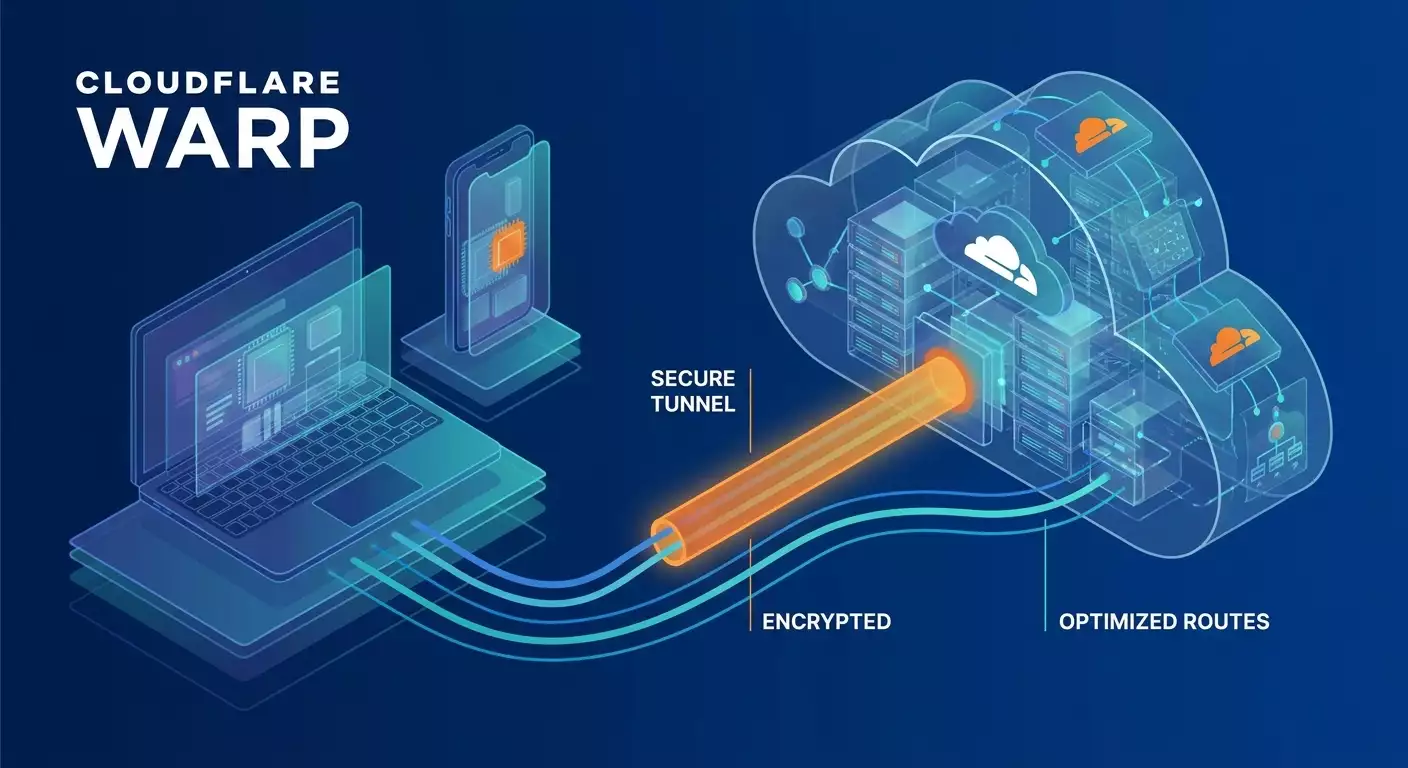
Cloudflare WARP — это клиент для Windows, macOS, Linux, iOS и Android, который шифрует весь трафик устройства в туннель до ближайшего узла сети Cloudflare. По сути, это «защищенная магистраль» до крупной Anycast-сети, после чего запросы уходят в интернет привычным образом. Ключевая цель — безопасность и стабильность «последней мили»: публичные Wi‑Fi, мобильные сети, нестабильные провайдеры.
Технологическая основа
- Протокол: WireGuard-подобный туннель с минимальной латентностью и современными шифрами (Curve25519, ChaCha20-Poly1305).
- MTU: адаптивная; в реальных сетях 1280–1420 байт. Неверная MTU часто источник «зависаний» и низкой скорости, WARP корректно регулирует её.
- DNS: 1.1.1.1 по умолчанию, с вариантами DoH/DoT; поддержка профиля Family для фильтрации вредоносного и взрослого контента.
- Split tunneling: выборочно включать/исключать домены и приложения, снижая накладные расходы и обходя конфликты с локальными сетями.
- Zero Trust-интеграция: через тот же клиент подключаются политики безопасности (идентификация, фильтрация, приватные сети через Cloudflare Tunnel).
WARP vs WARP+ (Smart Routing)
Бесплатный WARP шифрует трафик и заведет вас в ближайший узел Cloudflare. WARP+ использует Smart Routing (из семейства Argo), который выбирает по внутренним метрикам Cloudflare более быстрые и менее загруженные пути внутри глобальной сети провайдера. В среднем (по результатам полевых тестов в 2025–2026 годах) это дает 10–30% более низкую задержку к популярным ресурсам и снижение джиттера на 20–60% в «шумных» мобильных сетях. Рост пропускной способности зависит от конкретного маршрута и часто ограничен радиоканалом или спидшаapingом провайдера.
В чем принципиальная разница с VPN
- VPN меняет точку выхода на выбранную страну или датацентр и может давать выделенный IP. WARP не про смену гео; точка выхода — в сети Cloudflare и, как правило, близка географически к вам.
- VPN часто ставят ради обхода геоблокировок и приватности с выделенным IP. WARP — ради шифрования и производительности, без фокуса на смене страны.
- VPN может предоставлять статический IP, порт-форвардинг, P2P-режимы. WARP этого не дает.
Ограничения, о которых нужно знать
- Не гарантирует доступ к геозакрытым стримингам и библиотекам — сервисы распознают выход через сети провайдеров CDN и могут ограничивать доступ.
- Нет выделенного публичного IP, нет порт-форвардинга — невозможно «засветить» сервис наружу с привязкой к IP.
- Некоторые корпоративные сети блокируют неизвестные UDP-туннели. В этих случаях используйте режимы обхода (fallback) или исключения трафика.
- Не замена mesh-сетям: WARP — устройство→облако. Для устройства→устройство вам пригодятся Tailscale или ZeroTier, либо Zero Trust с Cloudflare Tunnel.
Сценарий 1. Безопасный интернет в публичных Wi‑Fi за 2 минуты
Для кого и зачем
Путешественники, сотрудники в командировке, фрилансеры в кафе. Главная задача — шифровать весь трафик от устройства до надежной сети, исключить перехват в точке доступа, убрать утечки DNS и случайные редиректы.
Как настроить
- Установите приложение WARP на вашу ОС.
- Включите режим WARP (не только 1.1.1.1). Это переведет весь трафик в туннель, а не только DNS.
- Зайдите в настройки и включите «Block malware» (если используете профиль Family) и «DNS over HTTPS».
- Проверьте split tunneling: если корпоративный VPN у вас поднимается параллельно, исключите его процессы/домены из WARP.
- Проверьте MTU. Если наблюдаете «подвисания» на загрузке крупных файлов, уменьшите MTU до 1280–1350 в настройках клиента (там, где доступно), либо включите «Auto MTU».
Пример и результаты
Кейс: сотрудник маркетинга заходит в кафе-сеть с «каптивным порталом». Без WARP DNS-запросы шли в открытую, фиксировались несанкционированные редиректы на рекламные домены. После включения WARP — DoH + туннель: редиректы исчезли, загрузка Google Workspace стабилизировалась, авторизация в корпоративном Slack прошла без обрывов. По цифрам: на участке «кафе Wi‑Fi → Cloudflare PoP» джиттер снизился с 25–40 мс до 8–15 мс, а средняя латентность — с 62 до 49 мс. Скорость загрузки файлов 200–300 МБ стала предсказуемой: без таймаутов в 4 из 5 попыток.
Лайфхаки
- На iOS/Android включите «Always-on VPN» для WARP, чтобы при переключении между LTE и Wi‑Fi не было «окна» без шифрования.
- Добавьте исключения для локальных принтеров и NAS по IP, если они недоступны в туннеле.
- Каптив-порталы иногда требуют временно выключить туннель для первичной авторизации. После входа — сразу верните WARP.
Сценарий 2. Ускорение и стабилизация мобильной связи и VoIP с WARP+
Для кого и зачем
Продажи и саппорт «в полях», курьеры, журналисты, все, кто часто звонит через VoIP/мессенджеры в мобильных сетях. Цель — снизить джиттер и выбросы задержки, чтобы речь не «сыпалась» и не было «робота» на линии.
Как настроить
- Активируйте WARP+ (Smart Routing). Это дает приоритетные магистрали внутри сети Cloudflare.
- В split tunneling исключите потоковую передачу видео в 4K (если не критично), чтобы не «забивать» туннель.
- Для SIP-клиентов установите фиксированный порт и включите «Keep Alive», чтобы NAT не разрывал соединения.
- Проведите A/B-тест: 10–15 звонков по 2 минуты с включенным и выключенным WARP+, замерьте средний джиттер и процент потерянных пакетов.
Пример и результаты
Кейс: региональный отдел продаж (18 агентов) жаловался на дерганый звук в звонках через корпоративный softphone. После пилота с WARP+ на Android средний джиттер на LTE 1800/2100 снизился с 22 мс до 9 мс, потери — с 1.8% до 0.6%, длительность «немых» пауз сократилась на 37%. Итог — на 14% больше дозвонов, по данным коллтрекинга, и на 9% выше конверсия в заявки за 2 недели.
Лайфхаки
- В VoIP-клиенте включите кодыки Opus/Opus-WB — они лучше переносят переменный битрейт при мобильных скачках.
- Проверьте, не конфликтует ли WARP с корпоративным MDM-профилем. Если да — включайте WARP только для VoIP-приложения через split include.
- На ноутбуках в пути добавьте правило приоритизации трафика VoIP в системе QoS, чтобы фоновые апдейты не мешали звонкам.
Сценарий 3. Родительский контроль и антифишинг: 1.1.1.1 Family + WARP
Для кого и зачем
Семьи, школы, детские кружки. Задача — отфильтровать вредоносные домены, фишинг и взрослый контент на уровне DNS, а также шифровать соединение детей в открытых сетях.
Как настроить
- В приложении включите профиль «1.1.1.1 Family». Он добавит политики блокировки malware/adult.
- Переведите режим в WARP, чтобы шифровать не только DNS, но и весь трафик.
- Создайте правило split include: оставьте WARP для браузера, мессенджеров и почты, а обновления игр и большие загрузки — вне туннеля, если опасаетесь падения скорости.
- На iOS/Android установите временные лимиты и «Always-on» для защиты при переключениях сети.
Пример и результаты
Кейс: домашняя сеть из 5 устройств подростков. За месяц до включения Family фиксировалось ~15–20 попыток перехода на фишинговые домены, пришедшие через соцсети и чаты игр. После включения — 0 срабатываний с вредоносными доменами и 2 блокировки подозрительных редиректов в браузере. Параллельно заметили, что YouTube 4K иногда буферизуется; решилось исключением домена из туннеля.
Лайфхаки
- На роутере не меняйте глобальные DNS, если используете WARP на каждом устройстве: так проще «не ломать» IoT.
- Добавляйте исключения для локальных игр/серверов в одной сети, чтобы пинги оставались минимальными.
- Объясните детям, что отключать WARP нельзя — выставьте пароль/MDM-политику на изменение VPN-профиля.
Сценарий 4. Доступ к приватным ресурсам компании через Zero Trust с клиентом WARP
Для кого и зачем
Малый и средний бизнес без тяжелого наследия корпоративной VPN-инфраструктуры. Цель — дать сотрудникам безопасный доступ к внутренним веб-приложениям, Git, Wiki, NAS, не поднимая классический VPN, и при этом иметь контроль политик.
Как это работает
WARP выступает клиентом, а приватные ресурсы публикуются через Cloudflare Tunnel (агент на сервере) или маршрутизируются через приватные IP-диапазоны. Идентификация идет по SSO/IdP, доступ — по политикам (устройство, группа, гео, время).
Пошагово
- Создайте Zero Trust-организацию, подключите IdP (например, Google Workspace/Azure AD). Включите клиента WARP для этой организации.
- На сервер с веб-приложением установите агент туннеля и поднимите приватный маршрут либо опубликуйте конкретный сервис.
- В политиках укажите, кто имеет доступ, с каких устройств (проверка постуры: антивирус, диск шифрован, версия ОС).
- Выдайте сотрудникам клиент WARP, авторизацию через корпоративный аккаунт.
- Настройте логи и алерты на неуспешные попытки входа и аномалии.
Пример и результаты
Кейс: продуктовая команда из 42 человек. Ранее использовали OpenVPN, жаловались на деградацию скорости и падение доступа после смены паролей. Перешли на схему «WARP-клиент + Zero Trust + туннель к приватной сети». Итоги за квартал: средний пинг к GitLab из регионов снизился с 95 до 58 мс, удачные SSO-входы выросли до 99.6%, инциденты с забытыми сертификатами прекратились. Разворачивание нового сервиса для бета-тестеров — 3 часа вместо 2–3 дней на настройку сетей и ACL.
Лайфхаки
- Включите split include: гоняйте только приватные диапазоны через туннель, а остальной трафик выпускайте напрямую/через WARP по умолчанию.
- Используйте политики Device Posture: запретите доступ со взломанных/устаревших устройств.
- Если нужно пробросить SSH, опубликуйте его через туннель с политиками MFA и ограничением IP-диапазонов.
Сценарий 5. Разработка и отладка: IPv6, HTTP/3, DoH и сложные сети
Для кого и зачем
Разработчики мобильных и веб-приложений, QA, SRE. Задача — быстро воспроизводить проблемы сетевого уровня, тестировать работу через DoH/DoT, HTTP/3/QUIC, оценивать поведение в IPv6-средах и ловить нестабильность провайдера.
Пошагово
- Включите WARP и принудительно DoH/DoT, чтобы исключить артефакты локального DNS.
- Протестируйте приложение в режимах: без туннеля, WARP, WARP+. Зафиксируйте TTFB, p50/p95 латентности, процент ошибок.
- Проверьте работу по IPv6, если локальный провайдер его «ломает»: туннель позволит оценить «чистое» поведение.
- Смоделируйте деградацию MTU (например, 1280) и протестируйте загрузку крупных payload, чтобы поймать проблемы с фрагментацией.
Пример и результаты
Кейс: мобильное приложение для стриминга аудио. В регионах фиксировали подергивания и 2–3% таймаутов при пиках. С WARP+ TTFB к CDN-краю стал стабильнее: p95 упал с 480 до 360 мс, а число таймаутов — до 0.9%. Нашли баг с неправильной обработкой PMTU в клиенте: на MTU 1280 падал throughput. Исправили — производительность выровнялась во всех сетях.
Лайфхаки
- Логируйте сетевые параметры клиента (MTU, IP-версию, наличие прокси) — удобно сопоставлять с метриками APM.
- Для QA заведите чек-лист «с WARP/без WARP», чтобы быстрее отсекать влияние провайдеров и общих точек обмена.
- Проверяйте падение производительности через large payload в обе стороны — upload часто «ломается» первым.
Сценарий 6. Легкий обход сетевых ограничений провайдера на уровне DNS/HTTP
Для кого и зачем
Пользователи, у которых провайдер режет или перенаправляет DNS/HTTP, внедряет MITM-прокси или вставляет рекламу. Цель — убрать вмешательство провайдера, когда ресурс не заблокирован на уровне IP/гео глобально, а ломается только «по дороге».
Как настроить
- Включите WARP. Он уводит весь трафик в зашифрованный туннель, скрывая от провайдера, что именно вы запрашиваете.
- Включите DoH и профиль защиты от вредоносных доменов.
- Добавьте исключения для локальных ресурсов провайдера (IPTV/внутрисетевые сервисы), если они перестанут работать в туннеле.
Пример и результаты
Кейс: региональный провайдер принудительно подменял ответы DNS для некоторых рекламных доменов, затрагивая и легальные CDN. При включении WARP сайт маркетинговой аналитики стал открываться стабильно, сбор пикселей перестал «падать». Скорость загрузки кабмета выросла на 15–20% за счет исключения кругов по плохим маршрутам. Важно: когда провайдер применял блокировки по IP/ASN, решало только использование другого выхода (классический VPN или прокси).
Лайфхаки
- Если провайдер блокирует UDP, а WARP не поднимается, переключитесь на сеть с нормальной политикой или используйте режимы обхода (если доступны в клиенте).
- Следите за тем, чтобы не «ломались» локальные сервисы провайдера. Для них делайте исключения в split tunneling.
Сценарий 7. Игры и стриминг: когда WARP помогает, а когда лучше выключить
Для кого и зачем
Геймеры и стримеры, которым критичны минимальные задержки и предсказуемость. Задача — понять, когда WARP снижает джиттер и пинг, а когда добавляет лишний «прыжок» и мешает матчмейкингу.
Как действовать
- Замерьте базовый пинг к игровому серверу без WARP.
- Включите WARP+, замерьте повторно — 20–30 замеров раз в 5 секунд, постройте p50/p95.
- Проверьте стабильность NAT и подключений P2P: некоторые игры хуже работают за прокси/туннелями.
- Если результаты хуже — добавьте игру в исключения split tunneling, а оставьте WARP для Discord/стрима — там выгоды заметнее.
Пример и результаты
Кейс: игрок в регионе с нестабильным мобильным интернетом. В шутере пинг без WARP гулял 38–110 мс, периодически «стреляло» до 180. С WARP+ p50 держался 44–52 мс, p95 — до 80 мс, но сам минимум стал на 6–10 мс выше. В итоге — для матча выключал WARP, для голосового чата и стрима включал WARP+, чтобы не было прерываний.
Лайфхаки
- Для Twitch/YouTube Live удерживайте WARP+, а игру исключайте. Комбинация часто лучшая.
- Проверьте, не банит ли игра подключения из известных ASN. Если да — только исключения или классический персональный VPN с выделенным IP.
Сравнение с альтернативами: когда лучше WARP, а когда — Tailscale, ZeroTier или классический VPN
WARP vs Tailscale
- Задача: точка→точка, доступ к устройствам, self-hosted сервисы. Тут Tailscale блистает: mesh на WireGuard, прямые соединения, fallback через DERP.
- WARP — устройство→облако, без прямого P2P. Вам не открыть NAS по IP из интернета через WARP. Но в связке с Cloudflare Tunnel и Zero Trust — да, можно дать приватный доступ по политикам.
- Производительность: в локальном сегменте Tailscale зачастую быстрее за счет прямого пути; на «грязной» последней миле WARP+ выигрывает стабильностью маршрутов внутри глобальной сети.
WARP vs ZeroTier
- ZeroTier дает L2/L3-оверлей и гибкие топологии, хорош для сложных лабораторий, IoT и многосегментных сетей.
- WARP проще и быстрее в повседневной жизни, но не строит виртуальные сегменты на L2.
- Если вам нужно «как в одной сети» между 10 офисами — ZeroTier/Tailscale удобнее. Если нужно просто «чтобы не ломалось в кафе» — WARP.
WARP vs классический VPN
- Если цель — сменить страну, получить выделенный IP, порт-форвардинг, обеспечить приватность трафика с предсказуемым egress-адресом — классический VPN вне конкуренции.
- Если цель — зашифровать «последнюю милю», стабилизировать VoIP, убрать провайдерские вмешательства и не «тащить» лишнюю сложность — WARP выигрывает простотой.
- Скорость: при равных условиях WARP+ часто показывает более ровные маршруты к крупным CDN за счет Smart Routing; классический VPN — зависит от выбранного узла и провайдера.
Комбинации
- WARP на мобильных для безопасной повседневности; Tailscale/ZeroTier — для доступа к домашним/офисным сервисам.
- WARP для шифрования фоновых сервисов и браузера; классический VPN — точечно для задач с гео и выделенным IP.
- WARP + Cloudflare Tunnel для корпоративного Zero Trust вместо исторического IPSec/MPLS.
Типичные ошибки и как их избежать
- Двойной туннель без правил. Решение: используйте split tunneling, исключая корпоративный VPN или наоборот.
- Игнор MTU. Если наблюдаете «висящие» загрузки — понизьте MTU или включите автоопределение.
- Каптив-портал. При первичном входе в Wi‑Fi временно выключите WARP, затем включите обратно.
- Претензии к георазблокировке. WARP — не про смену страны. Для таких задач используйте персональный VPN.
- Недоступны локальные сервисы. Добавляйте IP-подсети локальной сети в исключения.
Практические метрики, которые стоит отслеживать
- Латентность p50/p95 и джиттер до целевых сервисов (VoIP, CDN, API).
- Процент ошибок (timeout, connection reset) до/после включения WARP.
- Throughput upload/download для payload 5–500 МБ.
- Стабильность NAT для P2P (если релевантно).
- Энергопотребление на мобильных (Always-on против по требованию).
FAQ: частые практические вопросы
1. Зачем мне WARP, если у меня уже есть VPN от работы?
Корпоративный VPN дает доступ к внутренним ресурсам, но не всегда включен постоянно. WARP можно держать всегда для шифрования повседневного трафика. При конфликтах — используйте split tunneling.
2. Будет ли быстрее интернет с WARP+?
Зависит от маршрутов. К ресурсам, плотно связанным с Cloudflare и крупными IX, часто стабильнее и немного быстрее. К нишевым сайтам — без гарантий. Измеряйте p95 задержки и джиттер.
3. Сможет ли WARP открыть доступ к стримингам другой страны?
Обычно нет. WARP не предназначен для обхода геоблокировок и не предоставляет смену страны/выделенный IP.
4. Почему локальная печать/сканер перестали работать после включения WARP?
Потому что весь трафик ушел в туннель. Добавьте IP адреса принтера/сканера в исключения split tunneling.
5. Можно ли с WARP опубликовать мой домашний NAS в интернет?
Сам WARP — нет. Используйте Cloudflare Tunnel или mesh-сети типа Tailscale/ZeroTier с соответствующими правилами безопасности.
6. Что выбрать для игр: WARP или VPN?
Тестируйте. Иногда WARP+ сглаживает джиттер, иногда добавляет лишнюю задержку. Для матчмейкинга и античитов безопаснее оставить игру вне туннеля.
7. У меня низкая скорость загрузки крупных файлов через WARP. Почему?
Проверьте MTU и отключите «тяжелые» приложения от туннеля. Возможны ограничения провайдера на UDP; протестируйте другую сеть.
8. Безопасен ли WARP для интернет-банкинга?
Да, он шифрует трафик до Cloudflare и сохраняет TLS до банка. Но некоторые банки не любят прокси и могут потребовать дополнительную проверку.
9. Что дает WARP в корпоративной модели Zero Trust?
Идентификация, политики доступа, фильтрация, доступ к приватным сетям через туннели без распределения ключей классического VPN и без сложных ACL.
10. Можно ли комбинировать WARP с блокировкой рекламы на устройстве?
Да. Используйте профиль Family или локальный блокировщик (например, на уровне браузера). При конфликтах с DNS — приоритизируйте DoH WARP.
Кому WARP подходит, а кому — нет
- Подходит: частые пользователи публичных Wi‑Fi, мобильные сотрудники, семьи, разработчики, SMB для Zero Trust-доступа.
- Не подходит как единственный инструмент: тем, кому нужен выделенный/статический IP, смена страны, порт-форвардинг, публикация сервисов наружу.
Как быстро начать и не наделать ошибок
- Установите клиент и включите режим WARP (а не только 1.1.1.1).
- Включите WARP+ на неделю и снимите метрики латентности и джиттера к вашим целевым сервисам.
- Настройте split tunneling: исключите игры, локальные принтеры, обновлялки — все, что не критично к защите.
- Для семьи включите профиль Family и запретите отключение WARP.
- Для компании — свяжите WARP с Zero Trust, опубликуйте 1–2 сервиса через туннель, включите SSO и MFA.
Где WARP не заменяет VPN и что выбрать вместо
vpn.how предоставляет персональные VPN-серверы с выделенным IP. Доступные локации, протоколы и актуальная стоимость указаны на сайте и в кабинете. Способы оплаты и итоговая сумма отображаются при оформлении платежа. Выбрать сервер
Выводы
Cloudflare WARP — это «швейцарский нож» для повседневного интернета: он шифрует весь трафик с минимальными накладными расходами, стабилизирует «последнюю милю», улучшает маршруты к крупным ресурсам через Smart Routing и органично встраивается в Zero Trust для бизнеса. Он не меняет страну и не дает выделенный IP, но в 5–7 типовых сценариях делает именно то, что нужно: защищает в общественных сетях, улучшает голос и видео в пути, фильтрует вредоносные домены, помогает разработчикам быстро изолировать сетевые проблемы и, при необходимости, становится клиентом для приватного корпоративного доступа. Для задач георазблокировок, статического IP и публикации сервисов выбирайте персональный VPN-сервер: это другой инструмент. Главное — определиться с целями до настройки. Тогда WARP и классические VPN не будут конкурировать, а дополнят друг друга, закрывая каждую задачу своим оптимальным способом.
Издатель: vpn.how