Guide d'utilisation d'OpenVPN sous Windows
En bref
Guide étape par étape pour installer et configurer OpenVPN Connect sur Windows. Téléchargement du client, importation de la configuration et connexion au serveur VPN en 5 minutes.
Pas envie de monter le serveur vous-même ?
Obtenir un serveur prêt

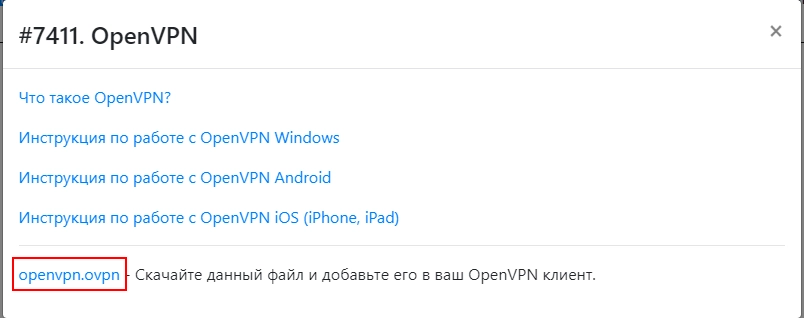
- Téléchargez le fichier de configuration

- Téléchargez la dernière version pour Windows https://openvpn.net/vpn-client/ puis installez-la
- Lancez c:\Program Files\OpenVPN Connect\OpenVPNConnect.exe
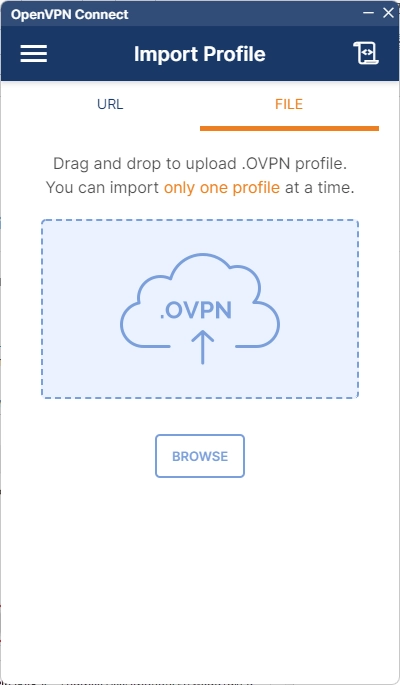
- Importez le fichier téléchargé
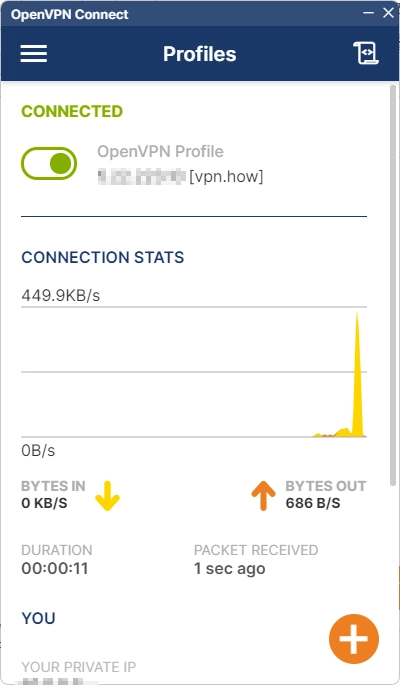
- Patientez pendant le chargement du fichier de configuration, puis cliquez sur "Connect"
- Voilà, vous êtes connecté en toute sécurité grâce au protocole VPN chiffré OpenVPN