YouTube замедление в России: что реально помогает — VPN, DoH, MTU и протоколы
Экспертное руководство по ускорению YouTube в РФ в 2026: как работает замедление, почему страдают QUIC/DNS, и какие методы действительно помогают. Пошаговые инструкции: DoH/DoT, MTU/MSS, блокировка QUIC, персональный VPN, split-tunnel, диагностика и кейсы.
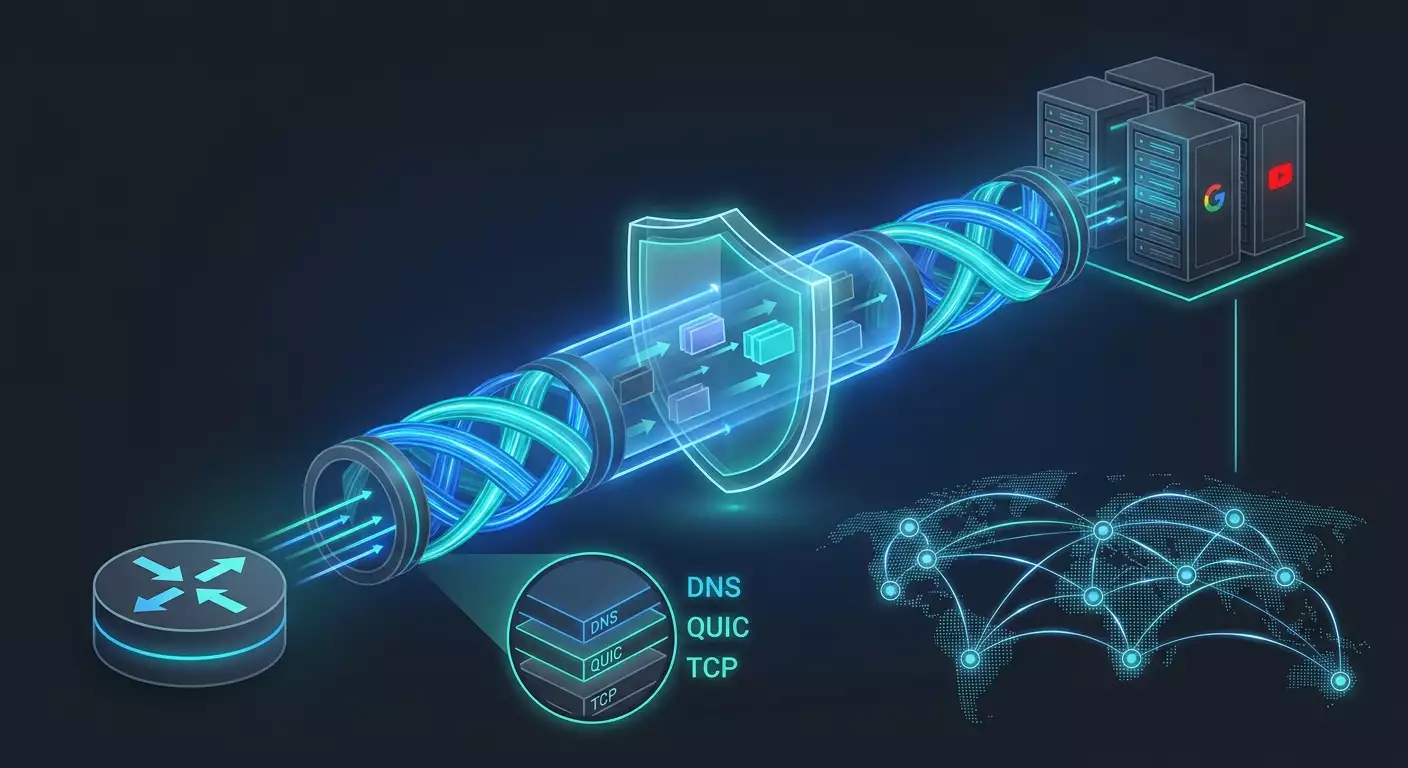
Содержание статьи
- Введение: почему тема актуальна и что вы узнаете
- Основы: как youtube доставляет видео и где возникают «узкие места»
- Глубокое погружение: техническая анатомия замедления и фильтрации
- Практика 1: шифрованный dns (doh/dot) и корректный выбор резолвера
- Практика 2: управление quic и протоколами (включить или выключить)
- Практика 3: mtu/mss — как найти «золотое» значение
- Практика 4: персональный vpn, устойчивый к dpi (протоколы и топология)
- Практика 5: split tunneling и селективная маршрутизация youtube
- Практика 6: qos и борьба с буферблотом (fq-codel/cake)
- Практика 7: диагностика и измерения — не гадать, а проверять
- Типичные ошибки и что не делать
- Инструменты и ресурсы
- Кейсы и результаты: что показывает практика
- Faq: сложные вопросы и короткие ответы
- Заключение: резюме и следующие шаги
Введение: почему тема актуальна и что вы узнаете
YouTube в России для многих пользователей стал «лотереей»: у кого-то ролики грузятся мгновенно, у кого-то зависают даже на 480p, а у третьих все отлично до тех пор, пока не включается реклама или не переключается трек в плейлисте. В 2024–2026 годах картина усложнилась: операторы связи применяют разнородные механизмы контроля и управления трафиком на прикладном уровне, а сам YouTube активно продвигает QUIC (HTTP/3), адаптивные потоки (DASH) и сложные CDN-маршруты. В результате производительность зависит от десятков факторов: DNS, MTU, протоколов, географии, очередей на магистралях, даже времени суток. Это руководство систематизирует знания, показывает, что действительно помогает, а что нет, и дает проверенные практики на уровне «настроил — и работает».
Мы разберем, как устроена доставка видео YouTube, почему отдельные звенья цепочки становятся «узким горлышком», и предложим методы, которые в 2026 году показывают максимальный эффект: от шифрованного DNS (DoH/DoT) и грамотной работы с QUIC до настройки MTU/MSS и использования персональных VPN-серверов. Вы получите пошаговые инструкции, чек-листы, фреймворки принятия решений, инструменты диагностики и реальные кейсы. Цель проста: сделать воспроизведение YouTube предсказуемым и стабильным на вашей конкретной сети и устройствах.
Основы: как YouTube доставляет видео и где возникают «узкие места»
Как работает YouTube-трафик
YouTube использует распределенную сеть доставки контента (CDN), домены вида *.googlevideo.com, адаптивное поточное вещание (DASH) и современные протоколы: HTTP/2 поверх TCP и HTTP/3 поверх QUIC (UDP/443). Плеер динамически выбирает битрейт и разрешение по доступной пропускной способности и задержке. Важные свойства: короткие сессии, частые диапазонные запросы (range requests), параллельные соединения и чувствительность к потере пакетов.
Где ломается производительность
- DNS: нешифрованные запросы перехватываются и перенаправляются на менее удачные CDN-узлы; возможна подмена или выбор «далекого» POP.
- QUIC: UDP/443 может быть ограничен, деградирован или подвергаться приоритезации ниже TCP, особенно в часы пик.
- IP/префиксы: избирательное управление скоростью к диапазонам Google или к узлам определенных автономных систем.
- MTU/PMTUD: некорректное определение пути максимального размера пакета, фрагментация UDP/QUIC или чрезмерный MSS для TCP приводит к ретрансляциям и падению эффективной скорости.
- Очереди и буферблот: загруженные магистрали и CPE-роутеры без AQM (FQ-CoDel, CAKE) вызывают скачки задержек и вариабельность.
Почему простое «поставить VPN» не всегда решает
VPN меняет маршрут, IP-источник и часто протокол. Но если MTU настроен неверно, локальная радиосеть перегружена или DNS все еще утекает в сторону оператора, часть проблем сохраняется. Кроме того, «shared»-VPN часто попадают в блок-листы или на перегруженные узлы. Итог: важно правильно выбирать протокол и сервер, настраивать MTU/MSS и контролировать DNS.
Глубокое погружение: техническая анатомия замедления и фильтрации
DPI и классификация трафика
Системы DPI (Deep Packet Inspection) на практике в 2024–2026 годах сочетают сигнатурный и поведенческий анализ. Для YouTube характерны SNI-метки в TLS (если без ECH), паттерны диапазонных запросов и QUIC-особенности. DPI может:
- понижать приоритет UDP/443 с определенными характеристиками рукопожатия QUIC;
- ограничивать скорость к конкретным AS или префиксам;
- подменять DNS-ответы для доменов googlevideo.com;
- избирательно вмешиваться в Path MTU Discovery, провоцируя фрагментацию или черные дыры MTU.
QUIC против TCP: когда что выигрывает
QUIC быстрее восстанавливается после потерь и лучше переносит умеренный джиттер. Но он чувствителен к фрагментации: минимальный размер дейтаграммы 1200 байт, а реальный полезный размер с оверхедом может пересекаться с MTU «узких» сегментов (PPPoE, мобильные ядра). TCP на HTTP/2 менее требователен к MTU за счет MSS-контроля, но страдает от потерь и буферблота. На практическом уровне: если оператор ухудшает UDP, выключение QUIC временно стабилизирует поток; если оператор не троттлит UDP, правильный MTU и QUIC дают ощутимый выигрыш.
DNS: DoH/DoT, выбор резолвера и влияние географии
Шифрованные DNS (DoH/DoT) скрывают запросы от перехвата и часто выбирают более близкие к вам CDN-узлы на основе геопозиции резолвера. Но важно, чтобы резолвер корректно «заводил» вас на ближайшие YouTube POP. Слишком удаленный публичный резолвер может вернуть «чужой» CDN и ухудшить RTT.
MTU/MSS и Path MTU Discovery
Если ICMP «Fragmentation Needed» фильтруется, PMTUD ломается. UDP-потоки фрагментируются или теряются, TCP с завышенным MSS вызывает ретрансляции. Лечится статическим занижением MTU или MSS-клампингом на CPE/роутере или в туннеле VPN.
Практика 1: Шифрованный DNS (DoH/DoT) и корректный выбор резолвера
Что дает
- Сокрытие DNS-запросов от перехвата и подмены.
- Снижение вероятности «неудачных» CDN-ответов из-за провайдерских резолверов.
- Иногда — уменьшение задержки к ближайшему POP.
Когда помогает
- Наблюдается странный выбор хостов *.googlevideo.com с высоким RTT.
- Провайдерский DNS «залипает» или подменяет ответы.
- Есть признаки «DNS-based» троттлинга.
Пошагово: Windows 11/10
- Откройте Параметры — Сеть и Интернет — Настройки адаптера — Свойства вашего интерфейса — Назначить серверы DNS вручную.
- Добавьте два DoH-резолвера (IPv4/IPv6) и включите «Шифрование DNS» для каждого.
- Проверьте утилитой «nslookup -type=a r3---sn-...googlevideo.com» и убедитесь, что ответ идет от выбранного резолвера (смотрите адрес DNS-сервера).
Android 12+: частный DNS (DoT)
- Настройки — Сеть и Интернет — Частный DNS — Указать имя хоста провайдера DoT.
- Проверьте через «adb shell getprop | grep dns» или приложением-диагностом, что трафик идет по TLS.
iOS/iPadOS/macOS: профиль или сторонний резолвер
- На iOS используйте профиль конфигурации с DoH/DoT или приложение, поддерживающее системный DoH.
- На macOS — Системные настройки — VPN и фильтры — добавьте профиль DoH/DoT, либо используйте сетевой фильтр (например, через утилиту конфигураций).
Роутер: OpenWrt/pfSense
- OpenWrt: установите dnsmasq-full и https-dns-proxy или stubby (DoT). Укажите upstream-резолверы и включите DNSSEC по желанию.
- pfSense/OPNsense: добавьте Unbound + DoT, включите «DNS over TLS» для выбранных upstream.
Чек-лист: как убедиться, что DoH/DoT действительно помогает
- Пинг до адресов, возвращаемых для googlevideo.com, снизился на 10–40%.
- Доля буферизаций в плеере YouTube уменьшилась, разрешение стабильно держится выше.
- DNS-запросы в sniffer видны как TLS/HTTPS к резолверу, а не голый UDP/53.
Практика 2: Управление QUIC и протоколами (включить или выключить)
Идея
Если UDP/443 явно ухудшается, временно переводим плеер на HTTP/2 поверх TCP, чтобы обойти селективный троттлинг. Если UDP не ограничивают, наоборот, сохраняем QUIC и добиваемся корректного MTU.
Быстрые способы
- Chrome/Chromium: chrome://flags — параметр «Experimental QUIC protocol» — Disabled, перезапуск браузера. Для обратного эффекта — Enabled.
- Системный фаервол: заблокировать исходящие UDP/443 для YouTube-клиента, чтобы плеер упал на TCP.
- Роутер: iptables/nftables правило drop для UDP/443 только к доменам/сетям Google (через DNS-based rules в роутере или L7-модуль).
Риски и тонкости
- Отключение QUIC может привести к медленному старту воспроизведения в хороших сетях.
- Глобальная блокировка UDP/443 может затронуть иные сервисы (Meet, WebRTC). Лучше применять селективно.
Чек-лист принятия решения
- Если на UDP скорость падает, а TCP стабильнее — выключите QUIC.
- Если RTT до CDN невысокий и MTU настроен правильно — оставляйте QUIC включенным.
- Тестируйте не менее 10–15 минут в часы пик и в «непиковое» время.
Практика 3: MTU/MSS — как найти «золотое» значение
Почему это критично
Неверный MTU провоцирует фрагментацию и потери, а у QUIC это оборачивается резким проседанием битрейта. TCP с завышенным MSS попадает в цикл ретрансляций. Уменьшение MTU на интерфейсе или MSS-клампинг на роутере часто дает эффект сильнее, чем любая замена резолвера.
Опорные значения
- PPPoE/мобильные сети: реальный безопасный MTU часто 1420–1460, а для туннелей еще ниже.
- WireGuard: стартово MTU 1280–1420 (часто 1280 или 1320 под UDP NAT).
- OpenVPN UDP: tun-mtu 1500, mssfix 1360–1400, fragment выключен при хорошем канале; подбирайте эмпирически.
- IKEv2/IPsec: учесть оверхед ESP/NAT-T; эффективный MSS клампьте до 1360–1400.
Пошагово: Linux
- Определите минимальный не фрагментируемый пакет: «ping -M do -s 1472 8.8.8.8» и уменьшайте -s до успешного. MTU = s + 28 (заголовки IP+ICMP).
- Установите MTU: «ip link set dev eth0 mtu 1460» (замените интерфейс).
- Настройте MSS-клампинг: nftables или iptables правило «-t mangle -A FORWARD -p tcp --tcp-flags SYN,RST SYN -j TCPMSS --clamp-mss-to-pmtu».
Пошагово: Windows
- Посмотрите MTU: «netsh interface ipv4 show subinterfaces».
- Установите MTU: «netsh interface ipv4 set subinterface "Ethernet" mtu=1460 store=persistent».
- Проверьте стабильность на YouTube и скорость HTTP-загрузок.
Пошагово: роутер OpenWrt
- Network — Interfaces — Physical settings — MTU override.
- Firewall — Custom Rules: включите TCPMSS clamp-to-pmtu для FORWARD.
- Если используете WireGuard, задайте MTU в интерфейсе WG.
Чек-лист верификации
- Доля буферизаций упала, старты стали быстрее.
- На UDP/QUIC исчезли «ступеньки» битрейта.
- Нет падения скорости для других сервисов; если есть, подстройте MSS на 10–20 байт.
Практика 4: Персональный VPN, устойчивый к DPI (протоколы и топология)
Зачем VPN в контексте YouTube
VPN меняет маршрут и «маскирует» трафик YouTube внутри зашифрованного туннеля. Это обходит SNI-фильтрацию и избирательный троттлинг по доменам/префиксам. Ключевые параметры успеха: персональный IP, протокол, порт, MTU/MSS и география.
Выбор протокола под задачу
- WireGuard (UDP): минималистичен, высокопроизводителен, устойчив при правильном MTU. На нестандартных портах выглядит как «обычный» UDP. Хорош для низкой задержки, но требует аккуратной настройки на мобильных сетях.
- IKEv2/IPsec: стабилен и часто «проходит» DPI, особенно по UDP/4500 (NAT-T). Хорош для iOS/macOS/Windows с нативными клиентами.
- OpenVPN TCP/443: максимально похож на HTTPS, часто проходит там, где UDP душат. Минус — потенциально выше задержки.
- OpenVPN UDP: быстрее TCP, но может сталкиваться с теми же проблемами, что и QUIC, если оператор ограничивает UDP.
- L2TP/SSTP: как «запасные» варианты в наследуемых средах и для совместимости.
География и порт
- Чем ближе точка входа, тем лучше. Москва/СПб обычно выигрывают для РФ, но иногда Европа (Франкфурт, Амстердам, Варшава) дает более свободные маршруты.
- Порт выбирайте адаптивно: WireGuard — нестандартный (например, 51820 сменить на 53 или 22555), IKEv2 — 4500, OpenVPN — 443/TCP при сложном DPI.
Персональный сервер против общего
Shared-VPN-адреса часто в блок-листах, перегружены и легко детектируются. Персональный сервер с выделенным IP реже попадает под массовые фильтры, маршрутизируется стабильнее и дает предсказуемую производительность. Важны отсутствие логов и быстрая автоматическая выдача конфигов.
Практика и чек-лист настройки
- Выберите протокол: если у вас мобильный оператор душит UDP — начните с OpenVPN TCP/443 или IKEv2/4500; если нет — WireGuard на нестандартном порту.
- Подберите географию: начните с ближних городов, затем протестируйте 1–2 европейских узла с низким RTT.
- Настройте MTU/MSS в туннеле: WireGuard MTU 1280–1320, OpenVPN mssfix 1360–1400, IKEv2 клампьте MSS.
- Включите split-tunneling: пропускайте YouTube и стриминг через VPN, остальной трафик — напрямую для экономии.
- Проверьте DNS внутри туннеля: используйте DoH/DoT или резолвер провайдера VPN, чтобы исключить утечки и неверную геолокацию CDN.
Экспертная рекомендация: когда стоит рассмотреть vpn.how
Если нужен предсказуемый результат без «лотереи» shared-узлов, обратите внимание на персональный подход: vpn.how поднимает для клиента отдельный VPN-сервер с выделенным IP (не shared), что существенно снижает риск попадания в блок-листы и обеспечивает стабильные маршруты. Доступны протоколы WireGuard, OpenVPN, IKEv2, L2TP, SSTP; можно подобрать устойчивую к DPI конфигурацию — например, WireGuard на нестандартных портах или IKEv2 по 4500/UDP (NAT-T). Локации покрывают ключевые точки: Москва, Санкт-Петербург, Амстердам, Франкфурт, Лондон, Нью-Йорк, Сан-Хосе, Чикаго, Сингапур, Сидней, Мадрид, Хельсинки, Стокгольм, Варшава, Копенгаген, Ставангер — это удобно для экспериментов с маршрутами и задержками. Оплата принимается картами РФ (включая популярные банковские приложения), СБП и USDT/BTC; автозапуск сервера занимает около 5 минут после оплаты, политика без логов. По тарифам: от 490 ₽ за день теста и от 2490 ₽ в месяц с гибкими скидками на длительные периоды. В контексте троттлинга YouTube ключевой тезис прост: персональный VPN-сервер с собственным IP заметно реже страдает от блок-листов, чем shared-решения, а наличие протоколов и портов, устойчивых к DPI, позволяет подобрать рабочую схему без долгих попыток.
Практика 5: Split Tunneling и селективная маршрутизация YouTube
Задача
Направить только трафик YouTube (и родственных доменов) через VPN, оставляя остальной трафик напрямую, чтобы снизить задержки для сервисов вне стриминга и экономить пропускную способность VPN.
Подходы
- На клиенте: приложения VPN с поддержкой split-tunnel (Windows/macOS/Android/iOS) — включить домены *.googlevideo.com, youtube.com, ytimg.com.
- На роутере: policy-based routing (OpenWrt — mwan3/pbr), правила на основе доменных списков и SNI (через DNS-resolved IP с периодическим обновлением).
Пошагово: OpenWrt Policy-Based Routing
- Установите пакет policy-based routing.
- Создайте политику: назначения — IP-диапазоны, полученные из *.googlevideo.com, *.youtube.com (обновляйте через cron-скрипт, резолвящий домены и собирающий списки).
- Назначьте маршрут для политики — интерфейс VPN.
- Проверьте, что остальной трафик идет через WAN.
Чек-лист контроля
- В браузерном WebRTC-тесте публичный IP вне YouTube — ваш, а поток видео — через IP VPN.
- Локальные сервисы (банкинг, умный дом) не ломаются из-за «чужого» IP.
Практика 6: QoS и борьба с буферблотом (FQ-CoDel/CAKE)
Симптомы буферблота
Пинг скачет при загрузках, YouTube держит битрейт, но стартует медленно, при фоновых загрузках начинается дерганье потока.
Решение
- FQ-CoDel или CAKE на CPE/роутере, ограничение up/down немного ниже реального канала (на 5–15%).
- Интерливинг очередей: стримы получают стабильную долю без starvation.
Пошагово: OpenWrt SQM
- Установите luci-app-sqm, выберите CAKE или FQ-CoDel.
- Установите целевые скорости на 5–10% ниже пика по измерениям.
- Включите diffserv для приоритезации мультимедиа (по желанию).
Чек-лист
- Under-load latency снизилась в 2–5 раз.
- YouTube перестал «мигать» битрейтом при параллельных закачках.
Практика 7: Диагностика и измерения — не гадать, а проверять
Мини-фреймворк диагностики
- Снимок базовой сети: ping и traceroute к узлам CDN YouTube, проверка MTU, измерение скорости NDT (M-Lab) в часы пик.
- DNS-валидирование: посмотреть, какие IP возвращаются для googlevideo.com с разными резолверами, сравнить RTT.
- QUIC-анализ: проверить, идут ли дейтаграммы UDP/443 стабильно (через sniffer), сравнить с HTTP/2.
- AB-тест протоколов: WireGuard vs IKEv2 vs OpenVPN TCP/443 на 2–3 локациях, каждый не менее 10 минут.
- Буферблот: измерить задержку под нагрузкой (tool типа Flent или встроенные тесты), включить SQM и повторить.
Интерпретация
- Если UDP нестабилен, TCP дает выигрыш — отключите QUIC и/или используйте OpenVPN TCP/443.
- Если DNS «уводит» в дальний POP, включите DoH/DoT с локально близким резолвером.
- Если фрагментация в sniffer — снизьте MTU/MSS.
Типичные ошибки и что не делать
- Использовать «бесплатные» VPN: shared-IP в блок-листах, перегрузка, утечки DNS, нестабильность.
- Игнорировать MTU: «поставил VPN — не помогло» часто лечится одним параметром MTU/MSS.
- Жестко блокировать весь UDP: ломает другие сервисы; действуйте точечно или компенсируйте настройками.
- Ставить слишком удаленный резолвер DoH/DoT: получаете «чужие» CDN и выше RTT.
- Накладывать несколько прокси и VPN: удвоение оверхеда и сложная диагностика.
- Забывать про split-tunnel: тащить весь трафик через VPN дорого и не нужно.
- Не тестировать в часы пик: дневные успехи не гарантируют вечерней стабильности.
Инструменты и ресурсы
Измерения и анализ
- Wireshark/tcpdump: видимость QUIC/TCP, размер сегментов, потери.
- M-Lab NDT: базовая пропускная способность и RTT под нагрузкой.
- Flent/Bufferbloat-тесты: оценка очередей и качества под нагрузкой.
- OONI Probe: индикативные тесты сетевых аномалий.
- traceroute/mtr: стабильность маршрутов, узкие места.
Сетевые платформы
- OpenWrt/pfSense/OPNsense: SQM, PBR, DoH/DoT, VPN-клиенты.
- Клиенты VPN: нативные IKEv2, WireGuard, OpenVPN.
Кейсы и результаты: что показывает практика
Кейс 1: Домашний проводной интернет, центральный округ
Симптомы: вечером YouTube падает до 480p при включенном QUIC. Диагностика: UDP/443 с потерями 3–5%, RTT стабилен; TCP стабилен. Решение: отключить QUIC в браузере, включить DoH с близким резолвером, настроить SQM на роутере. Результат: стабильные 1080p, старт за 1–2 секунды, без буферизаций в прайм-тайм.
Кейс 2: Мобильная сеть, Москва/МО
Симптомы: ролики «ступенчатые», часто сбрасывается качество, тормоз в приложении YouTube. Диагностика: UDP явно троттлится, TCP ровный; MTU на мобильном сегменте низкий. Решение: IKEv2/UDP 4500 к ближайшему узлу, MSS-клампинг 1360, split-tunneling на youtube-домены. Результат: 1080p стабильно, снижение буферизаций более чем в 3 раза относительно исходного состояния.
Кейс 3: Домашняя сеть + персональный VPN
Симптомы: нестабильность на некоторых CDN узлах, вечерние провалы. Диагностика: DNS резолвит «далекие» узлы. Решение: персональный WireGuard-сервер в Санкт-Петербурге с нестандартным портом, MTU 1320, DoH внутри туннеля, split-tunneling. Результат: 1440p/2160p с минимальными прерываниями, равномерный график загрузки, задержка выросла незначительно.
Кейс 4: Офисная сеть с ограничениями
Симптомы: YouTube частично заблокирован по доменам, для рабочих задач нужен доступ к обучающим роликам. Диагностика: SNI-фильтрация и прокси на периметре. Решение: OpenVPN TCP/443 в режимах, максимально похожих на HTTPS, split-tunneling только для YouTube-ресурсов. Результат: стабильные 720p–1080p без влияния на корпоративные приложения.
FAQ: сложные вопросы и короткие ответы
1. Поможет ли один только DoH/DoT?
Иногда да, если проблема была в неверных DNS-ответах. Но при DPI-троттлинге протоколов без VPN эффект ограничен. Комбинируйте с управлением QUIC и MTU.
2. Стоит ли отключать QUIC навсегда?
Нет. Это тактическая мера. Если ваш оператор не душит UDP, правильно настроенный QUIC дает лучшую отзывчивость. Тестируйте обе конфигурации.
3. Какой протокол VPN выбрать в 2026?
Если DPI агрессивен к UDP — OpenVPN TCP/443. Если требуется нативность и устойчивость — IKEv2/4500. Если UDP свободен — WireGuard с корректным MTU и нестандартным портом.
4. Как подобрать MTU без экспертиз?
Используйте ping с флагом «не фрагментировать», далее снижайте MTU пошагово на интерфейсе или в туннеле. Для WireGuard часто работают 1280–1320, для TCP — MSS 1360–1400.
5. Почему shared-VPN иногда даже хуже без VPN?
Перегруженные узлы, блок-листы и плохая география. Персональный сервер с выделенным IP предсказуемее, реже блокируется и позволяет гибко выбрать протокол/порт.
6. Можно ли обойтись без VPN на Smart TV?
Иногда достаточно DoH/DoT на роутере и отключения QUIC на уровне сети (блок UDP/443 к Google). Если не помогает — роутер как VPN-шлюз со split-tunneling.
7. Что с легальностью?
Используйте методы в рамках законодательства и условий сервисов. Цель — обеспечить стабильность и приватность трафика, а не нарушать правила.
8. Помогут ли Tor/браузеры с прокси?
Технически возможен доступ, но для стриминга Tor не предназначен: задержки и узкие каналы. Для YouTube лучше VPN с корректным MTU.
9. Имеет ли смысл менять регион плеера/аккаунта?
Для производительности — почти нет. Важно, куда резолвится CDN и как класифицируется ваш трафик, а не регион аккаунта.
10. Что с ECH/маскированием SNI в 2026?
ECH расширяется, но внедрение неравномерно. На практике VPN остается надежным способом не зависеть от SNI-классификации.
Заключение: резюме и следующие шаги
Замедление YouTube — не магия, а совокупность сетевых факторов: DNS, QUIC, MTU, очереди и география. В 2026 году максимум результата дают комбинированные подходы: зашифрованный DNS для корректной привязки к CDN, грамотное управление QUIC в зависимости от политики оператора, обязательная настройка MTU/MSS и, при необходимости, персональный VPN с устойчивым к DPI протоколом и близкой географией. Начните с диагностики: проверьте RTT/потери, определите рабочий MTU, сравните QUIC и TCP. Затем добавьте DoH/DoT и SQM, выполните AB-тесты VPN-протоколов с split-tunneling. Следуйте чек-листам из этого руководства — и вы получите стабильный YouTube без догадок и случайностей. Если нужен быстрый и предсказуемый результат, используйте персональный VPN-сервер с выделенным IP и подходящим протоколом; это снижает вероятность блок-листов и дает контроль над маршрутами. Ваша цель — не «обмануть сеть», а построить корректную транспортную цепочку от плеера до CDN, в которой каждый слой работает оптимально. Тогда YouTube перестанет быть лотереей и станет просто работать.